spideysensi v.001
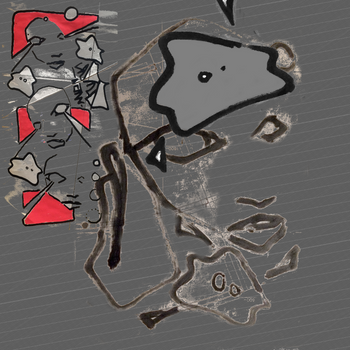
for latest updated version check : update: spideysensi v.2xxx
https://www.fxhash.xyz/article/spideysensi-v.2xxx
at the moment

.png supported only

and all images should be the same size!!else it throws an error
the canvas will scale, depending the first image it loads!

and you need to test it on a webserver, online.. or running a local apache like webserver
[since running it local from hd, and loading images from your hard-disk... drops a security error]

depending on use, i might add extra's upscalers etc. and special fx
work in progress!!
as welli
note: I did an update. spideysensi v.2 is out now! fixed some bugs. see link at top of page!!!


still archieved the old one:
(that got a small .css error-warning at the start. that is fixed in the updated version! )

see it running
https://elout.home.xs4all.nl/drawz/spideysense001c/

download the big project .zip (including my images and all the source)
https://elout.home.xs4all.nl/drawz/spideysense001c/spideysense001c.zip

fxhash first raw test release
https://www.fxhash.xyz/generative/slug/spideysensi-v001c

what you need:

the index.html and the fxhash.min.js file
your images
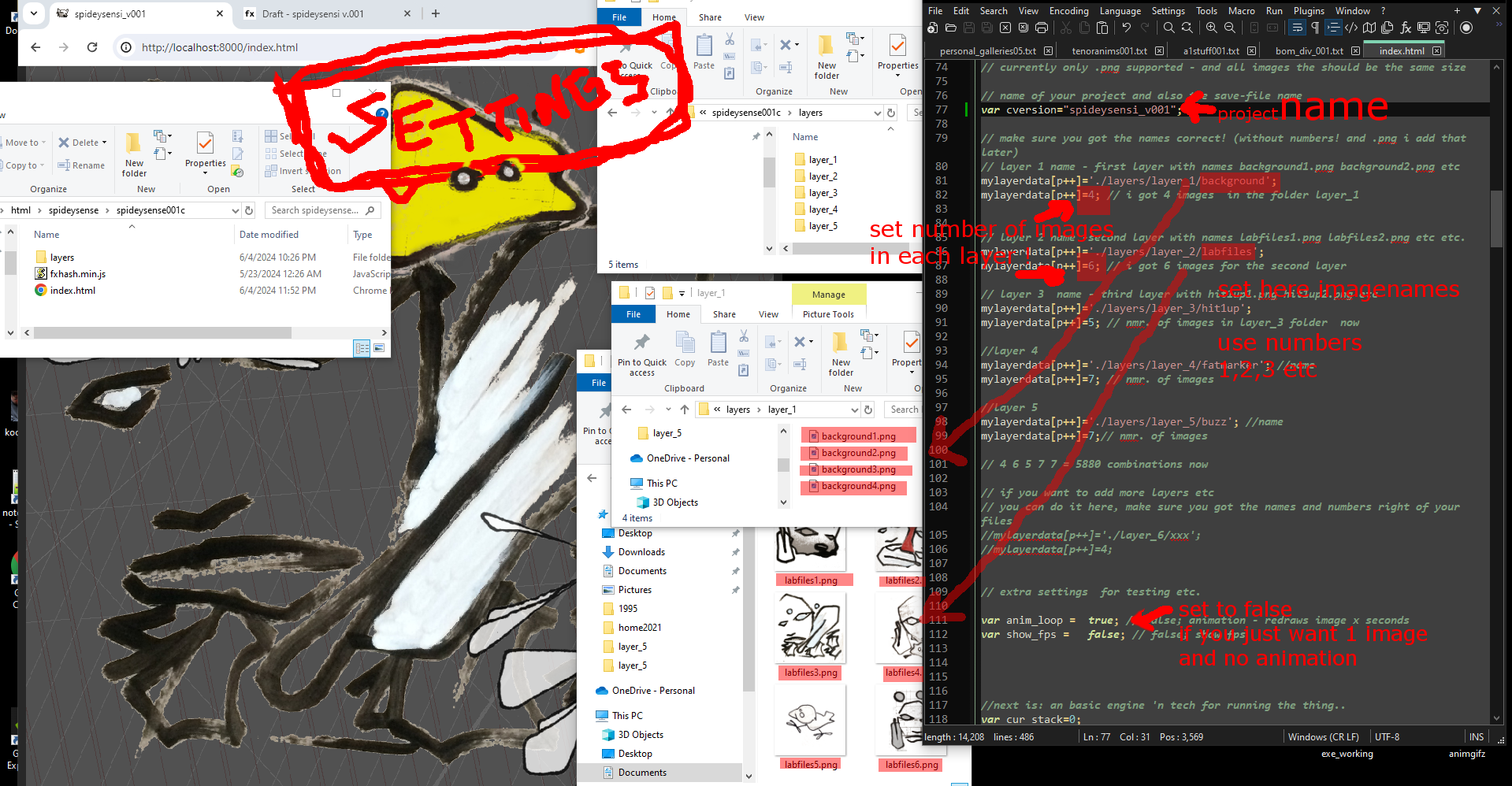
and the script adjusted, [for now..by hand]  to set the correct names and numbers.. for the images you use
minimal animation, example;  dice

see it running
https://elout.home.xs4all.nl/2024/jun/dice/

download zipfile (1.87mb) with index and images
https://elout.home.xs4all.nl/2024/jun/dice/dice.zip
(you can also copy the source from the fxhash website and mod that next)
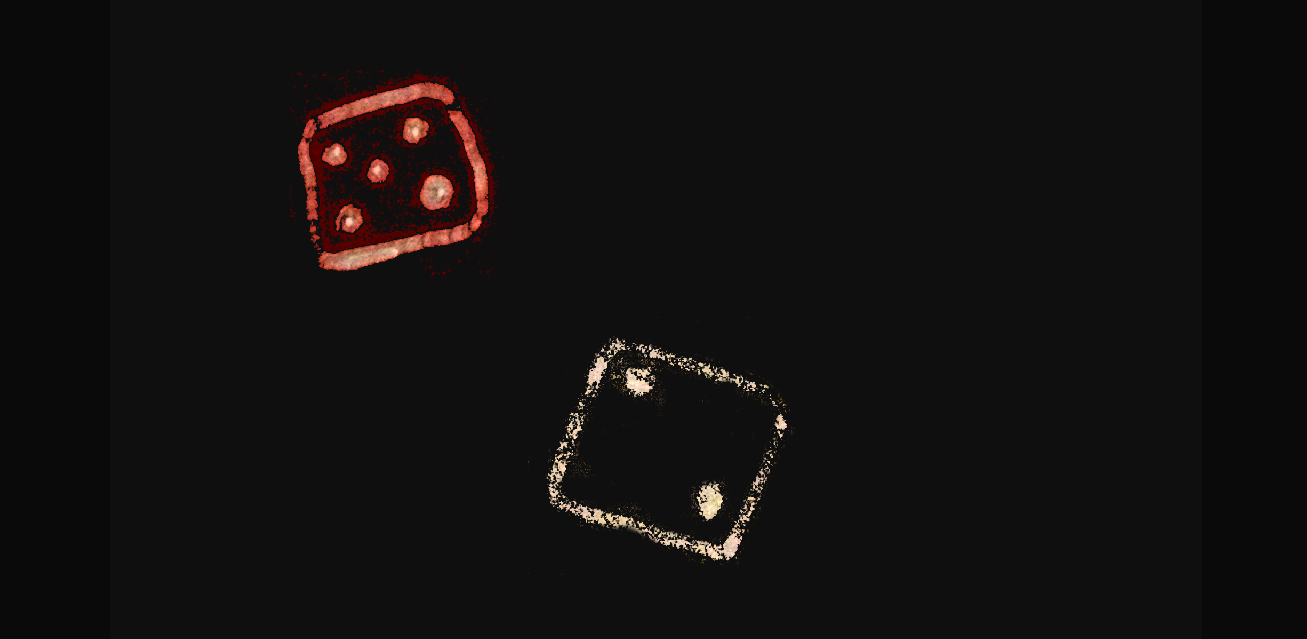
another simple example below

flamer

see it in action:
https://elout.home.xs4all.nl/2024/jun/flamer/
reload for a random combination

download project 22kb (.png images, index.html and fxhash.min.js)
https://elout.home.xs4all.nl/2024/jun/flamer/flamer.zip
[or right click save the html file etc.]

//______________________________________________________//
basicly you need to have the index.html and fxhash.min.js

-an 16x 16 image for the favicon

-your images prepared in different folders  layer1 layer2 etc.

-adjust the script,
---- for the correct image names it should load
---- and the number of images you use in each layer

zip it up, [i use 7zip] and upload it to fxhash

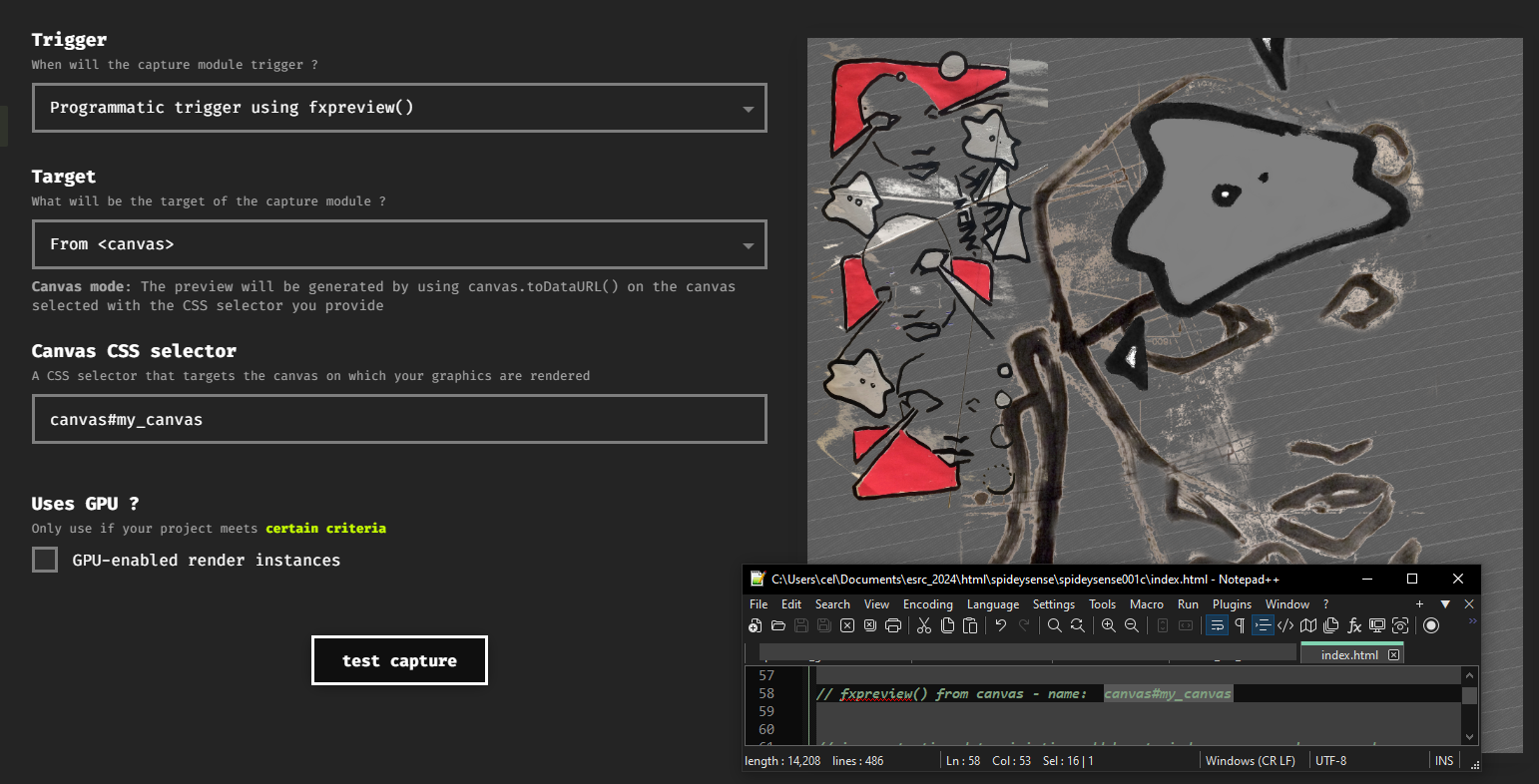
more tech
i just use 1 canvas and load 1 image at the time [to keep memory use low]
and I stamp that loaded image on my drawing canvas [like a brush]

later i/you also can add animations etc, random positions or mirroring and special fx

when testing with url fxhash key for determination..
better trust it works, or do that on an online webserver, where you can check the index.html
[since my local apache webserver got stuck on that, and didnt refresh]
vid on youtube
sorry for the low sound volume on this one..
so watch your eardrums when switchin back

btw you don't need to run an apache server at home, for testing, you can test it also online (on a website) or directly upload it to fx
if you prepare your images, and have the names xxx correct in the script, it should run on fxhash
javascript that does it all below, besides the fxhash snippet for random and snapshot
<!doctype html>
<html>
<head>

 <!--a favicon 16x16 .png -  created at www.base64-image.de (if you got no favicon, it can throw an error) -->
<link rel="icon" type="image/png" href="data:image/png;base64,iVBORw0KGgoAAAANSUhEUgAAABAAAAAQCAYAAAAf8/9hAAAABmJLR0QA/wAAAAAzJ3zzAAAACXBIWXMAAAsTAAALEwEAmpwYAAAAB3RJTUUH6AYCFTM03Lj+egAAAB1pVFh0Q29tbWVudAAAAAAAQ3JlYXRlZCB3aXRoIEdJTVBkLmUHAAAC/klEQVQ4y52TW0ybdRjGn///+4CvrOX0tbBKD19ZS1cZXRE5CJGj0W0pkqAkwoUSN5ZszcZmJkS80SsviAkxhjswEhJjPF3gsgtQxuIy5Qymgs4NCNWuQ23Xjxb69fD3YsHoPCV7r968T57fe/G+D/AQ5Z25ygPA2vxXFJ9/OKxljNHn3E2eh4FRAHueky84v5lf7nfYTLf3hdGht+l/GWsqXMONtZUesj9wOizLK6vrR63SI5uSZB7SF+Qb4rG9GpPRtBMMBZPe1e+TVovkHf1o/EKpw7rCGJvUacWn/yDWVbu29nubxeDPPpDR8eDWXs9JfVNdtVzqONQKABWukg0OAIqlgyfUao39dFfHanQ3lhOJRB7zbwf7HgRcn13cWd/0vWWVjO0HMgW7Vsz7lQBAc30VC9wJeHVinhySIxuBu9uHjjx6+KggCFw0Io9NXpvt+jOoodKZv6Mkp+aWvCW0sCCvMxyWE6FwxE44vrznTPfi88+69TqtmF7mLOVEMf+l5ierkgDQUFtxqsikb3W3tuTwPKcAAJelURGdNidwLyxHw/KOtUgy19jt1h/NJuPNVDLlr697YqCtxT1YW1WWq8nKKo5Edt+bnLp27lhTne36zKJCBUFYef2ViyNKTDkYjUZllSBokonk42CsUszL5YK/hdwTV6ffuTGzMCKZDCc629umJbMJPEdTAEBsRYX44ZYPBr12PY3nNp95qrG+3OVCijEADCpBhdM9r8JiMSMZj8PT/TK+/W6NfTZ++cYnY+830riigBACjhIQSgcnvpze8N8JICzL4DgewVAIL3a0Y8v3M/yBbcwsLOGDjz8lzhLHuzdv3xIhGfP/cqrDVtMXGnXapTQOHpulcC0jnQyoBH5OoxYUtVpguTlqpUCXu3rpbLcaAIhRL2I3FgcYy8zO1mQmEomMTd/dn/7pfRljlBCS+ptwvLEaRoP2f4PTe+4UBYA3X+uh/RfP0P0w4crU19jy/fKvxr7z9408z+ONvvM0HouDkvsx+h359hY9zfUu6AAAAABJRU5ErkJggg==" />


 <!--for the  css stylesheet -->
<style type="text/css">
body
{
    background-color: rgb(40,40,40);
    margin: 0px; padding: 0px;
    width: 100vw; height: 100vh;
    overflow: hidden; display: flex;
    align-items: center; justify-content: center;
}
.info_css
{
    color: rgb( 120,  220, 220);
    font-family: Verdana, Arial; font-size: 12px;
    z-index:31; position: fixed; top:0px;left:0px;
    border-style:none; border-width:0px;
    margin:0px 0px 0px 0px; padding:2px 2px 2px 2px;
}
.canvas_css
{
    max-width: 100%; max-height: 100%; z-index:20; position: fixed;
}
.workbench_css
{
    max-width: 100%; max-height: 100%; z-index:10; position: fixed;
}

</style>

<!--fxhash snippet canvas#my_canvas  -->
<script src="./fxhash.min.js"></script>


<!--here the javascript kicks in -->
<script type="text/javascript">

// wip early bird version

// !!!running the html - because: loading images is not working from local file/harddisk (due security in browser)
// only if you running  a (local)server!
// !! or ftp-upload your project online on a server-website for testing - now
// https://developer.mozilla.org/en-US/docs/Learn/Common_questions/set_up_a_local_testing_server
// myself i use a simple python server at home, incase i want to work with loading images and javascript
// console, i can start it up [at like win10]
// cd documents/esrc_2024/html/spideysense/spideysense001c
// python -m http.server
// result in http://localhost:8000/


// fxpreview() from canvas - name:  canvas#my_canvas


// incase testing deterministic: add key to index, you can change random numbers / letters as well
// index.html?fxhash=ooZ1XdEpg4V2ci6UgaSh6gspLCF8gCPS5q4bi8sCukBuhM4yXwt


// yo yo yo. starting from scratch
// some tech stuff i need  at start
var mylayerdata = new Array();
var p=0;
// NEXT:  init and settings


// !!!!!!!!!!!! ---------------SETTINGS-------------- for your images!!!!!!!

// currently only .png supported - and all images the should be the same size

// name of your project and also the save-file name
var cversion="spideysensi_v001b_";

// make sure you got the names correct! (without numbers! and .png i add that later)
// layer 1 name - first layer with names background1.png background2.png etc
mylayerdata[p++]='./layers/layer_1/background';
mylayerdata[p++]=4; // i got 4 images  in the folder layer_1


// layer 2 name -second layer with names labfiles1.png labfiles2.png etc etc.
mylayerdata[p++]='./layers/layer_2/labfiles';
mylayerdata[p++]=6; // i got 6 images for the second layer

// layer 3  name - third layer with hit1up1.png hit1up2.png etc
mylayerdata[p++]='./layers/layer_3/hit1up';
mylayerdata[p++]=5; // nmr. of images in layer_3 folder  now

//layer 4
mylayerdata[p++]='./layers/layer_4/fatmarker'; //name
mylayerdata[p++]=7; // nmr. of images

//layer 5
mylayerdata[p++]='./layers/layer_5/buzz'; //name
mylayerdata[p++]=7;// nmr. of images

// 4 6 5 7 7 = 5880 combinations now

// if you want to add more layers etc
// you can do it here, make sure you got the names and numbers right of your files
//mylayerdata[p++]='./layer_6/xxx';
//mylayerdata[p++]=4;


// extra settings  for testing etc.

var anim_loop =  true; // false; animation - redraws image x seconds
var show_fps =   false; // false; show fps


//next is: an basic engine 'n tech for running the thing..
var cur_stack=0;
var ran_stack = new Array();

var big_init=false; // big init starts... when the 1st image is loaded

var my_load_img= new Image();

var my_load_img_state = false;
var my_load_img_w = 1024;
var my_load_img_h = 1024;

var load_counter=0;
//var startup=true;
//var imagenumber=0;

//forced image width
var im_w=1024; // gets reset after first image has loaded
var im_h=1024;

var pix_r = new Uint8ClampedArray();
var pix_g = new Uint8ClampedArray();
var pix_b = new Uint8ClampedArray();
//var pix_a = new Uint8ClampedArray();

var mode=0;

document.title =cversion; // sets window title + also image savename!!

// some global vars I use

var anim_counter=0; // part of animation drawing
var anim_runner=0;
var mycounter=0;
var countertreshhold=900;

var do_fxhash_preview=true;
var save_image=false;

var win_w=window.innerWidth;
var win_h=window.innerHeight;

var test=""; // needed for testing, text etc

//---legacy code dirty fps counter
var my_timer=setInterval(function(){timer_fps()},1000);// interrupt - gets triggers every 1sec
var counter_fps=0;
var timeCurrent, timeLast = Date.now();


// page 1st time loading ?
window.addEventListener('load',init_mywindow, false );
//loaded? kicks off ' this javascript next
function init_mywindow()
{
    //random stacker
    gogo_stacker();

    // check for window resizing
    window.addEventListener( 'resize', onWindowResize, false );

    win_w=window.innerWidth;
    win_h=window.innerHeight;

    // !!! blur or sharp pixels? !!!!
    document.getElementById('my_canvas').style.imageRendering =  'pixelated';

    var c=document.getElementById('my_canvas');
    var ctx=c.getContext("2d");
    c.width = im_w;
    c.height = im_h;

    //show/hide html layer-  - fps text counter  bar in screen
    if(show_fps==false){document.getElementById('infoblock').style.visibility = "hidden";}
    else {document.getElementById('infoblock').style.visibility = "visible";}

    // keyboard event
    document.addEventListener('keyup', function(event)
    {
        //alert('  key: '+ event.keyCode); // to test keyboard
        if(event.keyCode == 83 ) {save_image=true;  } // s or S: save image
    });

    // kicks off-starts animation now at 60fps
    animate();
}

function gogo_stacker() // sets random now
{
    var count=0;
    while(count<mylayerdata.length) // simple randomizer
    {
        var r=mylayerdata[count+1];
        ran_stack[count]= get_rand_int(r)+1;
        ran_stack[count+1]= mylayerdata[count+1];
        count+=2;
    }
}

function init_loadimage(loadname,canvasname,mode)
{
    my_load_img = new Image();
    my_load_img.onload = function()
    {
        // when image is finally loaded.. go do this
        // !!!! when first time image gets loaded !!!
        if (big_init==false)// first image sets canvas size now
        {
            im_w = my_load_img.width; // sets canvas size based on first image now
            im_h = my_load_img.height;

            // reset my working canvas
            pix_r = new Uint8ClampedArray(im_w*im_h);
            pix_g = new Uint8ClampedArray(im_w*im_h);
            pix_b = new Uint8ClampedArray(im_w*im_h);

            var r=get_rand_int(255); // random grey start
            fill_array(pix_r,im_w*im_h, r);
            fill_array(pix_g,im_w*im_h, r);
            fill_array(pix_b,im_w*im_h, r);
            big_init=true;
        }
        else
        {
            if(im_w != my_load_img.width || im_h != my_load_img.height)
            {
                alert('image size different then [root] 1st. loaded image');
            }

        }

        if(big_init==true)
        {
            my_load_img_state=true;

            var c=document.getElementById(canvasname);
            var ctx=c.getContext("2d", { willReadFrequently: true });
            c.width = im_w <<0;
            c.height = im_h <<0;
            c.style.width = im_w <<0 +'px';
            c.style.height = im_h <<0+'px';
            ctx.drawImage(my_load_img,  0,0,im_w,im_h); // draw image on my canvas
            ic0 = ctx.getImageData(0, 0, im_w, im_h ).data;
            //drawmode hard
            if(mode==0) // background hard first time init again
            {
                for (var p=0, j = 0; j <im_w*im_h; j++)
                {
                    pix_r[j]= ic0[p] ;  //r hard
                    pix_g[j]= ic0[p+1]; //g
                    pix_b[j]= ic0[p+2]; //b
                    p+=4;
                }
            }
            // drawing mode 1 mix'n transparent
            else if(mode==1)
            {
                for (var p=0, j = 0; j <im_w*im_h; j++)
                {
                    var alp=ic0[p+3];// alpha
                    var inv=255-alp;
                    pix_r[j]=((ic0[p]*alp) + (pix_r[j]*inv) )/255 <<0;;  //r
                    pix_g[j]=((ic0[p+1]*alp) + (pix_g[j]*inv) )/255  <<0;  //g
                    pix_b[j]=((ic0[p+2]*alp) + (pix_b[j]*inv) )/255  <<0; //b
                    p+=4;

                }
            }
        }
    };
    my_load_img.src = loadname;
}

function onWindowResize() //  window resized? not used yet
{
    win_w=window.innerWidth;
    win_h=window.innerHeight;
}


// kick it off - start the animation interrupt
// also lower energy, when hidden away in tab it won't animate..
function animate()
{
    requestAnimationFrame( animate );

    anim_runner++;
    if(anim_runner<0){anim_runner=0;}// overflow check

    if (show_fps==true){counter_fps++;}

    my_animation(); // global animation script - gets called at 60fps

    if(big_init==true)// first images been loaded
    {
        if((anim_runner%10) == 0) // redraw screen 6 times a second
        {
            var c=document.getElementById('my_canvas');
            var ctx=c.getContext("2d");

            c.width = im_w;
            c.height = im_h;
            c.style.width = im_w <<0 +'px';
            c.style.height = im_h <<0+'px';
            var img1 = ctx.createImageData(im_w, im_h); //var

            for (var p=0, y = 0; y < im_h; y++)
            {
                var p1=(y*im_w)<<0;
                var r=get_rand_int(255);
                for (var x = 0; x < im_w; x++)
                {
                    var p2=p1+x<<0;
                    img1.data[p++] = pix_r[p2];//(pix_r[p2]+r) /2 <<0;
                    img1.data[p++] = pix_g[p2];//(pix_g[p2]+r) /2 <<0;
                    img1.data[p++] = pix_b[p2];//(pix_b[p2]+r) /2 <<0;
                    img1.data[p++] = 255;
                }
            }
            ctx.putImageData(img1, 0, 0);

            if(save_image==true)
            {
                    var my_hash=$fx.hash;
                    var imagename= cversion+'_'+my_hash+'.png'; //inc genify hash
                    var my_download = document.createElement('a');
                    my_download.setAttribute('download', imagename);
                    var mcanvas = document.getElementById('my_canvas');
                    mcanvas.toBlob(function(blob) {
                                    var url = URL.createObjectURL(blob);
                                    my_download.setAttribute('href', url);
                                    my_download.click();
                                    });

                save_image=false;
            }
        }

    }
}

// dirty fps counter
function timer_fps()
{
    timeCurrent = Date.now();
    if(timeCurrent > timeLast) //
    {
        timeLast = timeCurrent;
        if (show_fps==true)
        {
            set_msg('infoblock',   '.__0 fps: '+counter_fps+' '+test);
        }
        counter_fps=0;
    }
}

//write html text
function set_msg(div, msg){document.getElementById(div).innerHTML = msg;}
function go_msg(div, msg) {document.getElementById(div).innerHTML += msg;}

// filler
function fill_array(buf,size,value)
{
    for (var i=0; i < size; i++){ buf[i]=value;}
}

// all  fx random setting at 1 place!! so i don't have to change it later 100times
function get_rand()
{
    return ( $fx.rand()  ); //  Math.random()   = javascript random
}
function get_rand_int(num)
{
    return (($fx.rand()*num)<<0);
}

// global animation script

// here we go again! - running at 60fps
function my_animation()
{
    // init start my anim
    if (anim_counter==0)
    {
        mycounter=0;
        anim_counter=1; // go next anim part
    }

    else if (anim_counter==1)
    {
        // kicks off loading 1st image 1st layer
        cur_stack=0;
        var name = mylayerdata[cur_stack]; // name
        var num= mylayerdata[cur_stack+1]; // number of images

        var goget = ran_stack[cur_stack];

        var loadname= name + goget +'.png';
        init_loadimage(loadname,'my_workbench',0);  // 0 mode  hard drawing
        my_load_img_state=false;

        mycounter=0; // for timing animation
        anim_counter=2; // go next anim part
    }

    else if (anim_counter==2)
    {
        if(my_load_img_state==true)
        {
            cur_stack+=2;
            if(cur_stack>=mylayerdata.length)
            {
                mycounter=0;
                anim_counter=100;    // all layers drawn exit   next
            }
            else
            {
                var name = mylayerdata[cur_stack]; // name
                var num= mylayerdata[cur_stack+1]; // number of images

                var goget = ran_stack[cur_stack];
                var loadname= name + goget +'.png';
                init_loadimage(loadname,'my_workbench',1);  // 0 mode  hard drawing
                my_load_img_state=false;
                //test=name + ' ' + num;
            }
        }
    }

    // end of anim
    else if (anim_counter==100)
    {

        //test= 'drawing ready'; // still got check if images are loaded!
        if(mycounter>801 && do_fxhash_preview==true)
        {
            $fx.preview(); // do fxhash thumbnail
            console.log('done fxhash thumbnail');
            do_fxhash_preview=false;
            countertreshhold=200;
        }

        mycounter++;
        if (mycounter>countertreshhold)
        {
            if(anim_loop == true)
            {
                //random stacker
                gogo_stacker();

                load_counter=0;
                my_load_img_state=false;
                mycounter=0;
                anim_counter= 0; // go to start - reset
            }
        }
    }


}// end my_animation()

// end of javascript, some html next
</script>
</head>
<body>
    <div class="info_css" id="infoblock">=_______=</div>
    <canvas class="canvas_css" id="my_canvas">-__-</canvas>
    <canvas class="workbench_css" id="my_workbench">0__.</canvas>
</body>
</html>