theBoard
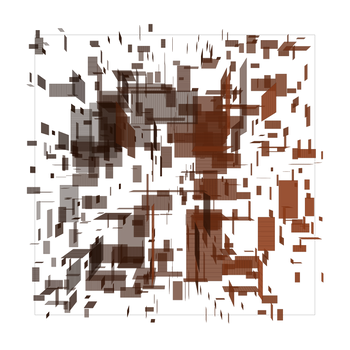
wish you all a good day already =______=
feel free to use the code, for learning and your own experiments and creations!
as long as you don't copyright my 'personal-style' coding parts yourself
- theBoard004 - vanilla javascript and fxhash template - svg drawing + simple soft3D engine
- theBoard003 - vanilla javascript and fxhash template - svg drawing
- the Board002 - vanilla javascript and fxhash template - using the classic canvas API drawing
- the Board001 - vanilla javascript and setup basic dynamic html page in vanilla javascript
scroll down for oldest version
version: theboard004
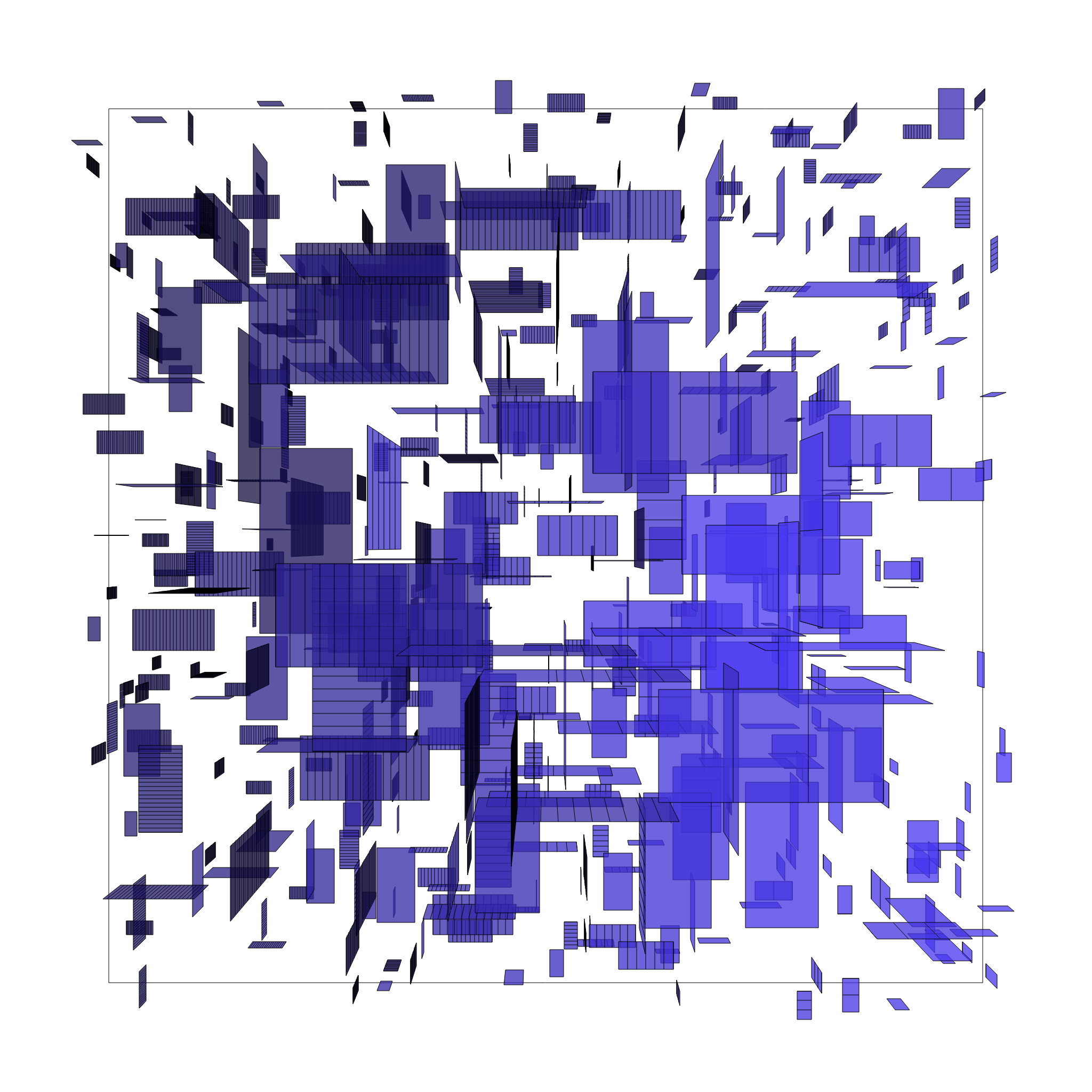
the board 4 .k
work in progress / research
- s key save image.png including alpha
- v key save as .svg vectors
- click for b/w or colour mode
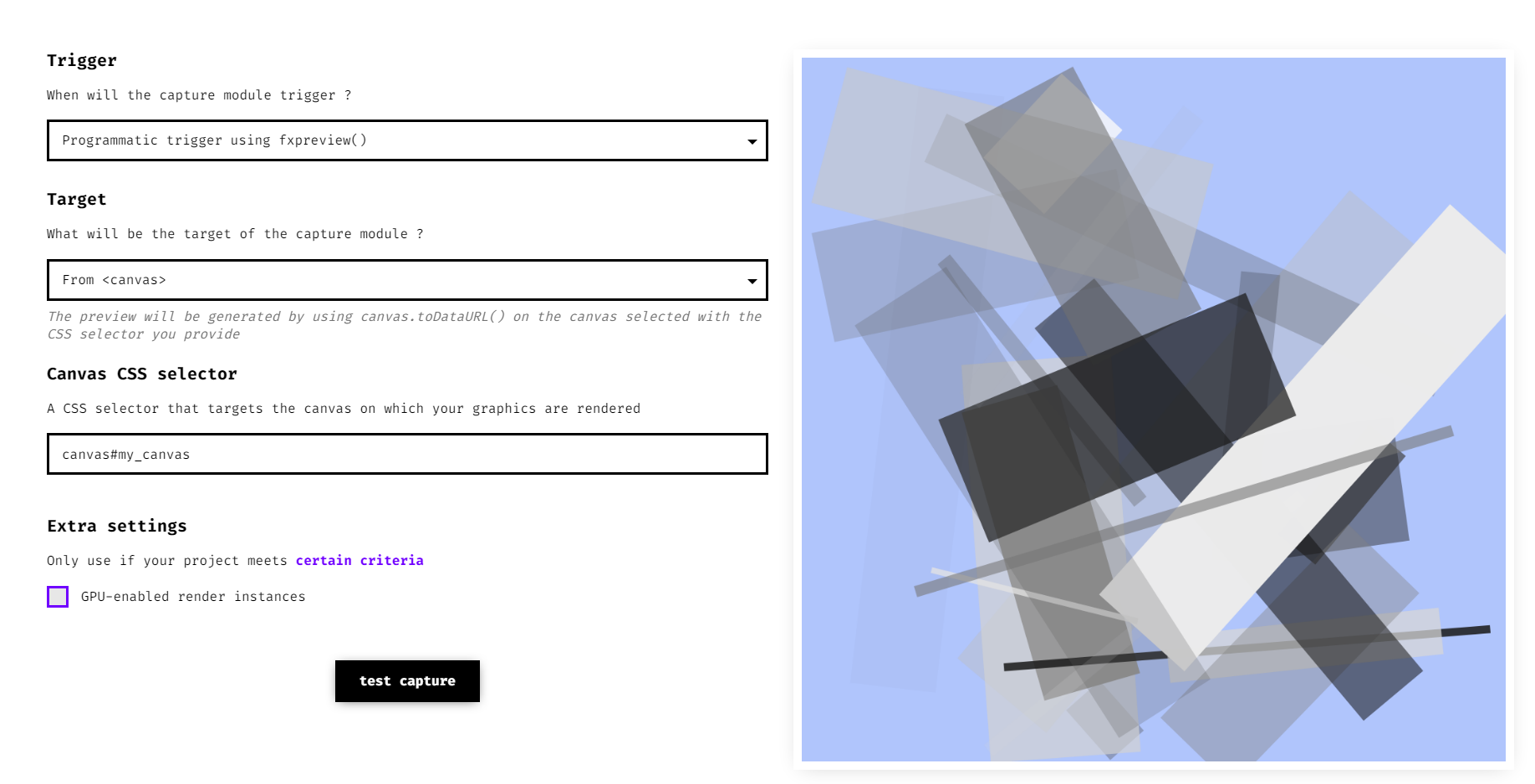
- fxhash thumbnail settings: choose fxpreview() from canvas : canvas#my_canvas
latest url: https://elout.home.xs4all.nl/drawz/messageboard/theboard004k/
so best start playing there: where the Animation and creative part starts
in the ---> function my_animation()
is the main drawing loop, the stuff more on top.. getting the engine run; windows, mouse etc.
still want to add more here, another day wip. !have fun!
A simple older example done in p5.js you can check at
p5.js version: at https://editor.p5js.org/elout/sketches/1Mc-kHj47 (without z-sorting)
youtube link: https://www.youtube.com/watch?v=p5BmJhr07DA
<!doctype html>
<html>
<head>
<!--fxhash thumbnail settings: fxpreview() From <canvas> canvas#my_canvas -->
<!-- favicon 16x16 .png - created at www.base64-image.de -->
<link rel="icon" type="image/png" href="data:image/png;base64,iVBORw0KGgoAAAANSUhEUgAAABAAAAAQCAYAAAAf8/9hAAAABmJLR0QA/wD/AP+gvaeTAAAACXBIWXMAAAsTAAALEwEAmpwYAAAAB3RJTUUH5wsZAw0e0LNV6QAAAM9JREFUOMtj9LT88J4BB/j45QIvExPHP14uja+3HrVy/Pn76YWmQucDBgYGhusPyhUevpi5kIkBD2BlEfr979/vzx8+n+P6z/AfqxoWBgKAhZn7EyuL8P2fv54Z/f7zgR1dnomBCMDKwv+ZhZn34esPexiuP6gRJckFyOD//1+znrxeKvrhywl3AR5j0g1gYGBg+Pv3ffbHL5fCPn29uIgsAyDg16r//xmOMjAwPGViIB88JToQ8YFRAwaDASzffjziwCX5++8HFhYmHrwGAABuEkxZF4kXswAAAABJRU5ErkJggg==" />
<!--for the css stylesheet -->
<style type="text/css">
body
{
margin:0px;padding:0px;
width:100vw;
height:100vh;
overflow:hidden;
display:flex;
align-items:center;
justify-content:center;
}
.css_background
{
top:0px;left:0px; width:100%; height:100%;
z-index:11; border-width:0px; position:fixed;
}
.info_css
{
background-color: rgba(50,50,50,0.6);
color:rgb(120,240,240);
font-family: Verdana, Arial; font-size:12px;
z-index:31;
position: fixed;
top:0px;left:0px;
border-style:none; border-width:0px;
margin:0px 0px 0px 0px; padding:2px 2px 2px 2px;
}
.canvas_css
{
max-width: 100%;
max-height: 100%;
z-index:20;
position: fixed;
}
</style>
<!--fxhash snippet canvas#my_canvas nov2023 version now-->
<script src="./fxhash.js"></script>
<!--fxhash.js at https://github.com/fxhash/fxhash-package/blob/main/packages/project-sdk/dist/fxhash.js -->
<!--here the hardcore javascript kicks in -->
<script type="text/javascript">
// incase testing deterministic: add key to index, you can change random numbers / letters as well
// index.html?fxhash=ooZ1XdEpg2V2ci4UgaSh6gspLCF7gCPS5q4bi8sCukBuhM4yXwt
// yo yo yo. starting from scratch
var cversion="theboard_v004k_";
document.title =cversion; // sets window title + also image savename!!
var show_fps = false; // true;//
var im_w=2000; // globals: my image width and heigth!!!
var im_h=2000;
// some more global vars I use
var mx=0,my=0; // mouse position
var my_svg; // for the svg data
// some more globals for playing..
var gocolor=true; // draw in color or b/w
var my_r,my_g,my_b; // rgb global working col
var css_bgchange=true;
var css_bgchange_count=0;
var css_bgchange_rgb = new Array();
var anim_counter=0; // part of animation drawing
var mycounter=0;
var do_fxhash_preview=true;
var saveimage=false;
var savesvg=false;
var win_w=window.innerWidth;
var win_h=window.innerHeight;
var test=""; // needed for testing, text etc
//---legacy code dirty fps counter
var my_timer=setInterval(function(){timer_fps()},1000);// triggers fps counter every 1sec
var counter_fps=0;
var timeCurrent, timeLast = Date.now();
var fresh_second=false;
var fresh_fps_counter=0;
// page 1st time loading ?
window.addEventListener('load',init_mywindow, false );
//and kicks off 'n starts the javascript next
function init_mywindow()
{
//alert('yo');
// check for window resizing
window.addEventListener( 'resize', onWindowResize, false );
onWindowResize();
//show/hide html layer- - fps text counter bar in screen
if(show_fps==false){document.getElementById('infoblock').style.visibility = "hidden";}
else {document.getElementById('infoblock').style.visibility = "visible";}
var r1= get_rand()*256 <<0;// <<0 hack.. same as math.floor
var g1= get_rand()*256 <<0;// floors it to an int: between 0-255
var b1= get_rand()*256 <<0;
css_bgchange=true; css_bgchange_count=0;
css_bgchange_rgb[0] = r1; css_bgchange_rgb[1] = g1; css_bgchange_rgb[2] = b1;
css_bgchange_rgb[3] = r1; css_bgchange_rgb[4] = g1; css_bgchange_rgb[5] = b1;
// mouseup event
document.addEventListener('mouseup', function(event)
{
if(gocolor == false ) {gocolor=true;} else{gocolor=false;}
alert('color mode = '+ gocolor);
});
document.addEventListener("mousemove", function (evt)
{
mx= Math.round((evt.clientX)); // mouse position
my= Math.round((evt.clientY));
}, false);
document.addEventListener("touchmove", function (evt) // touch-phones tablets etc.
{
var touch = evt.touches[0] || evt.changedTouches[0];
var tx = touch.pageX;
var ty = touch.pageY;
if(tx>0 && ty>0)
{
mx= Math.round(tx);
my= Math.round(ty);
}
evt.preventDefault();
},{ passive: false }, false); // found passive:false fixes a scroll bug now
// keyboard event
document.addEventListener('keyup', function(event)
{
//alert(event.keyCode)
if(event.keyCode == 83 ) {saveimage=true; } // s or S: save .png
if(event.keyCode == 86 ) {savesvg=true; } // v or V: save .svg
});
// kicks off-starts animation now at 60fps
animate();
}
function onWindowResize() // window resized? not really used yet
{
win_w=window.innerWidth;
win_h=window.innerHeight;
}
// kick it off - start the animation interrupt
// also lower energy, when hidden away in tab it won't animate..
function animate()
{
//if (show_fps==true){counter_fps++;}
requestAnimationFrame(animate);
counter_fps++;
my_animation(); // global animation script - gets called at 60fps
// save parts
if(saveimage==true)
{
var c=document.getElementById('my_canvas');
var ctx=c.getContext("2d");
var imagename= cversion+'_'+$fx.hash+'.png'; // image save name +fxhash key
var my_download = document.createElement('a');
my_download.setAttribute('download', imagename);
var mcanvas = document.getElementById('my_canvas');
mcanvas.toBlob(function(blob)
{
var url = URL.createObjectURL(blob);
my_download.setAttribute('href', url);
my_download.click();
});
saveimage=false;
}
if(savesvg==true)
{
var my_blob = new Blob([my_svg], { type: 'image/svg+xml' });
let URL = window.URL || window.webkitURL || window;
let blobURL = URL.createObjectURL(my_blob);
var imagename= cversion+'_'+$fx.hash+'.svg'; // image save name +fxhash key
var my_download = document.createElement('a');
my_download.setAttribute('download', imagename);
my_download.setAttribute('href', blobURL);
my_download.click();
savesvg=false;
}
}
// dirty fps counter
function timer_fps()
{
timeCurrent = Date.now();
if(timeCurrent > timeLast) //
{
timeLast = timeCurrent;
if (show_fps==true)
{
set_msg('infoblock', '.__0 fps: '+counter_fps+' mx: '+mx+' my: '+my+' '+test);
}
fresh_second=true;
fresh_fps_counter=counter_fps;
counter_fps=0;
}
}
//write html text
function set_msg(div, msg){document.getElementById(div).innerHTML = msg;}
function go_msg(div, msg) {document.getElementById(div).innerHTML += msg;}
function css_background_change(steps)
{
var r1,g1,b1;
if(css_bgchange_count<steps)
{
var cstep1=steps-css_bgchange_count;
var cstep2=steps-cstep1;
r1 = (((css_bgchange_rgb[3] *cstep1) + (css_bgchange_rgb[0]*cstep2))/steps)<<0;
g1 = (((css_bgchange_rgb[4] *cstep1) + (css_bgchange_rgb[1]*cstep2))/steps)<<0;
b1 = (((css_bgchange_rgb[5] *cstep1) + (css_bgchange_rgb[2]*cstep2))/steps)<<0;
css_bgchange_count++;
}
else
{
r1= css_bgchange_rgb[0];
g1= css_bgchange_rgb[1];
b1= css_bgchange_rgb[2];
css_bgchange_rgb[3] = r1;
css_bgchange_rgb[4] = g1;
css_bgchange_rgb[5] = b1;
css_bgchange=false;
}
var r3 = (r1/3)<<0; var g3 = (g1/3)<<0; var b3 = (b1/3)<<0;
var fadedirection='to top';
//if(pix_screen_ver==true){fadedirection='to right';}
document.getElementById('backgroundblock').style.backgroundImage = 'linear-gradient('+fadedirection+', rgb('+r3+','+g3+','+b3+'), rgb('+r1+','+g1+','+b1+'))';
}
// get randoms fxrand from 1 place!!
function get_rand()
{
return ( $fx.rand() ); //return ( Math.random() );
}
//-------------------------3D matrix part------------------------------------------
// used (and changed) some matrix and vector math from:
// softwareRasterizer by Simon Yeung (2012) simon.yeunglm@gmail.com
// javascript: 3D engine & perspective correct texture mapping:
// http://simonstechblog.blogspot.com/2012/04/software-rasterizer-part-2.html
// -- please keep above part in the source, if you going to use it! --
// I wrote Simon an E-mail, and it's was cool I could use this matrix math!
// simplified and modified it all around, later
// what is the matrix
//
// basicly you got a bunch of lines, polygons, colors, lights and shadows
// that you can rotate, translate and scale
// and put on an e.easy way on the big screen next
// first you put the rotation, scale and translation add them together in this matrix [data-space]
// and then you blast all your 3D points through it, and you get your new coordinates points
// where it should hit next
// tech-story
// I start used matrixes in the early 90's
// we had to do in class. by a real good tech teacher
// like first I totally did not get it
// then suddenly that braincel started working lol.
// older softengine from 2001 using those old matrixes
// https://elout.home.xs4all.nl/2001/03/java/buffie04.java
//
// Around 2019 I wanted to do proper `perspective correct texture mapping`
// then started to use some of Simon's matrixes, that used x,y,z,w
// I wasn't using that w before, but needed that next. for also perspective correct texture mapping
// but so much to explore as well, with just simple things you can change differently
//---------------matrix
// vector 4
function vector4(x, y, z, w)
{
return {
x : x,
y : y,
z : z,
w : w,
dot : v4_dot,
normalize : v4_normalize,
length : v4_length
};
}
function v4_dot(v2)
{
return (this.x * v2.x + this.y * v2.y + this.z * v2.z);
}
function v4_normalize()
{
var v_length = this.length();
if(v_length == 0){ v_length = 1;} // no divide by 0 error
var one_norm= 1.0 / v_length;
this.x *= one_norm;
this.y *= one_norm;
this.z *= one_norm;
};
function v4_length() // use no -w- now atm
{
return Math.sqrt(this.x * this.x + this.y * this.y + this.z * this.z);
}
function mat_multi_v4(mat, vec)
{
return vector4( mat[0]*vec.x + mat[4]*vec.y + mat[8]*vec.z + mat[12]*vec.w,
mat[1]*vec.x + mat[5]*vec.y + mat[9]*vec.z + mat[13]*vec.w,
mat[2]*vec.x + mat[6]*vec.y + mat[10]*vec.z + mat[14]*vec.w,
mat[3]*vec.x + mat[7]*vec.y + mat[11]*vec.z + mat[15]*vec.w );
}
// matrix // translate rotate scale the points - order fixed by elout..
function go_do_matrix(tx,ty,tz,rx,ry,rz,sx,sy,sz)
{
var mro_x = get_rotx_mat(rx); // do rotation
var mro_y = get_roty_mat(ry);
var mro_z = get_rotz_mat(rz);
var mro_xy = mat_multi(mro_x, mro_y);
var mro_xyz = mat_multi(mro_xy, mro_z);
var mytrans_mat = get_trans_mat(tx,ty,tz);
var myscale_mat = get_scale_mat(sx,sy,sz); // do scale
var myrottra_mat=mat_multi(mytrans_mat,mro_xyz);
// we now mixing all this matrixes together watch order!
var myrotscatran_mat=mat_multi(myrottra_mat,myscale_mat); // final matrix
//if you add the matrixes different sca/rot/trans,
// you can get total different results 'n animation ^____^
return new Float32Array(myrotscatran_mat);
}
function get_rotx_mat(rad) // rotate
{
var mcos= Math.cos(rad);
var msin= Math.sin(rad);
return new Float32Array([ 1.0, 0.0, 0.0, 0.0,
0.0, mcos, -msin, 0.0,
0.0, msin, mcos, 0.0,
0.0, 0.0, 0.0, 1.0 ]);
}
function get_roty_mat(rad)
{
var mcos= Math.cos(rad);
var msin= Math.sin(rad);
return new Float32Array([ mcos, 0.0, msin, 0.0,
0.0, 1.0, 0.0, 0.0,
-msin, 0.0, mcos, 0.0,
0.0, 0.0, 0.0, 1.0 ]);
}
function get_rotz_mat(rad)
{
var mcos= Math.cos(rad);
var msin= Math.sin(rad);
return new Float32Array([ mcos, -msin, 0.0, 0.0,
msin, mcos, 0.0, 0.0,
0.0, 0.0, 1.0, 0.0,
0.0, 0.0, 0.0, 1.0 ]);
}
function get_scale_mat(x, y, z) // scale
{
return new Float32Array([ x , 0.0, 0.0, 0.0,
0.0, y, 0.0, 0.0,
0.0, 0.0, z, 0.0,
0.0, 0.0, 0.0, 1.0 ]);
}
function get_trans_mat(x, y, z) // translate
{
return new Float32Array([1.0, 0.0, 0.0, 0.0,
0.0, 1.0, 0.0, 0.0,
0.0, 0.0, 1.0, 0.0,
x, y, z, 1.0 ]);
}
function mat_multi(m1, m2)
{
return new Float32Array([
m1[0]*m2[0] + m1[4]*m2[1] + m1[8]*m2[2] + m1[12]*m2[3],
m1[1]*m2[0] + m1[5]*m2[1] + m1[9]*m2[2] + m1[13]*m2[3],
m1[2]*m2[0] + m1[6]*m2[1] + m1[10]*m2[2] + m1[14]*m2[3],
m1[3]*m2[0] + m1[7]*m2[1] + m1[11]*m2[2] + m1[15]*m2[3],
m1[0]*m2[4] + m1[4]*m2[5] + m1[8]*m2[6] + m1[12]*m2[7],
m1[1]*m2[4] + m1[5]*m2[5] + m1[9]*m2[6] + m1[13]*m2[7],
m1[2]*m2[4] + m1[6]*m2[5] + m1[10]*m2[6] + m1[14]*m2[7],
m1[3]*m2[4] + m1[7]*m2[5] + m1[11]*m2[6] + m1[15]*m2[7],
m1[0]*m2[8] + m1[4]*m2[9] + m1[8]*m2[10] + m1[12]*m2[11],
m1[1]*m2[8] + m1[5]*m2[9] + m1[9]*m2[10] + m1[13]*m2[11],
m1[2]*m2[8] + m1[6]*m2[9] + m1[10]*m2[10] + m1[14]*m2[11],
m1[3]*m2[8] + m1[7]*m2[9] + m1[11]*m2[10] + m1[15]*m2[11],
m1[0]*m2[12] + m1[4]*m2[13] + m1[8]*m2[14] + m1[12]*m2[15],
m1[1]*m2[12] + m1[5]*m2[13] + m1[9]*m2[14] + m1[13]*m2[15],
m1[2]*m2[12] + m1[6]*m2[13] + m1[10]*m2[14] + m1[14]*m2[15],
m1[3]*m2[12] + m1[7]*m2[13] + m1[11]*m2[14] + m1[15]*m2[15] ]);
}
// legacy code classic.
function degree_to_radian(degree) // use it for proper 0-360 rotation!!!!
{
return degree * Math.PI / 180.0;
}
//---------------quicksort.. old sorting routine from 2000? legacy code
function zqsort(sort, sort2, low, high) // sort : data - sort2 : here I store numbers - position in line
{
var i = low;
var j = high;
var x;
if (high > low)
{
var lh=((low+high) / 2)<<0
x = (sort[lh]);
do
{
while (sort[i] < x) i++;
while (sort[j] > x) j--;
if ( i<=j )
{
var temp=sort2[i];
sort2[i]=sort2[j];
sort2[j]=temp;
temp=sort[i];
sort[i]=sort[j];
sort[j]=temp;
i++;
j--;
}
}
while (i <= j);
if (low < j) zqsort(sort, sort2, low, j);
if (i < high ) zqsort(sort, sort2, i, high);
}
}
//----.svg part
//------------------------------------------------------
// thanks for ty vek - getting started with .svg ..
// but now a new .svg saving routines now - still wip.
// new .svg creating since this thing is like plain text stuff - xml
function add_svg_header(my_width,my_height)
{
return ('<svg xmlns="http://www.w3.org/2000/svg" version="1.1" viewBox="0 0 '+my_width+' '+my_height+'" width="'+my_width+'" height="'+my_height+'">');
// using ' and " so text-data is correct
// you can switch them around incase
}
function add_svg_footer()
{
return ('</svg>');
}
function add_svg_polygon(mypoints, myfill, mystroke, mystroke_width)
{
return( '<polygon points="'+mypoints+'" fill="'+myfill+'" stroke="'+mystroke+'" stroke-width="'+mystroke_width+'"/>' );
//<polygon points="" fill="" stroke="" stroke-width=""/>
//not using </polygon> now else files can get too large!
}
function add_svg_line(x1,y1,x2,y2, mystroke, mystroke_width)
{
return( '<line x1="'+x1+'" y1="'+y1+'" x2="'+x2+'" y2="'+y2+'" stroke="'+mystroke+'" stroke-width="'+mystroke_width+'"/>' );
}
// will add more drawing styles, shapes elipse etc. later, or do it yourself =____=
// now global animation - drawing script - all tech above. now we going to kick some drawing!
// xxx.js - part
// the my_animation() function I often save into another file when working on it
// for easy scrolling and overview; and linking it like fxhash.js
// for the release; I paste it back into the index.html
// I started to put my javascript into 1 index.html
// when I noticed some addblockers, would not load the .js files
// and the work was not running
//here we go again! - running at 60fps
function my_animation()
{
// do 1 time each second at 60fps
if (fresh_second==true) //change document title =____=
{
document.title = 'fps .__0 ' + fresh_fps_counter + ' =___= ' +cversion ;
fresh_second=false;
}
//
if(css_bgchange==true){css_background_change(200);} // change background in 200 steps
// init start my anim
if (anim_counter==0)
{
// yo yo change 'sum size and ratio
im_w= (1024*((get_rand() * 2)<<0))+2048;// 0 included =____=
im_h= (1024*((get_rand() * 2)<<0))+2048;//; 1024;//
var c=document.getElementById('my_canvas');
var ctx=c.getContext("2d");
c.width = im_w;
c.height = im_h;
// clear canvas
var canv = document.getElementById('my_canvas')
var ctx = canv.getContext('2d');
ctx.clearRect(0, 0, canv.width, canv.height);
// background color
var r1= get_rand()*256 <<0;// <<0 hack.. same as math.floor
var g1= get_rand()*256 <<0;// floors it to an int: between 0-255
var b1= get_rand()*256 <<0;
if( ((get_rand()*4)<<0) == 0 ) // 25% chance kinda
{
var grey = get_rand()*256 <<0;
r1 = ((r1+ grey) / 2) <<0;
g1 = ((g1+ grey) / 2) <<0;
b1 = ((b1+ grey) / 2) <<0;
}
if(gocolor == false )
{
r1=255;
g1=255;
b1=255;
}
// css background color change / fader
css_bgchange=true; css_bgchange_count=0;
css_bgchange_rgb[0] = r1; css_bgchange_rgb[1] = g1; css_bgchange_rgb[2] = b1;
my_r=r1; // global rgb now so I can pass background color to next block..
my_g=g1;
my_b=b1;
mycounter=0; // for timing animation
anim_counter=1;// go next anim part
}
// SVG start . writing header to memory -> my_svg
else if (anim_counter==1)
{
// my_svg is a global now where I store all the polygon and svg data
my_svg=""; // start an empty svg..
my_svg += add_svg_header(im_w, im_h); // !! and add the .svg header !!
anim_counter= 2; // go next
}
// draw 1 rectangle next
else if (anim_counter==2)
{
// 0 1
//
// 3 2
var my_sq_x = [-1, 1, 1, -1]; // x rectangle
var my_sq_y = [ 1, 1, -1, -1]; // y
var my_sq_z = [ 0, 0, 0, 0]; // z
var x_off=im_w/2; // translate middle of the screen
var y_off=im_h/2;
var xscale=im_w/2.5; // scale it
var yscale=im_h/2.5;
// scale and translate all the points
for(var p=0, i=0; i < my_sq_x.length ; i++)
{
my_sq_x[i]= (x_off+(my_sq_x[i]*xscale)) <<0;
my_sq_y[i]= (y_off+(my_sq_y[i]*yscale)) <<0;
// <<0 also floor now - remove 0.00floating points
}
// now make a x,y string from all the points
var my_polydata="";
for(var p=0, i=0; i < my_sq_x.length ; i++)
{
if(i== my_sq_x.length-1) // no comma, at the last point!
{
my_polydata += my_sq_x[i] + ',';
my_polydata += my_sq_y[i] + '';
}
else
{
my_polydata += my_sq_x[i] + ',';
my_polydata += my_sq_y[i] + ',';
}
}
// console.log(my_polydata); // testing
// now add a polygon to my_svg
var my_stroke='rgb(0,0,0)';
var my_fill='none';//'rgb( 55, 55, 55)';
var my_brushwidth='1';
my_svg += add_svg_polygon (my_polydata, my_fill, my_stroke, my_brushwidth);
anim_counter= 3; // go next
}
// draw more rectangles next
else if (anim_counter==3)
{
var temp_light = vector4( (get_rand()-0.5)*152 , (get_rand()-0.5)*152 , (get_rand()-0.1 )*125 );
temp_light.normalize();
// record changed rectangles
var rec_num=0;
var rec_p=0; // position
var rec_x=new Array();
var rec_y=new Array();
var rec_z=new Array();
var rec_angle=new Array(); // for shading
var rec_zz=new Array(); // for z-sorting
var rec_n=new Array(); // num for z-sorting
for(var drawfaster=0; drawfaster < 512; drawfaster++)
{
var tz=(get_rand()*42) ; // random translate on Z. tz is the depth; further from cam
var tzz=tz*0.9; // scale it a lil bit
var tx= (get_rand() * tzz) - (tzz/2); // random translate x and y further when z is bigger!
var ty= (get_rand() * tzz) - (tzz/2); //
var sx= 0.5 ; // scale x
var sy= sx / 2 ; // scale y
var sz= 1; // scale z - not really used now!
var rx= degree_to_radian( (get_rand()*11 <<0) * 90 ) ; // rotate on x
var ry= degree_to_radian( (get_rand()*11 <<0) * 90 ) ; // rotate on y
var rz= degree_to_radian( (get_rand()*11 <<0) * 90 ) ; // rotate on z
// make 1 matrix including the translation, scale and rotation
var movemat = go_do_matrix(tx,ty,tz,rx,ry,rz,sx,sy,sz);
// 0 1
//
// 3 2
var my_sq_x = [-1, 1, 1, -1]; // x rectangle
var my_sq_y = [ 1, 1, -1, -1]; // y
var my_sq_z = [ 0, 0, 0, 0]; // z
var my_sq_normal = [ 0, 0, -1, 0]; // normal - rotation used for lightning
var my_normal0= vector4( my_sq_normal[0], my_sq_normal[1], my_sq_normal[2], 1);
var my_normal1 = mat_multi_v4(movemat,my_normal0);
my_normal1.normalize();
var angl= (my_normal1.dot(temp_light)+1 ) / 2 ; // between 0-1? now
var x_2d = new Array(); // recording the new 2D points
var y_2d = new Array();
// rotate, scale and translate all the points of 1 rectangle
var zdo=0;
for(var p=0, i=0; i < my_sq_x.length ; i++)
{
var x1=my_sq_x[i];
var y1=my_sq_y[i];
var z1=my_sq_z[i];
var my_v1= vector4(x1, y1, z1, 1);
// and use the matrix on all the points next
var my_newv1 = mat_multi_v4(movemat,my_v1); // do matrix; rotation etc.
x1=my_newv1.x; // rotated-scaled and translated now
y1=my_newv1.y;
z1=my_newv1.z;
// -------------------'simple' 3D to 2D calculation-------
var halfsiz_w=im_w/2; // middle of the screen
var halfsiz_h=im_h/2;
if (z1 == -2.5){z1 = -2.49;}// no divide by zero
var zdub = ( 1 / (2.5+z1) );
var xx1= Math.round( halfsiz_w + ( x1 * zdub ) * im_w ); // 3D to 2D screen
var yy1= Math.round( halfsiz_h + ( y1 * zdub ) * im_h );
// old 3D to 2D formula I got from irc-java channel around 1999? changed it as well
// there are other ways to do this, like see simon young's tutorial
x_2d[p]= Math.round(xx1); // put points in my 'recording' array
y_2d[p]= Math.round(yy1); // make int
rec_x[rec_p]=x_2d[p]<<0;
rec_y[rec_p]=y_2d[p]<<0;
rec_z[rec_p]=z1;
zdo+=z1;
rec_p++;
p++;// increase our array points
}
//alert(my_sq_x.length) // lol. game of escaping hanging loops
rec_zz[rec_num]=zdo /(my_sq_x.length) ; // for z-sorting
rec_angle[rec_num]=angl ; // bit more contrast now
rec_n[rec_num]=rec_num; // num for z-sorting
rec_num++;
}// end draw faster
zqsort(rec_zz, rec_n, 0,rec_num ); // zsort all the rectangles
for(var ii=rec_num; ii >= 0; ii--)
{
var numz=rec_n[ii];
var draw_poly=true;
var polypos=numz*4; // 4 rect points now
var x_2d = new Array(); // recording the new 2D points
var y_2d = new Array();
var angl=rec_angle[numz]; // shadow light
if (angl<0){angl=0}
//if (angl>1){angl=1}
for(var jj=0; jj< 4; jj++)
{
x_2d[jj]=rec_x[polypos+jj];
y_2d[jj]=rec_y[polypos+jj];
}
for(var jj=0; jj< 3; jj++)
{
var x1=x_2d[jj];
var y1=y_2d[jj];
var x2=x_2d[jj+1];
var y2=y_2d[jj+1];
// error checking; if the polygon lines not too long-close at cam
// legit og code-formula baby: phythagoras/indian/babalonian
var line_length= Math.sqrt( ((x2-x1)*(x2-x1)) + ((y2 - y1)*(y2 - y1)) );
if(line_length>1000) // don't draw when lines longer then 1000 now
{
draw_poly=false;
}
}
if(draw_poly == true)
{
// write polygon to my .svg text buffer
var my_polydata="";
for(var p=0, i=0; i < x_2d.length ; i++)
{
if(i== my_sq_x.length-1) // no komma, at last point!
{
my_polydata += x_2d[i] + ',';
my_polydata += y_2d[i] + ' ';
}
else
{
my_polydata += x_2d[i] + ',';
my_polydata += y_2d[i] + ',';
}
}
var my_stroke='rgb(0,0,0)';
if(gocolor == true )
{
var r1=my_r*angl*0.5<<0;
var g1=my_g*angl*0.5<<0;
var b1=my_b*angl*0.5<<0;
if(r1<0){r1=0;} if(g1<0){g1=0;} if(b1<0){b1=0;}
if(r1>255){r1=255;} if(g1>255){g1=255;} if(b1>255){b1=255;}
my_stroke='rgb('+r1+','+g1+','+b1+')';
}
var my_alpha= 1;//- angl;
var my_fill='rgb(255,255,255)';
if(gocolor == true )
{
r1= (my_r*angl) <<0; // even more contrast
g1= (my_g*angl) <<0;
b1= (my_b*angl) <<0; //255;//
if(r1<0){r1=0;} if(g1<0){g1=0;} if(b1<0){b1=0;}
if(r1>255){r1=255;} if(g1>255){g1=255;} if(b1>255){b1=255;}
my_alpha= (angl*100<<0)/100;// 0.64;
my_fill='rgba('+r1+','+g1+','+b1+','+my_alpha+')';
}
var brushwidth='1';
//kick some polydata
my_svg += add_svg_polygon (my_polydata, my_fill, my_stroke, brushwidth);
// lines - quick thrown together -
if (angl>1){angl=1;}
var maxx=(1-angl)*70<<0;
var x1=x_2d[0];
var y1=y_2d[0];
var x2=x_2d[1];
var y2=y_2d[1];
var x3=x_2d[2];
var y3=y_2d[2];
var x4=x_2d[3];
var y4=y_2d[3];
var nx= (x2 - x1) / maxx;
var ny= (y2 - y1) / maxx;
var nx2=(x3 - x4) / maxx;
var ny2=(y3 - y4) / maxx;
for(var iii=0; iii < maxx ; iii++)
{
var nx11=(x1+(nx*iii)) << 0; //
var nx22=(x4+(nx2*iii)) << 0; //
var ny11=(y1+(ny*iii)) << 0; //
var ny22=(y4+(ny2*iii)) << 0; //
var line_length = ((nx22-nx11)*(nx2-nx11)) + ((ny22 - ny11)*(ny22 - ny11));
if(line_length>4)
{
my_svg += add_svg_line(nx11,ny11,nx22,ny22,my_stroke, brushwidth);
}
}
}
}
mycounter=0;
anim_counter= 4; // go next
}//
// SVG end . wrap it up and put it on the canvas!
else if (anim_counter==4)
{
// close the </svg>
my_svg += add_svg_footer ();
//alert(my_svg)
var my_blob = new Blob([my_svg], { type: 'image/svg+xml' });
let URL = window.URL || window.webkitURL || window;
let blobURL = URL.createObjectURL(my_blob);
let image = new Image();
image.onload = () =>
{
var c=document.getElementById('my_canvas');
var ctx = c.getContext("2d");
ctx.drawImage(image, 0, 0, im_w, im_h);
}
image.src = blobURL;
anim_counter= 100; // go end
mycounter=0;
}
// end of anim
else if (anim_counter==100)
{
//test= 'drawing ready';
if(mycounter>2 && do_fxhash_preview==true)
{
$fx.preview(); // do fxhash thumbnail
console.log('done fxhash thumbnail');
do_fxhash_preview=false;
}
mycounter++;
if (mycounter>420) // wait - loop a bit
{
mycounter=0;
anim_counter= 0; // go to start - reset
}
}
}// end my_animation()
// end of javascript, some html next
</script>
</head>
<body>
<div id="backgroundblock" class="css_background"></div>
<div class="info_css" id="infoblock">=_______=</div>
<canvas class="canvas_css" id="my_canvas">-__-</canvas>
</body>
</html>

version: theboard003
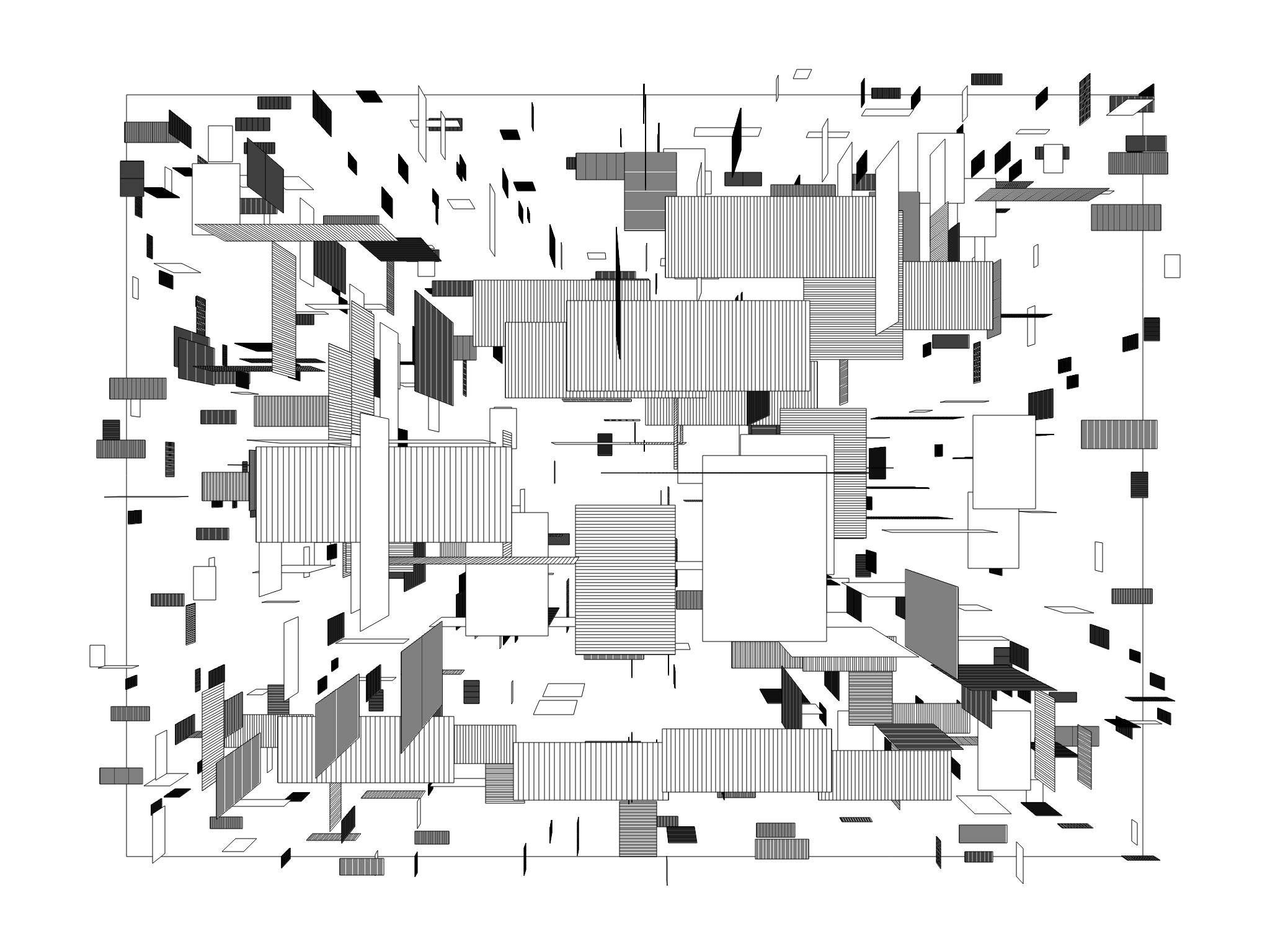
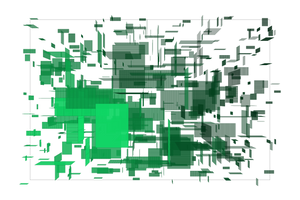
basic html - javascript - css - fxhash template - using .svg drawing
- 9.22 kb zipped now no other libraries used. & code can be even smaller, not minimised yet.
- index.html including: javascript / svg drawing / favicon / css_stylesheet
- key - s: save canvas.png
- key - v : save as .svg
- deterministic it seems 0__.
- includes fxhash.js ( nov. 2023 version now)
I used little parts from the Ty Vek .svg tutorial, when digging into .svg again
https://www.fxhash.xyz/article/me-commune-etc.
see it running here: https://elout.home.xs4all.nl/drawz/messageboard/theboard003/
download zipfile: https://elout.home.xs4all.nl/drawz/messageboard/theboard003.zip
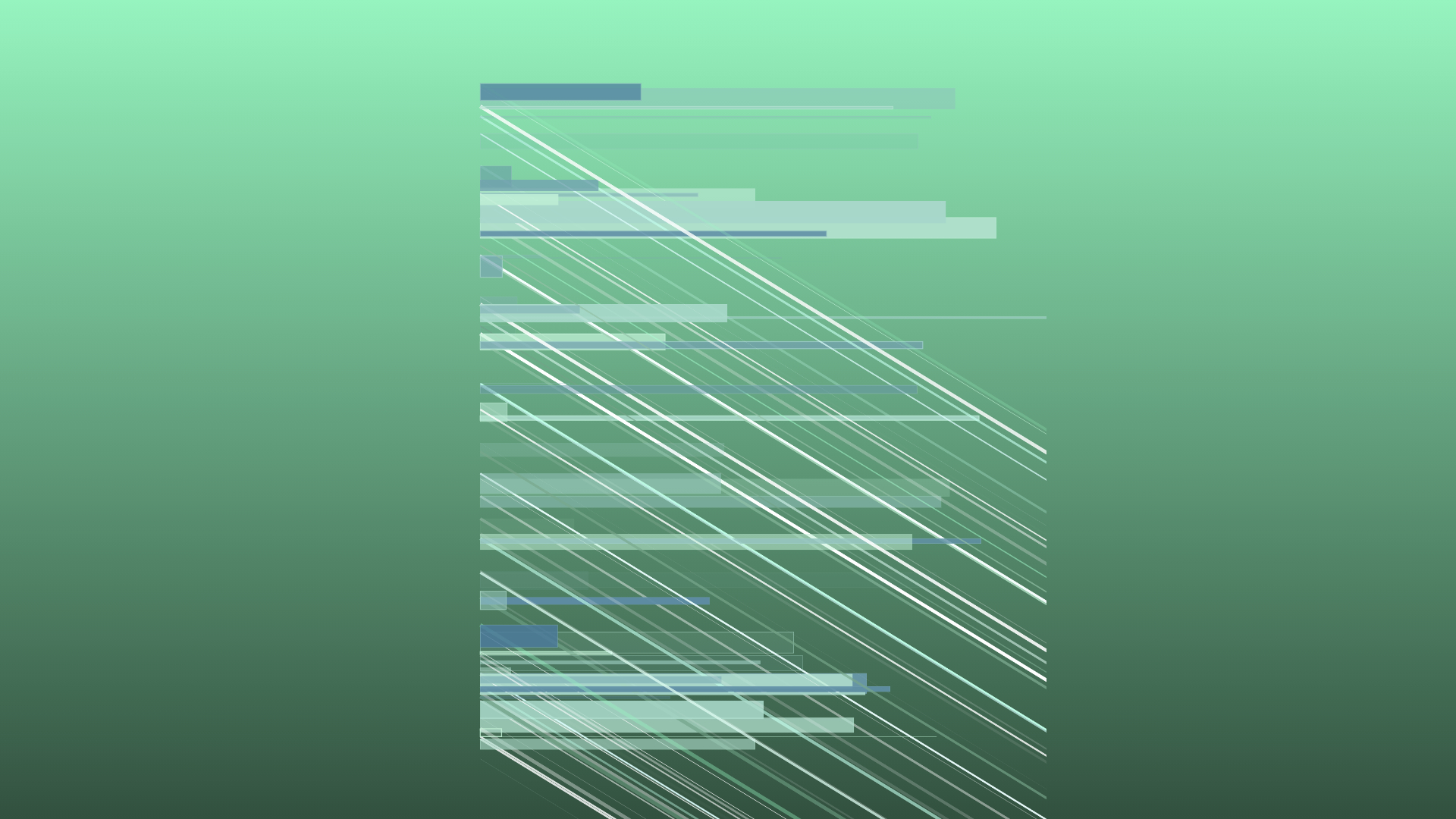
new source update v#002: theboard003/index.html
<!doctype html>
<html>
<head>

 <!-- favicon 16x16 .png  -  created at www.base64-image.de -->
<link rel="icon" type="image/png" href="data:image/png;base64,iVBORw0KGgoAAAANSUhEUgAAABAAAAAQCAYAAAAf8/9hAAAABmJLR0QA/wD/AP+gvaeTAAAACXBIWXMAAAsTAAALEwEAmpwYAAAAB3RJTUUH5wsIFRkKFMm5+QAAAB1pVFh0Q29tbWVudAAAAAAAQ3JlYXRlZCB3aXRoIEdJTVBkLmUHAAAAUklEQVQ4y2N8HJr0n4ECwHKJjQmnpN6vfwQNYGKgELDs52TEEHT8TryvKHcBO5JlPxlJN4BiF4wawMDA6MInDI+H98yQaJj8HiJkKa84GohEAACxHxAPfcin1wAAAABJRU5ErkJggg==" />


 <!--for the  css stylesheet -->
<style type="text/css">
body
{
    background-color: rgb(0,0,0);
    margin:0px;padding:0px;
    width:100vw;
    height:100vh;
    overflow:hidden;
    display:flex;
    align-items:center;
    justify-content:center;
}

.css_background
{
    background-color: rgb(0, 0, 0);
    top:0px;left:0px; width:100%; height:100%;
    z-index:11; border-width:0px; position:fixed;
}

.info_css
{
    color:rgb(120,220,220);
    font-family: Verdana, Arial; font-size:12px;
    z-index:31;
    position: fixed;

    top:0px;left:0px;
    border-style:none; border-width:0px;
    margin:0px 0px 0px 0px; padding:2px 2px 2px 2px;
}
.canvas_css
{
    max-width: 100%;
    max-height: 100%;
    z-index:20;
    position: fixed;
}
</style>

<!--fxhash snippet canvas#my_canvas  nov2023 version now-->
<script src="./fxhash.js"></script>

<!--fxhash.js at  https://github.com/fxhash/fxhash-package/blob/main/packages/project-sdk/dist/fxhash.js -->


<!--here the hardcore javascript kicks in -->
<script type="text/javascript">

// incase testing deterministic: add key to index, you can change random numbers / letters as well
// index.html?fxhash=ooZ1XdEpg2V2ci4UgaSh6gspLCF7gCPS5q4bi8sCukBuhM4yXwt

// yo yo yo. starting from scratch
var cversion="theboard_v003";
document.title =cversion; // sets window title + also image savename!!

var show_fps = false; // true;//

var im_w=2000; // globals: my image width and heigth!!!
var im_h=2000;

// some global vars I use
var my_svg; // for the svg data

// some globals for playing..
var my_r,my_g,my_b; // rgb global working col
var my_tx1,ty1 // translate on x1, y1


var anim_counter=0; // part of animation drawing
var mycounter=0;

var do_fxhash_preview=true;
var saveimage=false;
var savesvg=false;

var win_w=window.innerWidth;
var win_h=window.innerHeight;

var test=""; // needed for testing, text etc

//---legacy code dirty fps counter
var my_timer=setInterval(function(){timer_fps()},1000);// triggers fps counter every 1sec
var counter_fps=0;
var timeCurrent, timeLast = Date.now();
var fresh_second=false;
var fresh_fps_counter=0;

// tech
// animation request at 60 fps - - legacy code ! don't know original coder
if ( !window.requestAnimationFrame )
{
    window.requestAnimationFrame = ( function() {
        return window.webkitRequestAnimationFrame ||
        window.mozRequestAnimationFrame ||
        window.oRequestAnimationFrame ||
        window.msRequestAnimationFrame ||
        function(callback, element ) {window.setTimeout( callback, 1000 / 60 );};
    } )();
}

// page 1st time loading ?
window.addEventListener('load',init_mywindow, false );
//and kicks off 'n starts the javascript next
function init_mywindow()
{
    //alert('yo');

    // check for window resizing
    window.addEventListener( 'resize', onWindowResize, false );

    win_w=window.innerWidth;
    win_h=window.innerHeight;

    // sets the size of the canvas
    //document.getElementById('my_canvas').style.imageRendering =  'pixelated';
    var c=document.getElementById('my_canvas');
    var ctx=c.getContext("2d");
    c.width = im_w;
    c.height = im_h;

    //show/hide html layer-  - fps text counter  bar in screen
    if(show_fps==false){document.getElementById('infoblock').style.visibility = "hidden";}
    else {document.getElementById('infoblock').style.visibility = "visible";}

    // keyboard event
    document.addEventListener('keyup', function(event)
    {
        //alert('  key: '+ event.keyCode); // to test keyboard
        if(event.keyCode == 83 ) {saveimage=true; } // s or S: save image
        if(event.keyCode == 86 ) {savesvg=true; }   // v or V: save svg
    });

    // kicks off-starts animation now at 60fps
    animate();
}

function onWindowResize() //  window resized? not used yet
{
    win_w=window.innerWidth;
    win_h=window.innerHeight;
}


// kick it off - start the animation interrupt
// also lower energy, when hidden away in tab it won't animate..
function animate()
{
    requestAnimationFrame( animate );
    //if (show_fps==true){counter_fps++;}
    counter_fps++;
    my_animation(); // global animation script - gets called at 60fps
}

// dirty fps counter
function timer_fps()
{
    timeCurrent = Date.now();
    if(timeCurrent > timeLast) //
    {
        timeLast = timeCurrent;
        if (show_fps==true)
        {
            set_msg('infoblock',   '.__0 fps: '+counter_fps+' '+test);
        }
        fresh_second=true;
        fresh_fps_counter=counter_fps;
        counter_fps=0;
    }
}

//write html text
function set_msg(div, msg){document.getElementById(div).innerHTML = msg;}
function go_msg(div, msg) {document.getElementById(div).innerHTML += msg;}

// get randoms fxrand from 1 place!!
function get_rand()
{
    return ( $fx.rand()  ); //return ( Math.random() );
}


// used this from ty vek's svg tutorial
// https://www.fxhash.xyz/article/me-commune-etc.
// create svg element
const cEl = (elName, ns) =>
{
  let el = document.createElementNS(ns, elName);
  if (ns)
  {
    el.setAttribute("xmlns", ns);
  }
  return el;
}
// add attribute to element
const aAtt = (p, n, v) =>
{
  p.setAttributeNS(null, n, v);
}
// append child element
const aEl = (p, c) =>
{
  p.appendChild(c);
}


// now global animation - drawing script

// here we go again! - running at 60fps
function my_animation()
{

    // do 1 time each second at 60fps
    if (fresh_second==true) //change document title =____=
    {
        document.title = 'fps .__0 ' + fresh_fps_counter  + ' =___= ' +cversion ;
        fresh_second=false;
    }


    // init start my anim
    if (anim_counter==0)
    {
        // yo yo change 'sum size and ratio
        im_w= (512*((get_rand() * 5)<<0))+768;// 0 included =____=
        im_h= (512*((get_rand() * 5)<<0))+768;//;
        var c=document.getElementById('my_canvas');
        var ctx=c.getContext("2d");
        c.width = im_w;
        c.height = im_h;

        // clear canvas
        var canv = document.getElementById('my_canvas')
        var ctx = canv.getContext('2d');
        ctx.clearRect(0, 0, canv.width, canv.height);

        var r1= get_rand()*256 <<0;// <<0 hack.. same as math.floor
        var g1= get_rand()*256 <<0;// floors it to an int between 0-255
        var b1= get_rand()*256 <<0;

        var r2= r1/3<<0;
        var g2= g1/3<<0;
        var b2= b1/3<<0;

        //document.getElementById('backgroundblock').style.backgroundImage = 'linear-gradient( to top, rgb(0,0,0),rgb(155, 155, 155)  )';

        // css background color change
        var fadedirection='to top';
        // fadedirection='to right';

        // css background change html gold
        document.getElementById('backgroundblock').style.backgroundImage = 'linear-gradient('+fadedirection+', rgb('+r2+','+g2+','+b2+'), rgb('+r1+','+g1+','+b1+')   )';

        my_r=r1; // globals so I can pass background color to next block..
        my_g=g1;
        my_b=b1;

        var offsetter=10000;
        my_tx1= (get_rand()*offsetter)- (offsetter*0.5)<<0 ;// random translate
        my_ty1= (get_rand()*offsetter)- (offsetter*0.5)<<0;

        mycounter=0; // for timing animation
        anim_counter=1;// go next anim part
    }

    // SVG start . writing header to memory -> my_svg
    else if (anim_counter==1)
    {
        // my_svg is a global now
        my_svg = cEl('svg', 'http://www.w3.org/2000/svg');

        // create the root svg node
        aAtt(my_svg, 'version', '1.1');
        aAtt(my_svg, 'viewBox', '0 0 '+im_w+' '+im_h);
        aAtt(my_svg, 'width', im_w);
        aAtt(my_svg, 'height', im_h);


        if ( ((get_rand()*2)<<0) == 0) // 50-50 chance kind'a
        {
            // add a solid colour the background
            // disable this part, if you want a transparent background~!
            var background = cEl('rect');
            aAtt(background, 'width', '100%');
            aAtt(background, 'height', '100%');
            aAtt(background, 'fill', 'rgb('+my_r+','+my_g+','+my_b+')');
            aEl(my_svg, background);
        }


        anim_counter= 2; // go next
    }

    // draw rectangles next
    else if (anim_counter==2)
    {
        // draw even more rectangles now this loop
        for(var drawfaster=0; drawfaster < 15; drawfaster++)
        {


            // set up rectangle
            var x1=im_w/9 <<0;
            var y1=im_h/11 + get_rand()*(im_h-360) <<0;
            var w= get_rand()*(im_w-190) <<0;
            var h= get_rand()*(64) <<0;
            var gg=get_rand()*256 <<0;  // grey colour now

            //  <line x1="0" y1="80" x2="100" y2="20" stroke="black" />
            var x2=x1 +my_tx1<<0;
            var y2=y1 +my_ty1<<0;
            var my_line = cEl('line'); // you can use other shapes 0__.
            aAtt(my_line, 'x1', x1);
            aAtt(my_line, 'y1', y1);
            aAtt(my_line, 'x2', x2);
            aAtt(my_line, 'y2', y2);

            var my_r2=gg+my_r <<0;//(my_r/5)<<0;
            var my_g2=gg+my_g <<0;//(my_g/5)<<0;
            var my_b2=gg+my_b <<0;//(my_b/5)<<0;
            if ( (get_rand()*2<<0)==0) // 50-50 chance kind'a
            {
                // lol already done
            }
            else
            {
                my_r2=gg+my_r/2<<0;//(my_r/5)<<0;
                my_g2=gg+my_g/2<<0;//(my_g/5)<<0;
                my_b2=gg+my_b/2<<0;//(my_b/5)<<0;
            }

            var my_alpha=(((get_rand()*100 )<<0) / 100);

            aAtt(my_line, 'stroke', 'rgba('+my_r2+', '+my_g2+', '+my_b2+','+my_alpha+') ');

            var my_stroke_width=(( 11*(get_rand()*100) <<0) / 100);
            // floats rounded now between 0.00 and 2.99
            aAtt(my_line, 'stroke-width', my_stroke_width);
            aEl(my_svg,my_line);

            // rectangle now
            var my_rect = cEl('rect'); // you can use other shapes 0__.
            aAtt(my_rect, 'x', x1);
            aAtt(my_rect, 'y', y1);

            // filled rectangle

            aAtt(my_rect, 'width', w);
            aAtt(my_rect, 'height', h);


            my_alpha= (((get_rand()*100)<<0) / 100);
            // I round the floating point numbers now to like 0.54
            // so .svg file doesn't get too big.

            var gr = (gg + my_r)/2<<0;
            var gg = (gg + my_g)/2<<0;
            var gb = (gg + my_b)/2<<0;
            //gr = gg + my_r;
            //gg = gg + my_g;
            //gb = gg + my_b;
            aAtt(my_rect, 'fill', 'rgba('+gr+', '+gg+', '+gb+','+my_alpha+')');

            // border line
            //gg = get_rand()*256 <<0;

            var gr = (gg + my_r)/2<<0;
            var gg = (gg + my_g)/2<<0;
            var gb = (gg + my_b)/2<<0;
            my_alpha=(((get_rand()*100)<<0) / 100);
            aAtt(my_rect, 'stroke', 'rgba('+gr+', '+gg+', '+gb+','+my_alpha+')');
            aEl(my_svg, my_rect);

            my_stroke_width=(((get_rand()*300)<<0) / 100);
            // floats rounded now between 0.00 and 2.99
            aAtt(my_rect, 'stroke-width', my_stroke_width);
            aEl(my_svg, my_rect);


        }// end draw faster

        mycounter++;
        if (mycounter>3) // loop-draw a few times
        {
            mycounter=0;
            anim_counter= 3; // go next
        }
    }
    //

    // SVG end . wrap it up and put it on  the canvas!
    else if (anim_counter==3)
    {


        var my_svg_text = my_svg.outerHTML;

        var my_blob = new Blob([my_svg_text], { type: 'image/svg+xml' });
        let URL = window.URL || window.webkitURL || window;
        let blobURL = URL.createObjectURL(my_blob);

        let image = new Image();
        image.onload = () =>
        {
            var c=document.getElementById('my_canvas');
            var ctx = c.getContext("2d");
            ctx.drawImage(image, 0, 0, im_w, im_h);
        }
        image.src = blobURL;

        anim_counter= 100; // go end
    }


    // end of anim
    else if (anim_counter==100)
    {
        //test= 'drawing ready';
        if(mycounter>10 && do_fxhash_preview==true)
        {
            $fx.preview(); // do fxhash thumbnail
            console.log('done fxhash thumbnail');
            do_fxhash_preview=false;
        }

        mycounter++;
        if (mycounter>256) // wait - loop a bit
        {
            mycounter=0;
            anim_counter= 0; // go to start - reset
        }
    }

    // save parts
    if(saveimage==true)
    {
        var c=document.getElementById('my_canvas');
        var ctx=c.getContext("2d");

        var imagename=  cversion+'_'+$fx.hash+'.png'; // image save name +fxhash key
        var my_download = document.createElement('a');
        my_download.setAttribute('download', imagename);
        var mcanvas = document.getElementById('my_canvas');
        mcanvas.toBlob(function(blob) {
        var url = URL.createObjectURL(blob);
        my_download.setAttribute('href', url);
        my_download.click();
                        });
        saveimage=false;
    }

    if(savesvg==true)
    {
        var my_svg_text = my_svg.outerHTML;
        var my_blob = new Blob([my_svg_text], { type: 'image/svg+xml' });
        let URL = window.URL || window.webkitURL || window;
        let blobURL = URL.createObjectURL(my_blob);

        var imagename=  cversion+'_'+$fx.hash+'.svg'; // image save name +fxhash key
        var my_download = document.createElement('a');
        my_download.setAttribute('download', imagename);
        my_download.setAttribute('href', blobURL);
        my_download.click();

        savesvg=false;
    }


}// end my_animation()

// end of javascript, some html next
</script>

</head>

<body>
    <div id="backgroundblock" class="css_background"></div>
    <div class="info_css" id="infoblock">=_______=</div>
    <canvas class="canvas_css" id="my_canvas">-__-</canvas>
</body>
</html>
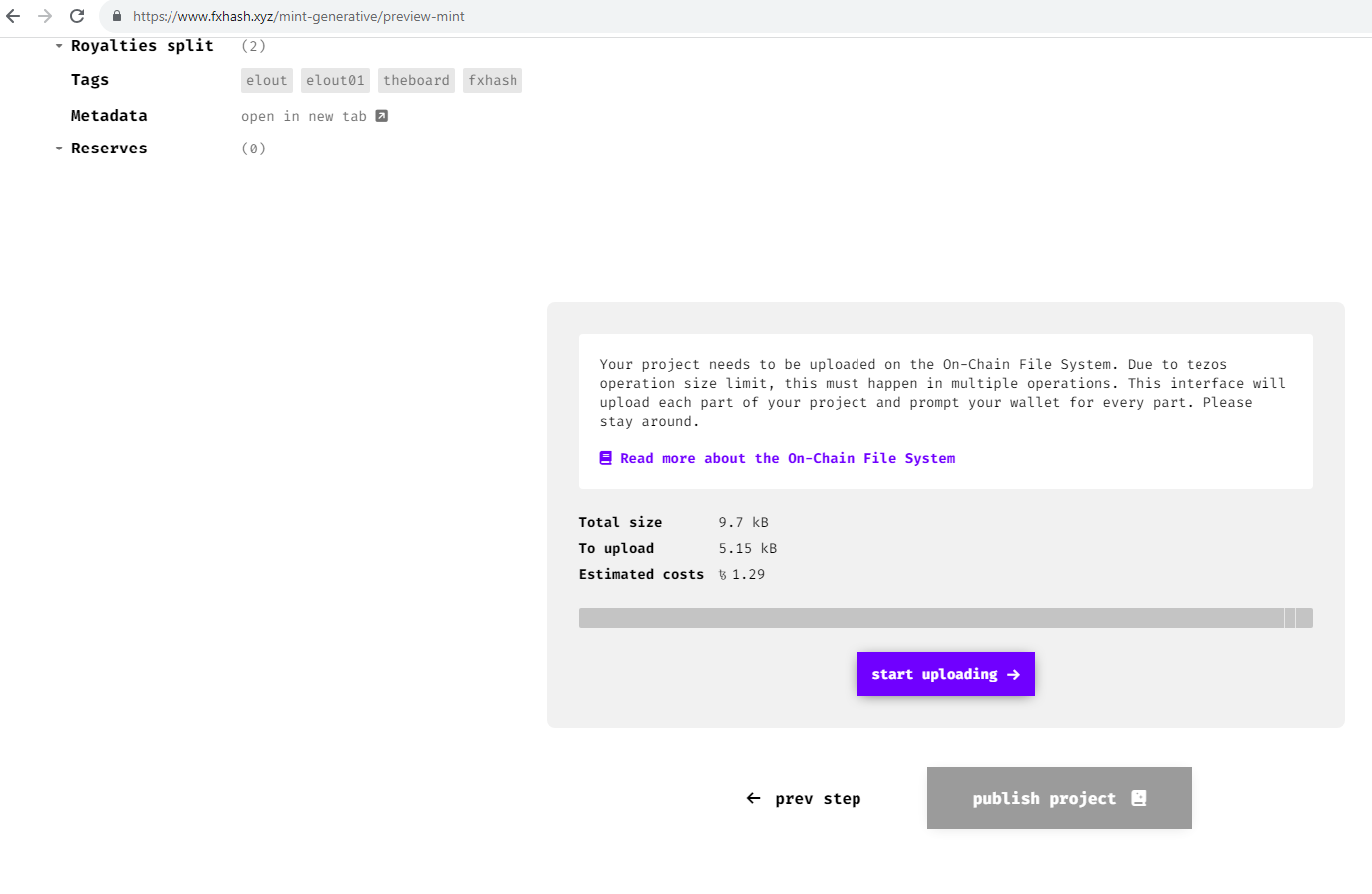
Minted it on fxhash, onchain this time as an experiment.
price for onchain minting was pretty cheap, I even didn't minify all

end of theboard003
Next older archieve....
next: theboard002
version: theboard002
if video is not playing ok.. try direct link : https://youtu.be/qPfGdbHVxl0
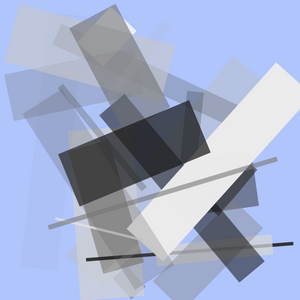
basic html - javascript - css - fxhash template - using oldskool css canvas drawing
- 8.2 kb zipped now. no other libraries used
- index.html including: javascript / oldskool ctx canvas drawing / favicon / css_stylesheet
- save button
- fxhash preview; deterministic it seems 0__. includes fxhash.js ( nov. 2023 version now)
see it working here
https://elout.home.xs4all.nl/drawz/messageboard/theboard002/
zipfile:
https://elout.home.xs4all.nl/drawz/messageboard/theboard002.zip
<!doctype html>
<html>
<head>

 <!--a favicon 16x16 .png -  created at www.base64-image.de (if you got no favicon, ipfs will throw an error now and then; it did in the past) -->
<link rel="icon" type="image/png" href="data:image/png;base64,iVBORw0KGgoAAAANSUhEUgAAABAAAAAQCAYAAAAf8/9hAAAABmJLR0QA/wD/AP+gvaeTAAAACXBIWXMAAAsTAAALEwEAmpwYAAAAB3RJTUUH5wsFEzsmd0Q3VQAAAB1pVFh0Q29tbWVudAAAAAAAQ3JlYXRlZCB3aXRoIEdJTVBkLmUHAAABfUlEQVQ4y5WTzU7bQBSFv/kzBrcNSAGBqCVXeF0qZU0lJN6GbR+yT5BuiJCIA1nUHvKHJ43jdIFw4hpQeldHc+ece+/cM+Lb9Y8VW8SXvR3ODwIAjDH4vg+AZMt4IQN4xqvwVgJaiDVBSKSS/ydw0f5UYeOZWk52Oh3a7TZio8q/0fLUWsDUBfSpLNk//4pzc5Ik4X4wYFEU1YXLw9aarE2jkP44SnG7Ab6/QxyfEUURDw/39PsJeZ7Xqmujm+8DcDi8Y/j5DIRAa0UYhoRhyIenCQeTDGstUkiUekMA4DjpMQzjWvIqjoCI2WxGr9fDzV1DoLaFo8FthdXGrEEQoLXGMx5KKUA0OwCQ5bLC3zdWN56MWSwWCCHQSqMVLMuScrmkMdRx/4ZhGNPaeLAsswCMRo/YNCVLM8aPttkBQPFnzkn/hp+3v5jnOUVR0O12KcvydZeO09+NQ8+4at9pmr5JftXKL8TV6vmTWmvftXlDQKu1cabTKc65dwX+AttGffVVoeNUAAAAAElFTkSuQmCC" />


 <!--for the  css stylesheet -->
<style type="text/css">
body
{
    background-color: rgb( 0,  0, 50);
    margin: 0px; padding: 0px;
    width: 100vw;
    height: 100vh;
    overflow: hidden;
    display: flex;
    align-items: center;
    justify-content: center;
}

.css_background
{
    background-color: rgb(30, 0, 0);
    top: 0px;left: 0px;  width:100%; height:100%;
    z-index:11; border-width:0px; position: fixed;
}

.info_css
{
    color: rgb( 120,  220, 220);
    font-family: Verdana, Arial; font-size: 12px;
    z-index:31;
    position: fixed;

    top:0px;left:0px;
    border-style:none; border-width:0px;
    margin:0px 0px 0px 0px; padding:2px 2px 2px 2px;
}
.canvas_css
{
    max-width: 100%;
    max-height: 100%;
    z-index:20;
    position: fixed;
}
</style>

<!--fxhash snippet canvas#my_canvas  -->
<script src="./fxhash.js"></script>

<!--fxhash.js at  https://github.com/fxhash/fxhash-package/blob/main/packages/project-sdk/dist/fxhash.js -->


<!--here the hardcore javascript kicks in -->
<script type="text/javascript">

// incase testing deterministic: add key to index, you can change random numbers / letters as well
// index.html?fxhash=ooZ1XdEpg2V2ci4UgaSh6gspLCF7gCPS5q4bi8sCukBuhM4yXwt


// yo yo yo. starting from scratch
var cversion="theboard_v002";
document.title =cversion; // sets window title + also image savename!!

var show_fps =      false; // true;//

var im_w=2000;
var im_h=2000;

// some global vars I use

var anim_counter=0; // part of animation drawing
var mycounter=0;

var do_fxhash_preview=true;
var saveimage=false;

var win_w=window.innerWidth;
var win_h=window.innerHeight;

var test=""; // needed for testing, text etc

//---legacy code dirty fps counter
var my_timer=setInterval(function(){timer_fps()},1000);// triggers fps counter every 1sec
var counter_fps=0;
var timeCurrent, timeLast = Date.now();
var fresh_second=false;
var fresh_fps_counter=0;

// tech
// animation request at 60 fps - - legacy code ! don't know original coder
if ( !window.requestAnimationFrame )
{
    window.requestAnimationFrame = ( function() {
        return window.webkitRequestAnimationFrame ||
        window.mozRequestAnimationFrame ||
        window.oRequestAnimationFrame ||
        window.msRequestAnimationFrame ||
        function(callback, element ) {window.setTimeout( callback, 1000 / 60 );};
    } )();
}

// page 1st time loading ?
window.addEventListener('load',init_mywindow, false );
//and kicks off 'n starts the javascript next
function init_mywindow()
{
    //alert('yo');

    // check for window resizing
    window.addEventListener( 'resize', onWindowResize, false );

    win_w=window.innerWidth;
    win_h=window.innerHeight;

    // sets the size of the canvas
    document.getElementById('my_canvas').style.imageRendering =  'pixelated';
    var c=document.getElementById('my_canvas');
    var ctx=c.getContext("2d");
    c.width = im_w;
    c.height = im_h;

    //show/hide html layer-  - fps text counter  bar in screen
    if(show_fps==false){document.getElementById('infoblock').style.visibility = "hidden";}
    else {document.getElementById('infoblock').style.visibility = "visible";}

    // keyboard event
    document.addEventListener('keyup', function(event)
    {
        //alert('  key: '+ event.keyCode); // to test keyboard
        if(event.keyCode == 83 ) {saveimage=true; } // s or S: save image
    });

    // kicks off-starts animation now at 60fps
    animate();
}

function onWindowResize() //  window resized? not used yet
{
    win_w=window.innerWidth;
    win_h=window.innerHeight;
}


// kick it off - start the animation interrupt
// also lower energy, when hidden away in tab it won't animate..
function animate()
{
    requestAnimationFrame( animate );
    //if (show_fps==true){counter_fps++;}
    counter_fps++;
    my_animation(); // global animation script - gets called at 60fps
}

// dirty fps counter
function timer_fps()
{
    timeCurrent = Date.now();
    if(timeCurrent > timeLast) //
    {
        timeLast = timeCurrent;
        if (show_fps==true)
        {
            set_msg('infoblock',   '.__0 fps: '+counter_fps+' '+test);
        }
        fresh_second=true;
        fresh_fps_counter=counter_fps;
        counter_fps=0;
    }
}

//write html text
function set_msg(div, msg){document.getElementById(div).innerHTML = msg;}
function go_msg(div, msg) {document.getElementById(div).innerHTML += msg;}

// get randoms fxrand at 1 place!!
function get_rand()
{
    return ( $fx.rand()  ); //return ( Math.random() ); // real random
}


// global animation script

// here we go again! - running at 60fps
function my_animation()
{

    // do 1 time each second at 60fps
    if (fresh_second==true) //change document title =____=
    {
        document.title = 'fps.__0' + fresh_fps_counter  + ' =___= ' +cversion ;
        fresh_second=false;
    }


    // init start my anim
    if (anim_counter==0)
    {

        var r1= get_rand()*256 <<0; // <<0 same as math.floor
        var g1= get_rand()*256 <<0;//floors it to an int between 0-255
        var b1= get_rand()*256 <<0;

        var r2= r1/9<<0;
        var g2= g1/9<<0;
        var b2= b1/9<<0;

        //document.getElementById('backgroundblock').style.backgroundImage = 'linear-gradient( to top, rgb(0,0,0),rgb(155, 155, 155)  )';

        // css background color change
        var fadedirection='to top';
        // fadedirection='to right';

        document.getElementById('backgroundblock').style.backgroundImage = 'linear-gradient('+fadedirection+', rgb('+r2+','+g2+','+b2+'), rgb('+r1+','+g1+','+b1+')   )';

        // clear canvas
        var canv = document.getElementById('my_canvas')
        var ctx = canv.getContext('2d');
        ctx.clearRect(0, 0, canv.width, canv.height);

        // fill with random color
        ctx.rect(0, 0, canv.width, canv.height);
        ctx.fillStyle = 'rgb('+r1+','+g1+','+b1+')';
        ctx.fill();
        ctx.fillRect(0, 0, canv.width, canv.height);

        mycounter=0; // for timing animation
        anim_counter=1;// go next anim part
    }

    // draw some classic ctx canvas lines
    else if (anim_counter==1)
    {
        var c=document.getElementById('my_canvas');
        var ctx = c.getContext('2d');

        ctx.beginPath();

        // line starts at x1 y1
        var x1= -200 + get_rand()* im_w+200 <<0;
        var y1= -200 + get_rand()* im_h+200 <<0;
        ctx.moveTo(x1, y1);

        // draw a line new x1,y1
        x1= -200 + get_rand() * im_w+200 <<0;
        y1= -200 + get_rand() * im_h+200 <<0;
        ctx.lineTo(x1, y1);

        var r1= get_rand()*256 <<0;
        ctx.strokeStyle = 'rgba('+r1+','+r1+','+r1+',0.9)';

        ctx.lineWidth = 155;        // set lineWidht
        // and draw the line
        ctx.stroke();


        test=mycounter; // testing output number
        mycounter++;
        if (mycounter>100) // loop-draw a few times
        {
            mycounter=0;
            anim_counter= 100; // go next
        }

    }

    // end of anim
    else if (anim_counter==100)
    {

        //test= 'drawing ready';
        if(mycounter>50 && do_fxhash_preview==true)
        {
            $fx.preview(); // do fxhash thumbnail
            console.log('done fxhash thumbnail');
            do_fxhash_preview=false;
        }

        mycounter++;
        if (mycounter>500)
        {
            mycounter=0;
            anim_counter= 0; // go to start - reset
        }
    }

    if(saveimage==true)
    {
        var c=document.getElementById('my_canvas');
        var ctx=c.getContext("2d");

        var imagename=  cversion+'_'+$fx.hash+'.png'; // image save name
        var my_download = document.createElement('a');
        my_download.setAttribute('download', imagename);
        var mcanvas = document.getElementById('my_canvas');
        mcanvas.toBlob(function(blob) {
        var url = URL.createObjectURL(blob);
        my_download.setAttribute('href', url);
        my_download.click();
                        });
        saveimage=false;
    }


}// end my_animation()

// end of javascript, some html next
</script>

</head>

<body>
    <div id="backgroundblock" class="css_background"></div>
    <div class="info_css" id="infoblock">=_______=</div>
    <canvas class="canvas_css" id="my_canvas">-__-</canvas>
</body>
</html>
!! important canvas name used fxhash-thumbnail creation ->   canvas#my_canvas

// draws composition on canvas
// using oldskool css - ctx drawing
//- better use svg!
// but you can all kind of crazy net-art html like stuff as well with traditional css- canvas etc.

// s save image
// hope to make a youtube vid next about this one.. 0__.
version: theboard001
see it working here..
url: https://elout.home.xs4all.nl/drawz/messageboard/theboard001/
here we go again, starting from scratch again
next: the code .. that funky index.html
set up a basic animation car-framework +windows in html yes.....
you already can do like html and text like animations in here now
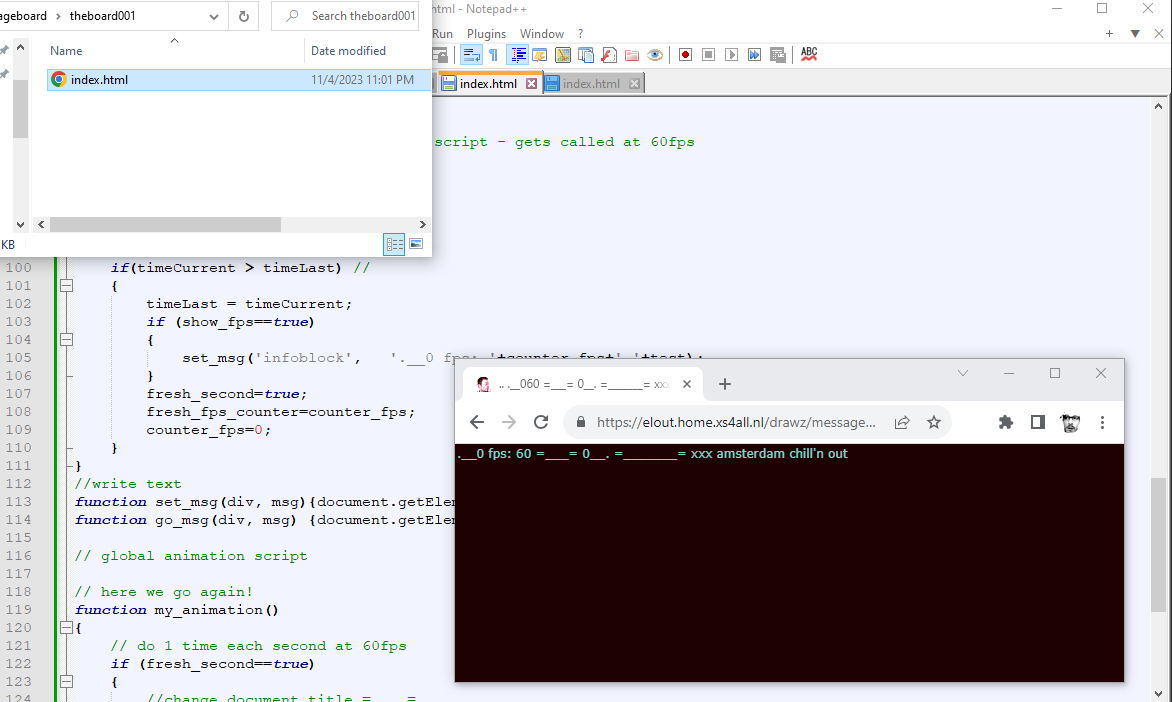
<!doctype html>
<html>
<head>


<!--for the  css stylesheet -->
<style type="text/css">
body
{
    background-color: rgb(30,1,1);  margin: 0;padding: 0;
}

.info_css
{
    color: rgb(120, 220, 210);
    font-family: Verdana, Arial; font-size: 12px;

    z-index:21;

    position: fixed; top:0px;left:0px; border-style:none; border-width:4px;
    margin:0px 0px 0px 0px; padding:2px 2px 2px 2px;
}

</style>

<!--here the hardcore javascript kicks in -->
<script type="text/javascript">
// yo yo yo. starting from scratch
var cversion="0__. theboard  v.001 =__= ._. -____- ";
document.title =cversion; // sets window title

//here I also declare some global vars, I use next all over the thing, to keep tracks of thing, testing etc.


var show_fps =   true;// false;//   true;//  false; // true;// shows fps counter


var test=""; // needed for testing and fps, text-info etc
var fresh_second=false;
var fresh_fps_counter=0;

//---legacy code dirty fps counter
var my_timer=setInterval(function(){timer_fps()},1000);// triggers fps counter every 1sec
var counter_fps=0;
var timeCurrent, timeLast = Date.now();

var win_w=window.innerWidth;
var win_h=window.innerHeight;


// animation request at 60 fps - - legacy code ! don't know original coder
if ( !window.requestAnimationFrame )
{
    window.requestAnimationFrame = ( function() {
        return window.webkitRequestAnimationFrame ||
        window.mozRequestAnimationFrame ||
        window.oRequestAnimationFrame ||
        window.msRequestAnimationFrame ||
        function(callback, element ) {window.setTimeout( callback, 1000 / 60 );};
    } )();
}

// page 1st time loading ?
window.addEventListener('load',init_mywindow, false );
//and kicks off 'n starts the javascript next

function init_mywindow()
{
    //alert('yo');

    // check for window resizing
    window.addEventListener( 'resize', onWindowResize, false );

    //show/hide html layer-  - fps text counter  bar in screen
    if(show_fps==false){document.getElementById('infoblock').style.visibility = "hidden";}
    else {document.getElementById('infoblock').style.visibility = "visible";}


    // kicks off-starts animation now at 60fps
    animate()
}
function onWindowResize() //  not used yet
{

}

// legacy code ! don't know original coder
// kick it off - start the animation interrupt
// also lower energy, when hidden away in tab
function animate()
{
    requestAnimationFrame( animate );
    if (show_fps==true){counter_fps++;}
    my_animation(); // global animation script - gets called at 60fps
}

// dirty fps counter
function timer_fps()
{
    timeCurrent = Date.now();
    if(timeCurrent > timeLast) //
    {
        timeLast = timeCurrent;
        if (show_fps==true)
        {
            set_msg('infoblock',   '.__0 fps: '+counter_fps+' '+test);
        }
        fresh_second=true;
        fresh_fps_counter=counter_fps;
        counter_fps=0;
    }
}
//write text
function set_msg(div, msg){document.getElementById(div).innerHTML = msg;}
function go_msg(div, msg) {document.getElementById(div).innerHTML += msg;}

// global animation script

// here we go again!
function my_animation()
{


    // do 1 time each like second running this thing at 60fps
    if (fresh_second==true)
    {
        //change document title =____=
        test=" =___= 0__. =_______= xxx amsterdam chill'n out";
        document.title = ".. .__0" + fresh_fps_counter + test;

        fresh_second=false;
    }


}
// end of javascript, some html next
</script>

</head>

<body>
    <div class="info_css" id="infoblock">=_______=</div>

</body>
</html>
// so what does this code above^__^ means?
// and when you run it?

// first it's like the code for setting up an html page
// a browser page, you watch things on

// but now, not a basic static index.html , but a moving one, that's alive heh.

// also no libraries or any extras yet, we want the code to be compact.. minimal first, a clean sheet to start with

// a bit compact now at the start, with some things that are needed to make things run
// also some legacy code I call it, found online like years ago.. but lost track.
// who was the original author or team, that decided how to run things best.. want to give them applepie!

// OK

//first: the css for the background and text colors now

//then the javascript, kicking off
// animation at 60 fps now yes.... fps!!!! =________________=

//basicly nothing happens, besides some boring text and fps getting written on the screen

//but I got my fps counter in the text.. going wild and working

//and also for fun. this time..  changing the document title, in the browser bar every second 0____.  =______=