javascript creative coding 01
lets start with a simple index.html file
<!-- text and commenting in html: use  < ! -- and  -- > without spaces
first test  <p>start of a paragraph <br> line break / <b> bold  -->

<html>
<body>

<p>
<b>hiyaaaaa!</b>

<br> - my fist html page -
<br> but no code at all yet!

</p>

</body>
</html>
001. Copy the code, in a 'plain' text-editor ( I use the notepad ++ myself ) and save it as like index01.html - and open/run it in a browser
html is like this text, that you can give all fancy colors, sizes, with tags \this is bold\
the \
tag is a linebreak
Next:
my first javascript. Copy the code and save it like index02.html. and run-open it in a web-browser!
<html>
<body>

<script> // with 2 // you can comment in your javascript code

alert('yo!');

var a=4; // I have an 'a' with 4
var b=5; // I have a 'b' with 5
var c=a+b; // I add a and b, and put the result in 'c'

alert('hiyaa.. 4+5 is like: ' + c);  // and show some text, and c in an alert window-pop-up


// never forget to close it as well!
</script>

</body>
</html>
002. The alert gives like a pop-up window, you can output some text. and I do my first calculation
next setting up the basics for my javascript template
<html>
<head>

<script>
//--------------javascript start------------------
// also changed the script now to the top of the page
// inbetween head and /head !!!!


//----------- window events ---
window.addEventListener('load',mywindow_page_loaded, false );

// this sets an window event listener in javascript -

// it looks technical; but it's just simple/default 'browser' tech
// for this case: when the page gets loaded, it will jump to the routine
// mywindow_page_loaded()

// I use eventlisteners - for like checking the windowsize, mouse, touch and keyboard input
// this is default 'tech' -> the browser needs when windows-actions changes

// now  handle those events
// is the page loaded for the first time? then do this function!!
function mywindow_page_loaded()
{
    //alert('yo!');

    var a=5; // I have an 'a' with 4
    var b=15; // I have a 'b' with 5
    var c = a + b; // I add a and b, and put the result in 'c'

    // I added a and b not as text, but as like a variable,
    // if I change it above; it also will show in the 'my_text' variable
    var my_text =  "Adding "+  a + " and "+ b + " gives me "+ c;

    alert(my_text);
}

</script>

</head>
<body>

</body>
</html>
003. I will setup the basics of my javascript template next. the windows.event looks complicated tech, but it's needed for like when I do interactions with the screen, get the mouse position, window scale, keyboard etc. etc. then I need windows.events
For this example, I use a windows event, when the page gets loaded!
<html>

<head>
<script>  //--------------javascript start------------------


//----------- window events ---

// jump to mywindow_page_loaded when the page is loaded
window.addEventListener('load',mywindow_page_loaded, false ); // ! default browser tech! call the function  mywindow_page_loaded

// page loaded? do this function; you can give it other names as well!!
function mywindow_page_loaded()
{
    var a=5; // I have an 'a' with 4
    var b=15; // I have a 'b' with 5
    var c = a + b; // I add a and b, and put the result in 'c'

    var my_text =  "Adding "+  a + " and "+ b + " gives me "+ c;

    // you can use javascript to write and change the html! -
    document.getElementById('infoblock').innerHTML = my_text; // ! default browser tech! to select my div containers etc.

    // In the body on the bottom I declared this  div 'container'
    // and gave it a name; an id called --> !!!!!!! 'infoblock' !!!
    // and next I use javascript, to select that block and write into it!
}

</script>
</head>

<body>

<div id="infoblock">0__.</div>

</body>
</html>
004. Here I added a new div container in the html part, and use javascript next to write and change the text of the html page.
<html>

<head>
<script>  //javascript start


//----------- window events ---
// jump to mywindow_page_loaded when the page is loaded
window.addEventListener('load',mywindow_page_loaded, false );

// page loaded? do this function!!
function mywindow_page_loaded()
{

    // you can use javascript to write and change the html!
    document.getElementById('infoblock').innerHTML = 'page loaded - next draw in my canvas';


    // I added a canvas as well, I want to get creative! - I also gave it my own name called 'my_canvas'

    var canvas = document.getElementById("my_canvas"); // select the canvas with the name 'my_canvas'!
    var ctx = canvas.getContext("2d"); // browser tech - this is how it's done, I didnt made this up myself!
    ctx.font = "30px Arial"; // font size
    ctx.fillText("Hiiyyaaaa", 30, 50); // text, x,y
    ctx.strokeText("yooz!", 60, 100); // outline text x,y

}

</script>
</head>

<body>

<div id="infoblock">0__.</div>

<canvas id="my_canvas">- needs a javascript enabled browser to see the drawing-animation!-</canvas>

</body>
</html>
005. Ok want to get creative next. Added also a 'canvas' with the id 'my_canvas'
and can use javascript to write and draw in it as well!
<html>

<head>

 <!-- css stylesheet -->
<style type="text/css">
body
{
    /*  background color  #rgb   you can do like 907070 or 977  just a bit more red, then green and blue*/
    background-color: #977;
    /* these numbers are in hexadecimal! see photoshop-gimp for hex colors incase! #ffffff is white!*/

    margin: 0;padding: 0;
    font-family: Verdana, Arial, Helvetica, sans-serif; font-size: 12px; color: #ffffff;
}

/* my info block*/
.info_css
{
    background-color: #555;
}

.canvas_css
{
    background-color: #ccc;

    position: absolute;
    max-height: 100%; max-width: 100%;

    object-fit: contain;
    top: 50%; left: 50%;
    transform: translate(-50%, -50%);
}
</style>


<script>  //javascript start


//----------- window events ---
// when the page is loaded
window.addEventListener('load',mywindow_page_loaded, false );

// page loaded? do this function!!
function mywindow_page_loaded()
{

    // you can use javascript to write and change the html!
    document.getElementById('infoblock').innerHTML = 'page loaded - next draw in my canvas';


    var canvas = document.getElementById("my_canvas"); // select the canvas with the name 'my_canvas'!
    var ctx = canvas.getContext("2d"); // browser tech - this is how it's done, I didnt made this up myself!
    ctx.font = "30px Arial"; // font size
    ctx.fillText("Hiiyyaaaa", 30, 50); // text, x,y
    ctx.strokeText("yooz!", 60, 100); // outline text x,y

}

</script>
</head>

<body>

<div class="info_css" id="infoblock">0__.</div>

<canvas class="canvas_css" id="my_canvas">- error message: - needs a javascript enabled browser to see the drawing-animation!-</canvas>

</body>
</html>
006. Added a css stylesheet; where you can set the html background colors etc. so I can see the different blocks; give them different colors. and do positioning!
<html>

<head>

 <!-- css stylesheet -->
<style type="text/css">
body
{
    /*  background color  #rgb   you can do like 907070 or 977  just a bit more red, then green and blue*/
    background-color: #977;
    /* these numbers are in hexadecimal! see photoshop-gimp for hex colors incase! #ffffff is white!*/

    margin: 0;padding: 0;
    font-family: Verdana, Arial, Helvetica, sans-serif; font-size: 12px; color: #ffffff;
}

/* my info block*/
.info_css
{
    top: 0px;left: 0px; background-color: #558; font-size: 14px;
    border-style:none; border-width:0px; margin:0px 0px 0px 0px;
    padding:2px 2px 2px 2px;color: #fff;  z-index:21;border-width:4px;
    position: fixed;
}

.canvas_css
{

    background-color: #ccc; /*grey now*/

    top:  0px; left: 0px;
    z-index:20;
    position: absolute;

    border-style:solid; border-width:0px;margin:0px 0px 0px 0px; padding:0px 0px 0px 0px;

    /* you can set different cursor's type's' gets set again in javascript! */
    cursor: crosshair;
    /* cursor:none;   cursor: url(./cursor.cur),auto.*/

    /*this next shows my image like pixel-sharp - no pixel blurring by the browser!! */
    image-rendering:optimizeSpeed;             /* Legal fallback */
    image-rendering:-moz-crisp-edges;          /* Firefox        */
    image-rendering:-o-crisp-edges;            /* Opera          */
    image-rendering:-webkit-optimize-contrast; /* Safari         */
    image-rendering:optimize-contrast;         /* CSS3 Proposed  */
    image-rendering:crisp-edges;               /* CSS4 Proposed  */
    image-rendering:pixelated;                 /* CSS4 Proposed  */
    -ms-interpolation-mode:nearest-neighbor;   /* IE8+           */

}
</style>


<script>  //javascript start


//----------- window events ---
// when the page is loaded
window.addEventListener('load',mywindow_page_loaded, false );

// page loaded? do this function!!
function mywindow_page_loaded()
{
    // you can use javascript to write and change the html!
    document.getElementById('infoblock').innerHTML = 'page loaded - next draw in my canvas';


    var canvas = document.getElementById("my_canvas"); // select canvas: 'my_canvas'!

    // set my canvas
    var im_w = 800;  // image width
    var im_h = 800;  // image height

        // now set the canvas width and height size
    canvas.width = im_w;
    canvas.height = im_h;


    var ctx = canvas.getContext("2d"); // browser tech

    // introducing the for next loop! do this now 50 times
    for (var i = 0; i < 50; i++)
    {
        var red   = Math.floor(Math.random() * 255); // get a color between 0 and 255!
        var green = Math.floor(Math.random() * 255);
        var blue  = Math.floor(Math.random() * 255);

        var my_fontsize=Math.floor(Math.random() *  55)+9;
        ctx.font = my_fontsize+"px Verdana"; // random font size now


        var x = Math.floor(Math.random() * 420)+20; // random x and y screen position
        var y = Math.floor(Math.random() * 720)+20;

        ctx.fillStyle =  "rgb(0,0,0)";
        ctx.fillText("fxhash - " + i, x , y+1); // black text little offset on y!

        ctx.fillStyle =  "rgb("+red+", "+green+", "+blue+")"; // color text
        ctx.fillText("fxhash - " + i, x, y); // text, x,y position, also show the i-number !


        // emulate like a random dice - between 1 and 6
        var myrandom_dice = Math.floor(Math.random()*6) + 1;
        // random number between 1 and 6 now

        x = Math.floor(Math.random() * 520)+20; // random x and y screen position
        y = Math.floor(Math.random() * 720)+20;

        ctx.font = "40px Arial"; // font size
        ctx.fillStyle =  "rgb( 0,0,0)";
        ctx.fillText(myrandom_dice, x, y); // text, x,y

    }// end for-next loop!


} //end mywindow_page_loaded

</script>
</head>

<body>

<div class="info_css" id="infoblock">0__.</div>

<canvas class="canvas_css" id="my_canvas">- error message: - needs a javascript enabled browser to see the drawing-animation!-</canvas>

</body>
</html>
007. Added different cursor support in the css, and no pixel blurring on the canvas.
(browser-tech - I didn't created that myself)
Added a for-next loop, that does a loop like x-times. A great thing to use!
And introducing Math.random! that gives a random floating point number like between 0 and 0.9999999 I can round it with Math.floor to make it like 'rounded' numbers. Also using the random; to Emulate like a dice.
And I'm going to ditch this ctx-drawing asap. since I guess you can better do that stuff in p5js- and like can be different in browsers-platforms? I'm really going to focus on rgb-pixel 'perfect' drawing and using RGB-pixel buffers!
<html>

<head>

 <!-- css stylesheet -->
<style type="text/css">
body
{
    background-color: #777;
    margin: 0;padding: 0;
    font-family: Verdana, Arial, Helvetica, sans-serif; font-size: 12px; color: #ffffff;
}
/* my info block*/
.info_css
{
    top: 0px;left: 0px; background-color: #558; font-size: 14px;
    border-style:none; border-width:0px; margin:0px 0px 0px 0px;
    padding:2px 2px 2px 2px;color: #fff;  z-index:21;border-width:4px;
    position: fixed;
}
.canvas_css
{
    background-color: #ccc; /*grey now*/

    top:  0px; left: 0px;
    z-index:20;
    position: absolute;

    border-style:solid; border-width:0px;margin:0px 0px 0px 0px; padding:0px 0px 0px 0px;

    /* you can set different cursor's type's' gets set again in javascript! */
    cursor: crosshair;
    /* cursor:none;   cursor: url(./cursor.cur),auto.*/

    /*this next shows my image like pixel-sharp - no pixel blurring by the browser!! */
    image-rendering:optimizeSpeed;             /* Legal fallback */
    image-rendering:-moz-crisp-edges;          /* Firefox        */
    image-rendering:-o-crisp-edges;            /* Opera          */
    image-rendering:-webkit-optimize-contrast; /* Safari         */
    image-rendering:optimize-contrast;         /* CSS3 Proposed  */
    image-rendering:crisp-edges;               /* CSS4 Proposed  */
    image-rendering:pixelated;                 /* CSS4 Proposed  */
    -ms-interpolation-mode:nearest-neighbor;   /* IE8+           */
}
</style>


<script>  //javascript start

// using some global variables now! I can use every where!

// my screen - canvas size now!
var im_w = 800;  // image - canvas width
var im_h = 800;  // image - canvas height


//----------- window events ---
// when the page is loaded
window.addEventListener('load',mywindow_page_loaded, false );

// page loaded? do this function!!
function mywindow_page_loaded()
{
    // get the browser window size! - browser tech!
    var win_w=window.innerWidth;
    var win_h=window.innerHeight;

    // and show the window size in the text: info block! - nice for testing!
    document.getElementById('infoblock').innerHTML = 'window width: '+win_w +' window height: '+win_h;

    var c = document.getElementById("my_canvas"); // select canvas: 'my_canvas'!
    var ctx=c.getContext("2d");

    c.width = im_w; // set my canvas to my im_w and im_h size!
    c.height = im_h;


    // set the canvas position now with javascript!
    // pretty simple-crude now; will do better later on
    var xpos=(win_w - im_w)/2;
    var ypos=(win_h - im_h)/2;

    // position my canvas!
    c.style.left= xpos+'px';
    c.style.top = ypos+'px';


    // make a new empty'data' image
    // and fill my canvas with it!
    // now with some random grey-noise!
    var img1 = ctx.createImageData(im_w, im_h); // create an empty data image - with width, height

    for (var p=0, j = 0; j < im_h*im_w; j++) // do for every pixel on the screen!
    {
            var grey = Math.floor(Math.random() * 256);
            img1.data[p++] = grey;  // red
            img1.data[p++] = grey;  // green
            img1.data[p++] = grey;  // blue
            img1.data[p++] = 255;   // alpha channel; not used atm
    }
    ctx.putImageData(img1, 0, 0);   // and draw it to my canvas!


} //end mywindow_page_loaded

</script>
</head>

<body>

<div class="info_css" id="infoblock">0__.</div>

<canvas class="canvas_css" id="my_canvas">- error message: - needs a javascript enabled browser to see the drawing-animation!-</canvas>

</body>
</html>
008. Next I'm going to use like a data image; and write it to my canvas. The data-pixels I fill now with a random grey color: between 0 and 255 (0= total black 255=total white)
<html>

<head>

 <!-- css stylesheet -->
<style type="text/css">
body
{
    background-color: #777;
    margin: 0;padding: 0;
    font-family: Verdana, Arial, Helvetica, sans-serif; font-size: 12px; color: #ffffff;
}
/* my info block*/
.info_css
{
    top: 0px;left: 0px; background-color: #558; font-size: 14px;
    border-style:none; border-width:0px; margin:0px 0px 0px 0px;
    padding:2px 2px 2px 2px;color: #fff;  z-index:21;border-width:4px;
    position: fixed;
}
.canvas_css
{
    background-color: #ccc; /*grey now*/

    top:  20px; left: 20px;
    z-index:20;
    position: absolute;

    border-style:solid; border-width:0px;margin:0px 0px 0px 0px; padding:0px 0px 0px 0px;

    /* you can set different cursor's type's' gets set again in javascript! */
    cursor: crosshair;
    /* cursor:none;   cursor: url(./cursor.cur),auto.*/

    /*this next shows my image like pixel-sharp - no pixel blurring by the browser!! - old legacy code from the internet  */
    image-rendering:optimizeSpeed;             /* Legal fallback */
    image-rendering:-moz-crisp-edges;          /* Firefox        */
    image-rendering:-o-crisp-edges;            /* Opera          */
    image-rendering:-webkit-optimize-contrast; /* Safari         */
    image-rendering:optimize-contrast;         /* CSS3 Proposed  */
    image-rendering:crisp-edges;               /* CSS4 Proposed  */
    image-rendering:pixelated;                 /* CSS4 Proposed  *
    -ms-interpolation-mode:nearest-neighbor;   /* IE8+           */
}
</style>


<script>  //javascript start

// using some global variables now! I  use all the time now! and I can tune

//- my image / canvas size -
var im_w = 320;  // image - canvas width
var im_h = 240;  // image - canvas height


//---------init tech - window management -  window scaling etc. - tech -
var win_w; // window width - gets set in mywindow_page_loaded
var win_h; // window height

//----------- window events ---
//----------legacy code, from the internet-tech------------------------------------
// sets the animation at 60 fps
if ( !window.requestAnimationFrame )
{
    window.requestAnimationFrame = ( function() {
        return window.webkitRequestAnimationFrame ||
        window.mozRequestAnimationFrame ||
        window.oRequestAnimationFrame ||
        window.msRequestAnimationFrame ||
        function(callback, element ) {window.setTimeout( callback, 1000 / 60 );};
    } )();
}

    //!!!!!!!____Init here_____!!!!!!!!!!!!
// do wen the page is loaded - tech -
window.addEventListener('load',init_mywindow, false );


// init  - tech -
function init_mywindow()
{
    // get the browser window size! - browser tech!
    win_w=window.innerWidth;
    win_h=window.innerHeight;

    // and show the window size in the text: info block! - nice for testing!
    document.getElementById('infoblock').innerHTML = 'window width: '+win_w +' window height: '+win_h;

    // but hide it for now~! since animation !
    document.getElementById('infoblock').style.visibility = "hidden";

    //---------------------------windows check on resize
    win_w=window.innerWidth;
    win_h=window.innerHeight;

    // when browser window gets resized - tech -
    window.addEventListener( 'resize', onWindowResize, false );

    // set the size of the canvas
    document.getElementById('my_canvas').style.width = win_w+'px';
    document.getElementById('my_canvas').style.height= win_h+'px';
    document.getElementById('my_canvas').style.left= 0+'px';
    document.getElementById('my_canvas').style.top = 0+'px';

    animate(); // !!!____Init__ and trigger-start the animation
}

//---window stuff
function onWindowResize()
{
    win_w=window.innerWidth;
    win_h=window.innerHeight;
}

function animate()
{
    requestAnimationFrame( animate );
    draw();
}

// the animation-drawing set at 60fps frames per second atm
function draw()
{
    //now blit bomb data to the screen
    var c = document.getElementById("my_canvas"); // select canvas: 'my_canvas'!
    var ctx=c.getContext("2d");

    c.width = im_w; // set my canvas to my im_w and im_h size!
    c.height = im_h;

    document.getElementById('my_canvas').style.width = win_w+'px';
    document.getElementById('my_canvas').style.height= win_h+'px';
    document.getElementById('my_canvas').style.left= 0+'px';
    document.getElementById('my_canvas').style.top = 0+'px';


    // Now finally draw something on the screen !!~
    // now  some random grey-noise pixels!
    var img1 = ctx.createImageData(im_w, im_h); // browser tech - create a new image: width, height

    for (var p=0, j = 0; j < im_h*im_w; j++) // draw those pixels on the screen!
    {
            var grey = Math.floor(Math.random() * 256); // get a random grey color
            img1.data[p++] = grey;  // red
            img1.data[p++] = grey;  // green
            img1.data[p++] = grey;  // blue
            img1.data[p++] = 255;   // alpha channel; not used atm
    }
    ctx.putImageData(img1, 0, 0);   // and draw the data image to the canvas!

}

// javascript end
</script>
</head>

<body>

<div class="info_css" id="infoblock">0__.</div>

<canvas class="canvas_css" id="my_canvas">-__-</canvas>

</body>
</html>
009. Next Lets start to animate these pixels ! Full-screen; real low res for now! Added a window_resizing check and the animation support (tech)
nxt plz!
-simple fxhash templates- 0__.
lil break:
!!!! Always use latest fxhash snippet!! this example below uses an older one!!!
<!doctype html>
<html>
<head>

<meta http-equiv="Content-Type" content="text/html; charset=UTF-8" />

<title>0__.</title>

<!--the favicon a 16x16 .png image
- why ? cause we can!
- ipfs often gives an error message, when you don't have a favicon
 I convert my 16x16 .png here -  www.base64-image.de -->

<link rel="icon" type="image/png" sizes="16x16" href="data:image/png;base64,iVBORw0KGgoAAAANSUhEUgAAABAAAAAQCAYAAAAf8/9hAAAABmJLR0QA/wD/AP+gvaeTAAAACXBIWXMAAAsTAAALEwEAmpwYAAAAB3RJTUUH5wIDFzsQl4w3vQAAATFJREFUOMudk7GNwzAMRd8xFuA0LpIuEGDIO3iFjBDAC6TMEBmHI6RxmYJDpMgS7nTFnQRZgYs7AsLH//wgJUrCOReBGEKIQKz5lp64+PcdEYHnla7r8O87XdfB85r1aZoofSKCf9+ZpglSpXolPXcSyfx4PGbEzCIQ/4JN02ROfdaEaW3ls8/M4m63i2YWD4fDCpN+u91WvNSpO21Ou5hBuUMJIZDCOcd+v8c5lzXvPcMwcDqdMgcIITAMA3kGaSg138LkE1XN3dq2RVVp25YyxnGkDlVlHEekFJdl4XK5sCzLymxmnM/njyJm9lMgnbnve1SVvu9XxnmeeTwe2Zdwnme+fqf57xAzo2kazAzv/QqTrqorXurUb37rF9b5/A7SvSZM8Xq9si4iH/kQAiLCNyE2CBjl+pJJAAAAAElFTkSuQmCC" />


 <!-- css stylesheet -->
<style type="text/css">
body
{
    background-color: #777;
    margin: 0;padding: 0;
    font-family: Verdana, Arial, Helvetica, sans-serif; font-size: 12px; color: #fff;
}
/* my info block*/
.info_css
{
    color: #fff; font-size: 14px; background-color: #558;
    z-index:21;
    position: fixed;
    top:0px;left:0px;
    border-style:none; border-width:4px;
    margin:0px 0px 0px 0px; padding:2px 2px 2px 2px;
}
.canvas_css
{
    z-index:20;
    position: absolute;

    border-style:solid; border-width:0px;
    margin:0px 0px 0px 0px; padding:0px 0px 0px 0px;

    /*this next shows my image like pixel-sharp - no pixel blurring by the browser!! - old legacy code from the internet  */
    image-rendering:optimizeSpeed;             /* Legal fallback */
    image-rendering:-moz-crisp-edges;          /* Firefox        */
    image-rendering:-o-crisp-edges;            /* Opera          */
    image-rendering:-webkit-optimize-contrast; /* Safari         */
    image-rendering:optimize-contrast;         /* CSS3 Proposed  */
    image-rendering:crisp-edges;               /* CSS4 Proposed  */
    image-rendering:pixelated;                 /* CSS4 Proposed  *
    -ms-interpolation-mode:nearest-neighbor;   /* IE8+           */
}
</style>


<script id="fxhash-snippet">
  //---- do not edit the following code (you can indent as you wish)
  let alphabet = "123456789abcdefghijkmnopqrstuvwxyzABCDEFGHJKLMNPQRSTUVWXYZ"
  var fxhash = "oo" + Array(49).fill(0).map(_=>alphabet[(Math.random()*alphabet.length)|0]).join('')
  let b58dec = str=>[...str].reduce((p,c)=>p*alphabet.length+alphabet.indexOf(c)|0, 0)
  let fxhashTrunc = fxhash.slice(2)
  let regex = new RegExp(".{" + ((fxhashTrunc.length/4)|0) + "}", 'g')
  let hashes = fxhashTrunc.match(regex).map(h => b58dec(h))
  let sfc32 = (a, b, c, d) => {
    return () => {
      a |= 0; b |= 0; c |= 0; d |= 0
      var t = (a + b | 0) + d | 0
      d = d + 1 | 0
      a = b ^ b >>> 9
      b = c + (c << 3) | 0
      c = c << 21 | c >>> 11
      c = c + t | 0
      return (t >>> 0) / 4294967296
    }
  }
  var fxrand = sfc32(...hashes)
  // true if preview mode active, false otherwise
  // you can append preview=1 to the URL to simulate preview active
  var isFxpreview = new URLSearchParams(window.location.search).get('preview') === "1"
  // call this method to trigger the preview
  function fxpreview() {
    console.log("fxhash: TRIGGER PREVIEW")
  }
  //---- /do not edit the following code
</script>


<script type="text/javascript">  //my javascript start

// using some global variables now! I  use all the time now! and I can tune


// you can change this when starting something new
var cversion="pixeldrop"; // title of the page, also name of the saved image
document.title =cversion;

var show_fps =    false;//     true;//  false;  // put this on wen testing!


var win_w;
var win_h;


//- my image / canvas / animation screen-pixel size -
var im_w = 1024;  // image - canvas width
var im_h = 768;  // image - canvas height


var temp_my_r=my_random_int(255);
var temp_my_g=my_random_int(255);
var temp_my_b=my_random_int(255);

//-----------------------------------tech--------------------------------------------------------


// my r g b pixel buffer
var pix_r = new Uint8ClampedArray(im_w*im_h); // I only use Uint8ClampedArray for the image output buffer!
var pix_g = new Uint8ClampedArray(im_w*im_h); // it can be 'buggy/funky', wen using it like a normal array
var pix_b = new Uint8ClampedArray(im_w*im_h);

// You don't need to understand the tech too much, but it's needed to get the car running smooth.

// globals to keep track of the animation
var animation_part=0;
var anim_loop=0;
var do_once=0;
var my_pause=false;
//---------init tech - window management -  window scaling etc. - tech -
var save_image=false;

//----------- show fps------------
var my_timer=setInterval(function(){timer_fps()},1000);//1000
var data_fps=0;
var counter_fps=0;
var timeCurrent, timeLast = Date.now();
var test=""; // for testing

//----------- window events ---
//----------legacy code, from the internet (not mine)- tech------------------------------------
// sets the animation at 60 fps
if ( !window.requestAnimationFrame )
{
    window.requestAnimationFrame = ( function() {
        return window.webkitRequestAnimationFrame ||
        window.mozRequestAnimationFrame ||
        window.oRequestAnimationFrame ||
        window.msRequestAnimationFrame ||
        function(callback, element ) {window.setTimeout( callback, 1000 / 60 );};
    } )();
}

    //!!!!!!!____Init here_____!!!!!!!!!!!!
// do wen the page is loaded - tech -
window.addEventListener('load',init_mywindow, false );


// ------------tech next: keys, mouse and windows handling --------------------

document.addEventListener('keyup', function(event)
{
    // saving is now handled in the draw() function!
    if (event.code == 'KeyS') // s key
    {
        save_image=true;
    }
    if (event.code == 'Space') // spacebar key gets paused in  the draw() function!
    {
        if(my_pause==false){my_pause=true;}else {my_pause=false;}
    }

});

// init  - tech -
function init_mywindow()
{

    // hide info text block when showfps is  false
    if(show_fps==false){document.getElementById('infoblock').style.visibility = "hidden";}
    else {document.getElementById('infoblock').style.visibility = "visible";}

    //---------------------------windows check on resize
    win_w=window.innerWidth;
    win_h=window.innerHeight;

    // when browser window gets resized - tech -
    window.addEventListener( 'resize', onWindowResize, false );

    // set the size of the canvas
    document.getElementById('my_canvas').style.width = win_w+'px';
    document.getElementById('my_canvas').style.height= win_h+'px';
    document.getElementById('my_canvas').style.left= 0+'px';
    document.getElementById('my_canvas').style.top = 0+'px';

    animate(); // !!!____Init__ and trigger-start the animation
}

//---window stuff
function onWindowResize()
{
    win_w=window.innerWidth;
    win_h=window.innerHeight;

    // set the size of the canvas
    document.getElementById('my_canvas').style.width = win_w+'px';
    document.getElementById('my_canvas').style.height= win_h+'px';
    document.getElementById('my_canvas').style.left= 0+'px';
    document.getElementById('my_canvas').style.top = 0+'px';
}


// html - set text; and dump the html/text in a div
function set_msg(div, msg){document.getElementById(div).innerHTML = msg;}
function go_msg(div, msg) {document.getElementById(div).innerHTML += msg;} // add to your text message


// legacy code from the internet - quick and dirty fps counter!
function timer_fps() // dirty fps counter
{
    timeCurrent = Date.now();
    if (show_fps==true)
    {
        var fpsThisFrame = 1000 / (timeCurrent - timeLast);
        if(timeCurrent > timeLast)
        {
            set_msg('infoblock', 'fps:' + counter_fps + test);
            timeLast = timeCurrent;
            counter_fps=0;
        }
    }
}


 //--- my random functions based on fxrand()------------

    function my_random_int(nummer){return ( ((fxrand()*nummer) << 0) );} //int: returns random number int!
    //   << 0 is a fast hack for Math.floor or Math.round

    function my_random_dub(nummer){return ( fxrand()*nummer );} //float: return random number float!

    function my_random_int_minplus(nummer){return  (  ( (fxrand() * (nummer*2)) - nummer) << 0 );}
    //int: returns random number int! between -num +num

    function my_random_dub_minplus(nummer){return  ( (fxrand() * (nummer*2)) - nummer)  ;}
    //float: return random number float! between -num +num

//-------------------------------------------------------------------------------
function animate()
{
    requestAnimationFrame( animate );
    if (show_fps==true){counter_fps++;}
    draw();
}

// the animation-drawing set at 60fps frames per second atm
function draw()
{

    if(my_pause==false) // check if the animation is not paused with spacebar
    {
        my_animation();
    }

    //now blit-bomb the data to the screen
    var c = document.getElementById("my_canvas"); // select canvas: 'my_canvas'!
    var ctx=c.getContext("2d");
    c.width = im_w; // set my canvas to my im_w and im_h size!
    c.height = im_h;

    // dump the rgb buffer to the screen
    var img1 = ctx.createImageData(im_w, im_h); // browser tech - create a new image: width, height
    for (var p=0, j = 0; j < im_h*im_w; j++) // draw those pixels on the screen!
    {
            var grey = Math.floor(Math.random() * 256); // get a random grey color
            img1.data[p++] = pix_r[j];  // red
            img1.data[p++] = pix_g[j];  // green
            img1.data[p++] = pix_b[j];  // blue
            img1.data[p++] = 255;   // alpha channel; not used atm
    }
    ctx.putImageData(img1, 0, 0);   // and draw the data image to the canvas!


    if (save_image==true) // save image
    {
        var imagename=cversion+'_'+fxhash+'_'+'.png';
        var my_download = document.createElement('a');
        my_download.setAttribute('download', imagename);

        var mcanvas = document.getElementById('my_canvas');
        mcanvas.toBlob(function(blob) {
                        var url = URL.createObjectURL(blob);
                        my_download.setAttribute('href', url);
                        my_download.click();
                        });
        save_image=false;
    }

} // end draw()
//---------------------------end tech--------------------

// !-------------- --- next the creative part -----------!


function my_animation()
{


    if (animation_part==0)
    {
        animation_part++; // go next!
    }

    // init animation part
    else if (animation_part==1)
    {
        anim_loop=0;
        animation_part++;
    }

    // draw random grey background
    else if (animation_part==2)
    {

        // fill the screen with random noise
        for (var j = 0; j < im_h; j++) // y
        {
            var grey=my_random_int(255); // just grey horizontal bars   now
            var p1=j*im_w;
            for (var i = 0; i <  im_w; i++) // x
            {
                var p2=p1+i; // pixel position!
                pix_r[p2]=grey;
                pix_g[p2]=grey;
                pix_b[p2]=grey;
            }
        }

        anim_loop=0;
        animation_part++;
    }


    // init next drawing
    else if (animation_part==3)
    {
        anim_loop=0;
        animation_part++; // go next
    }

    // draw 'grate' squares
    else if (animation_part==4)
    {

        for (var soz = 0; soz <  100; soz++) // draw faster and more ! watch fps!
        {
            var x1 = my_random_int(im_w) + my_random_int_minplus(100);
            var y1 = my_random_int(im_h) + my_random_int_minplus(100);

            var randomsizex= 1+my_random_int(700);
            var randomsizey= 1+my_random_int(30);

            var x2 = x1+randomsizex;
            var y2 = y1+randomsizey;

            // important don't draw outside my screen! - check the position when drawing
            if(x1<0){x1=0;} if(y1<0){y1=0;} if(x2<0){x2=0;} if(y2<0){y2=0;}
            if(x1 >= im_w){x1=im_w-1;} if(y1 >= im_h){y1=im_h-1;}
            if(x2 >= im_w){x2=im_w-1;} if(y2 >= im_h){y2=im_h-1;}

            if(my_random_int(6999)==0)  //  new random color!
            {
                temp_my_r=my_random_int(255);
                temp_my_g=my_random_int(255);
                temp_my_b=my_random_int(255);
            }
            var r=temp_my_r;//my_random_int(255);
            var g=temp_my_g;//my_random_int(255);
            var b=temp_my_b;//my_random_int(255);

            if(my_random_int(2)==0)  //  random color green and blue
            {
                r=temp_my_r/2<<0;
                g=temp_my_g/2<<0;
                b=temp_my_b/2<<0;
            }

            if(my_random_int(14)==0)  //  random grey
            {
                g=r;//my_random_int(255);
                b=r;//my_random_int(255);
            }

            var istep= 1 + my_random_int(16); // do extra step on x or y
            var jstep= 1 + my_random_int(16);

            // draw a rectangle

            var mode2 = my_random_int(3); // choose a random drawing mode
            if(mode2 == 0) // draw hard r-g-b
            {
                var num=2+my_random_int(61);
                var deel=num+1;
                var bright=0.5+my_random_dub(7);
                for (var j = y1; j < y2; j=j+jstep) // y
                {
                    var p1=j*im_w;
                    for (var i = x1; i <  x2; i=i+istep) // x
                    {
                        var p2=p1+i; // pixel position!
                        pix_r[p2]=( ( (num*pix_r[p2])+(r*bright) ) / deel) <<0;
                        pix_g[p2]=( ( (num*pix_g[p2])+(g*bright) ) / deel) <<0;
                        pix_b[p2]=( ( (num*pix_b[p2])+(b*bright) ) / deel) <<0;
                    }
                }
            }
            else if(mode2 == 1) // draw simple blend mode r-g-b
            {
                var num=17+ my_random_int(41);
                var deel=num+1;
                for (var j = y1; j < y2; j=j+jstep) // y
                {
                    var p1=j*im_w;
                    for (var i = x1; i <  x2; i=i+istep) // x
                    {
                        var p2=p1+i; // pixel position!
                        pix_r[p2]=(( (num*pix_r[p2]) + r)/deel) <<0;
                        pix_g[p2]=(( (num*pix_g[p2]) + g)/deel) <<0;
                        pix_b[p2]=(( (num*pix_b[p2]) + b)/deel) <<0;
                    }
                }
            }
            else if(mode2 == 2) ////min - darken - the shade
            {
                x1 = my_random_int(im_w)-1100 + my_random_int_minplus(1400);
                y1 = my_random_int(im_h)-1100 + my_random_int_minplus(1400);

                randomsizex= 1+my_random_int(1100);
                randomsizey= 1+my_random_int(1100);

                x2 = x1+randomsizex;
                y2 = y1+randomsizey;

                // important don't draw outside my screen! - check the position when drawing
                if(x1<0){x1=0;} if(y1<0){y1=0;} if(x2<0){x2=0;} if(y2<0){y2=0;}
                if(x1 >= im_w){x1=im_w;} if(y1 >= im_h){y1=im_h;}
                if(x2 >= im_w){x2=im_w;} if(y2 >= im_h){y2=im_h;}

                for (var j = y1; j < y2; j=j+jstep) // y
                {
                    var p1=j*im_w;
                    for (var i = x1; i <  x2; i=i+istep) // x
                    {
                        var p2=p1+i; // pixel position!
                        pix_r[p2]=pix_r[p2]/3 << 0;
                        pix_g[p2]=pix_g[p2]/3 << 0;
                        pix_b[p2]=pix_b[p2]/3 << 0;
                    }
                }
            }// end mode2

        }   // end draw faster


        // go next
        anim_loop++;
        if(anim_loop>51) // draw x times!
        {
            anim_loop=0;
            animation_part= 100; // go to the end
        }
    }


    // ------------------- end of animation, wrap it up-----------------------------
    else if (animation_part==100)
    {
        anim_loop++;
        if(anim_loop==100 && do_once==0)
        {
            fxpreview(); // now make the fxhash thumbnail - preview image
            do_once=1; // and do this only at the start
        }
        if(anim_loop>200) // wait a bit to go next
        {
            anim_loop=0;
            animation_part= 101; // go next - end
        }

        if(do_once==1)
        {
            animation_part= 101; // directly go to end, no need to wait or fxpreview anymore+
        }

    }
    else if (animation_part==101)
    {
            animation_part=3;   // reset-continue with the animation; restart at 3 now
    }


} // end my_animation()


// javascript end
</script>
</head>

<body>

<div class="info_css" id="infoblock">0__.</div>

<canvas class="canvas_css" id="my_canvas">-__-</canvas>

</body>
</html>
10. Ok what's in this one?
- css and favicon
- the fxhash snippet - using fxrand now - using fxpreview() - canvas#my_canvas
- basic rgb-pixel-buffer animation and drawing
- window management on scaling and resizing
- a fps counter for testing
- s-key = saves image
- spacebar = pause animation and drawing
coding hacks I use a lot
- I use << 0 It will converts a floating number to int; faster hack? then using like Math.round
- I use number++ a lot. This is like the same like: number = number + 1
see it working here - https://elout.home.xs4all.nl/drawz/index10e.html
- template 11 -
11. Animation template #2
- added a palette - 2 random colors now and 1 greyscale
- I make different darker shades of each palette color; using a palette array
- stripped some info text in the source
- 18kb unzipped now - 6kb zipped
see it working on https://elout.home.xs4all.nl/drawz/index11_strip.html
index.html - source for 11 - pixeldrop
!!! Note: These examples use an older fxhash-snippet! Always use the latest one, when you want to test and upload it on fxhash !!!
<!doctype html>
<html>
<head>

<meta http-equiv="Content-Type" content="text/html; charset=UTF-8" />

<title>0__.</title>

<!--favicon 16x16 .png -  created at www.base64-image.de -->
<link rel="icon" type="image/png" sizes="16x16" href="data:image/png;base64,iVBORw0KGgoAAAANSUhEUgAAABAAAAAQCAYAAAAf8/9hAAAABmJLR0QA/wD/AP+gvaeTAAAACXBIWXMAAAsTAAALEwEAmpwYAAAAB3RJTUUH5wIEFwEbuCAI9QAAAItJREFUOMul0jELwkAMhuHXa8TRQXBw082f7x+qW4eu4lh0uaHoGwg0kOUhHN/lbveADz81Ajf+yzwGGXwDVY9FBl9A1TXBNUlg3mSOCS9zvcI5uYJ5G3qsdc9imWsCkgRUl3hJlmjeln7qup9imW9/xq0J9B8ckgWax0nwDlQ9wk7tXfHYy+ARqPoXAl41bXJi4ncAAAAASUVORK5CYII=" />


 <!-- css stylesheet -->
<style type="text/css">
body
{
    background-color: #777;
    margin: 0;padding: 0;
    font-family: Verdana, Arial, Helvetica, sans-serif; font-size: 12px; color: #fff;
}

.info_css
{
    color: #fff; font-size: 14px; background-color: #558;
    z-index:21;
    position: fixed;
    top:0px;left:0px;
    border-style:none; border-width:4px;
    margin:0px 0px 0px 0px; padding:2px 2px 2px 2px;
}

.canvas_css
{
    z-index:20;
    position: absolute;

    border-style:solid; border-width:0px;
    margin:0px 0px 0px 0px; padding:0px 0px 0px 0px;

    /*this next shows my image like pixel-sharp - no pixel blurring by the browser!! - old legacy code from the internet  */
    image-rendering:optimizeSpeed;             /* Legal fallback */
    image-rendering:-moz-crisp-edges;          /* Firefox        */
    image-rendering:-o-crisp-edges;            /* Opera          */
    image-rendering:-webkit-optimize-contrast; /* Safari         */
    image-rendering:optimize-contrast;         /* CSS3 Proposed  */
    image-rendering:crisp-edges;               /* CSS4 Proposed  */
    image-rendering:pixelated;                 /* CSS4 Proposed  *
    -ms-interpolation-mode:nearest-neighbor;   /* IE8+           */
}
</style>


<script id="fxhash-snippet">
  //---- do not edit the following code (you can indent as you wish)
  let alphabet = "123456789abcdefghijkmnopqrstuvwxyzABCDEFGHJKLMNPQRSTUVWXYZ"
  var fxhash = "oo" + Array(49).fill(0).map(_=>alphabet[(Math.random()*alphabet.length)|0]).join('')
  let b58dec = str=>[...str].reduce((p,c)=>p*alphabet.length+alphabet.indexOf(c)|0, 0)
  let fxhashTrunc = fxhash.slice(2)
  let regex = new RegExp(".{" + ((fxhashTrunc.length/4)|0) + "}", 'g')
  let hashes = fxhashTrunc.match(regex).map(h => b58dec(h))
  let sfc32 = (a, b, c, d) => {
    return () => {
      a |= 0; b |= 0; c |= 0; d |= 0
      var t = (a + b | 0) + d | 0
      d = d + 1 | 0
      a = b ^ b >>> 9
      b = c + (c << 3) | 0
      c = c << 21 | c >>> 11
      c = c + t | 0
      return (t >>> 0) / 4294967296
    }
  }
  var fxrand = sfc32(...hashes)
  // true if preview mode active, false otherwise
  // you can append preview=1 to the URL to simulate preview active
  var isFxpreview = new URLSearchParams(window.location.search).get('preview') === "1"
  // call this method to trigger the preview
  function fxpreview() {
    console.log("fxhash: TRIGGER PREVIEW")
  }
  //---- /do not edit the following code
</script>


<script type="text/javascript">  //my javascript start

// using some global variables now! I  use all the time now! and I can tune

// gets current browser window size
var win_w=window.innerWidth;
var win_h=window.innerHeight;


// !!!you can change this when starting something new!!!

var cversion="pixeldrop_"; // title of the page, also name of save file!
document.title =cversion;

var show_fps =        true;//  false;  // put this on wen testing!

//- my image / canvas / animation screen-pixel size now-
var im_w = 800;  // image - canvas width
var im_h = 800;  // image - canvas height


// globals used for my colorlines
var myco_num = 0;

var myco_x1 = new Array();
var myco_y1 = new Array();
var myco_x2 = new Array();
var myco_y2 = new Array();

var myco_xspeed = new Array();
var myco_yspeed = new Array();

var myco_direction = new Array();

var myco_r1 = new Array();
var myco_g1 = new Array();
var myco_b1 = new Array();

var myco_istep = new Array();
var myco_jstep = new Array();

var myco_fade = new Array();
var myco_mode2 = new Array();


// for my palette
var pallet_num=0;
var pallet_r = new Array();
var pallet_g = new Array();
var pallet_b = new Array();


//-----------------------------------tech--------------------------------------------------------

// rgb pixel buffer
var pix_r = new Uint8ClampedArray(im_w*im_h);
var pix_g = new Uint8ClampedArray(im_w*im_h);
var pix_b = new Uint8ClampedArray(im_w*im_h);


// globals animation
var animation_part=0;
var anim_loop=0;
var do_once=0;

var my_pause=false; // pause anim
var save_image=false;

//----------- show fps------------
var my_timer=setInterval(function(){timer_fps()},1000);//1000
var data_fps=0;
var counter_fps=0;
var timeCurrent, timeLast = Date.now();
var test=""; // for testing  !! gets used in fps-counter!

//----------- window events ---
//----------legacy code, from the internet (not mine)- tech------------------------------------
// sets the animation at 60 fps
if ( !window.requestAnimationFrame )
{
    window.requestAnimationFrame = ( function() {
        return window.webkitRequestAnimationFrame ||
        window.mozRequestAnimationFrame ||
        window.oRequestAnimationFrame ||
        window.msRequestAnimationFrame ||
        function(callback, element ) {window.setTimeout( callback, 1000 / 60 );};
    } )();
}

// wen the page is loaded, jump here! - tech -
window.addEventListener('load',init_mywindow, false );

// ------------tech next: keys, mouse and windows handling --------------------
document.addEventListener('keyup', function(event)
{
    // saving is now handled in the draw() function!
    if (event.code == 'KeyS') // s key save in the draw() function!
    {
        save_image=true;
    }
    if (event.code == 'Space') // spacebar key gets paused in  the draw() function!
    {
        if(my_pause==false){my_pause=true;}else {my_pause=false;}
    }

});

// init  - tech -
function init_mywindow()
{
    // hide info text block when showfps is  false
    if(show_fps==false){document.getElementById('infoblock').style.visibility = "hidden";}
    else {document.getElementById('infoblock').style.visibility = "visible";}

    //---------------------------windows check on resize
    win_w=window.innerWidth;
    win_h=window.innerHeight;

    // window resize? do this.
    window.addEventListener( 'resize', onWindowResize, false );

    // set the size of the canvas
    document.getElementById('my_canvas').style.width = win_w+'px';
    document.getElementById('my_canvas').style.height= win_h+'px';
    document.getElementById('my_canvas').style.left= 0+'px';
    document.getElementById('my_canvas').style.top = 0+'px';

    animate(); // !!!____Init__ and trigger-start the animation
}

//---window stuff
function onWindowResize()
{
    win_w=window.innerWidth;
    win_h=window.innerHeight;

    // scale / sets the size of the canvas
    document.getElementById('my_canvas').style.width = win_w+'px';
    document.getElementById('my_canvas').style.height= win_h+'px';
    document.getElementById('my_canvas').style.left= 0+'px';
    document.getElementById('my_canvas').style.top = 0+'px';
}

// html - set text; and dump the html/text in a div
function set_msg(div, msg){document.getElementById(div).innerHTML = msg;}
function go_msg(div, msg) {document.getElementById(div).innerHTML += msg;} // add text


// legacy code from the internet - quick and dirty fps counter!
function timer_fps() // dirty fps counter
{
    timeCurrent = Date.now();
    if (show_fps==true)
    {
        var fpsThisFrame = 1000 / (timeCurrent - timeLast);
        if(timeCurrent > timeLast)
        {
            set_msg('infoblock', 'fps:' + counter_fps+test);
            timeLast = timeCurrent;
            counter_fps=0;
        }
    }
}


 //--- my random using fxrand()------------

function my_random_int(nummer){return ( ((fxrand()*nummer) << 0) );} //int

function my_random_dub(nummer){return ( fxrand()*nummer );} //float

function my_random_int_minplus(nummer){return  (  ( (fxrand() * (nummer*2)) - nummer) << 0 );}
//returns int:  between -num +num
function my_random_dub_minplus(nummer){return  ( (fxrand() * (nummer*2)) - nummer)  ;}
//returns float:  between -num +num

//-------------------------------------------------------------------------------
function animate()
{
    requestAnimationFrame( animate );
    if (show_fps==true){counter_fps++;}
    draw();
}

// the animation-drawing set at 60fps frames per second atm
function draw()
{

    if(my_pause==false) // check if the animation is not paused with spacebar
    {
        my_animation();
    }

    //now blit-bomb the data to the screen
    var c = document.getElementById("my_canvas"); // select canvas: 'my_canvas'!
    var ctx=c.getContext("2d");
    c.width = im_w; // set my canvas to my im_w and im_h size!
    c.height = im_h;

    // dump the rgb buffer to the screen
    var img1 = ctx.createImageData(im_w, im_h); // browser tech - create a new image: width, height
    for (var p=0, j = 0; j < im_h*im_w; j++) // draw those pixels on the screen!
    {
            var grey = Math.floor(Math.random() * 256); // get a random grey color
            img1.data[p++] = pix_r[j];  // red
            img1.data[p++] = pix_g[j];  // green
            img1.data[p++] = pix_b[j];  // blue
            img1.data[p++] = 255;   // alpha channel; not used atm
    }
    ctx.putImageData(img1, 0, 0);   // and draw the data image to the canvas!

    // legacy code and trick from the interwebz
    if (save_image==true) // save image
    {
        var imagename= cversion+'_'+fxhash+'_'+'.png'; // I also save the fxhashkey!
        var my_download = document.createElement('a');
        my_download.setAttribute('download', imagename);

        var mcanvas = document.getElementById('my_canvas');
        mcanvas.toBlob(function(blob) {
                        var url = URL.createObjectURL(blob);
                        my_download.setAttribute('href', url);
                        my_download.click();
                        });
        save_image=false;
    }


}
//---------------------------end tech--------------------
// you can use and learn from the tech

// the creative part and fine-tuning, you should do yourself !HF!

// !-------------- --- next the creative part -----------!


function init_my_palette()
{
    var palet_data=[
    200,20,20,   205, 205, 205 // r1 g1 b1 r2 g2 b2
    ];
    // I will use this later to collect my favourite palettes
    // - put fps on to see the rgb numbers
    pallet_num=0;

    palet_data[0]=my_random_int(255); // now just give 2 random colors
    palet_data[1]=my_random_int(255);
    palet_data[2]=my_random_int(255);

    palet_data[3]=my_random_int(255);
    palet_data[4]=my_random_int(255);
    palet_data[5]=my_random_int(255);

    // outputs text to the fps-info
    test="<hr><hr>----rgb----rgb---<hr>     " + "<b><span style='color:rgb("+palet_data[0]+","+palet_data[1]+","+palet_data[2]+");'>"+palet_data[0]+","+palet_data[1]+","+palet_data[2]+","+"</span>"+"<span style='color:rgb("+palet_data[3]+","+palet_data[4]+","+palet_data[5]+");'>"+palet_data[3]+","+palet_data[4]+","+palet_data[5]+", "+"</span></b><hr><hr>"
    // you can either use " or '

    for (var i = 0; i <  6; i++) // fade to dark   rgb 1
    {
        pallet_r[pallet_num]= palet_data[0] - (i*12);
        pallet_g[pallet_num]= palet_data[1] - (i*12);
        pallet_b[pallet_num]= palet_data[2] - (i*12);
        pallet_num++;
    }
    for (var i = 0; i <  6; i++) // fade to dark   rgb 2
    {
        pallet_r[pallet_num]= palet_data[3] - (i*12);
        pallet_g[pallet_num]= palet_data[4] - (i*12);
        pallet_b[pallet_num]= palet_data[5] - (i*12);
        pallet_num++;
    }
    for (var i = 0; i <  6; i++) // fade to dark   grey
    {
        pallet_r[pallet_num]= ((palet_data[0]+palet_data[1]+palet_data[2])/2) - (i*12)<<0;
        pallet_g[pallet_num]= pallet_r[pallet_num];
        pallet_b[pallet_num]= pallet_r[pallet_num];
        pallet_num++;
    }

    // little error check for
    for (var i = 0; i <  pallet_num; i++)
    {
        if(pallet_r[i]<0){pallet_r[i]=0;}
        if(pallet_g[i]<0){pallet_g[i]=0;}
        if(pallet_b[i]<0){pallet_b[i]=0;}
    }

}


function my_animation()
{
    // start init animation!
    if (animation_part==0)
    {
        init_my_palette();

        var grey=my_random_int(255); // just a grey screen  now

        //clear screen!
        for (var j = 0; j < im_h; j++) // y
        {
            var p1=j*im_w;
            for (var i = 0; i <  im_w; i++) // x
            {
                var p2=p1+i; // pixel position!
                pix_r[p2]=grey;
                pix_g[p2]=grey;
                pix_b[p2]=grey;
            }
        }


        animation_part++; //// go next!
    }


    // init --animation anim--
    else if (animation_part==1)
    {
        init_my_palette();
        myco_num = 0;


        var myran= 20 + my_random_int(20); // number of lines?
        for (var i = 0; i < myran; i++)
        {
            myco_x1[myco_num] = my_random_int(im_w)-120;
            myco_y1[myco_num] = my_random_int(im_h);
            myco_x2[myco_num] = myco_x1[myco_num]+my_random_int(im_w);
            myco_y2[myco_num] = myco_y1[myco_num] + 1 + my_random_int(30);

            if(myco_x1[myco_num]<0){myco_x1[myco_num]=0;} // little out of bounds check
            if(myco_x1[myco_num]>im_w){myco_x1[myco_num]=im_w;}


            myco_xspeed[myco_num] = 0.2 + my_random_dub(2);
            myco_yspeed[myco_num] = 0.1 + my_random_dub(2);

            myco_direction[myco_num] = my_random_int(2);

            var col= my_random_int(pallet_num);
            myco_r1[myco_num]=pallet_r[col];
            myco_g1[myco_num]=pallet_g[col];
            myco_b1[myco_num]=pallet_b[col];

            myco_istep[myco_num] = 1;//  + my_random_int(7);
            myco_jstep[myco_num] = 1;//  + my_random_int(7);
            if(my_random_int(10)==0)
            {
                myco_istep[myco_num] = 1  + my_random_int(7);
                myco_jstep[myco_num] = 1   + my_random_int(7);

            }
            myco_fade[myco_num]= 1 + my_random_int(31);

            myco_mode2[myco_num]=   my_random_int(2);

            myco_num++; // !next particle-part
        }

        anim_loop=0;
        animation_part++;
    }

    // draw and animate horizontal lines
    else if (animation_part==2)
    {


        // alert(myco_num);
        for (var zi = 0; zi < myco_num; zi++) // number of horizontal block lines
        {

            var x1= myco_x1[zi]<<0;
            var y1= myco_y1[zi]<<0;
            var x2= myco_x2[zi]<<0;
            var y2= myco_y2[zi]<<0;

            if(x1<0){x1=0;} // check out of bounds!
            if(y1<0){y1=0;}
            if(x2<0){x2=0;}
            if(y2<0){y2=0;}

            if(x1>im_w){x1=im_w;}
            if(y1>im_h){y1=im_h;}
            if(x2>im_w){x2=im_w;}
            if(y2>im_h){y2=im_h;}

            var r= myco_r1[zi];
            var g= myco_g1[zi];
            var b= myco_b1[zi];

            if(my_random_int(29999)==0)  //  new random palette!
            {
                init_my_palette(); // reset palette

                for (var zii = 0; zii < myco_num; zii++) // reset all colors
                {
                    var col= my_random_int(pallet_num);
                    myco_r1[zii]=pallet_r[col];
                    myco_g1[zii]=pallet_g[col];
                    myco_b1[zii]=pallet_b[col];
                }
            }

            var istep= myco_istep[zi] ;// do extra step on x or y
            var jstep= myco_jstep[zi] ;

            var num=myco_fade[zi] ;
            var deel=num+1;

            var mode2=myco_mode2[zi];
            if(mode2==0)    // blend
            {
                for (var j = y1; j < y2; j=j+jstep) // y
                {
                    var p1=j*im_w;
                    for (var i = x1; i <  x2; i=i+istep) // x
                    {

                        var p2=p1+i; // pixel position!
                        pix_r[p2]= (r + (pix_r[p2]*num))/deel <<0;
                        pix_g[p2]= (g + (pix_g[p2]*num))/deel <<0;
                        pix_b[p2]= (b + (pix_b[p2]*num))/deel <<0;
                    }
                }
            }
            else if(mode2==1)   // draw - darken
            {
                for (var j = y1; j < y2; j=j+jstep) // y
                {
                    var p1=j*im_w;
                    for (var i = x1; i <  x2; i=i+istep) // x
                    {
                        var p2=p1+i; // pixel position!
                        pix_r[p2]--;
                        pix_g[p2]--;
                        pix_b[p2]--;
                    }
                }
            }

            // new movement
            if(myco_direction[zi]==0)
            {

                myco_y1[zi]+=myco_yspeed[zi];
                myco_y2[zi]+=myco_yspeed[zi];

                if(myco_y1[zi]>im_h+150) // check out of screen - reset block
                {

                    myco_y1[myco_num] = im_h + my_random_int(2);
                    myco_y2[myco_num] = myco_y1[myco_num]+1  + my_random_int(31);

                    myco_direction[zi]=1;

                    myco_yspeed[zi] = 0.1 + my_random_dub(1.1);
                    myco_fade[zi]= 1 + my_random_int(31);

                    var col= my_random_int(pallet_num);
                    myco_r1[zi] = pallet_r[col];
                    myco_g1[zi] = pallet_g[col];
                    myco_b1[zi] = pallet_b[col];

                    myco_istep[zi] = 1;
                    myco_jstep[zi] = 1;
                    if(my_random_int(7)==0)
                    {
                        myco_istep[zi] = 1  + my_random_int(7);
                        myco_jstep[zi] = 1  + my_random_int(7);
                    }
                    myco_mode2[zi]=   my_random_int(2);
                }
            }
            else if(myco_direction[zi]==1)
            {
                myco_y1[zi]-=myco_yspeed[zi];
                myco_y2[zi]-=myco_yspeed[zi];

                if(myco_y2[zi]< -150) //check out of screen - reset block
                {
                    myco_y1[myco_num] =0 - my_random_int(31);
                    myco_y2[myco_num] = 0;


                    myco_direction[zi]=0;

                    myco_yspeed[zi] = 0.1 + my_random_dub(1.1);
                    myco_fade[zi]= 1 + my_random_int(31);

                    var col= my_random_int(pallet_num);
                    myco_r1[zi] = pallet_r[col];
                    myco_g1[zi] = pallet_g[col];
                    myco_b1[zi] = pallet_b[col];

                    myco_istep[zi] = 1;
                    myco_jstep[zi] = 1;

                    if(my_random_int(7)==0)
                    {
                        myco_istep[zi] = 1  + my_random_int(7);
                        myco_jstep[zi] = 1  + my_random_int(7);
                    }
                    myco_mode2[zi]=   my_random_int(2);
                }
            }


        }

        anim_loop++;
        if(anim_loop==100 && do_once==0) // do fxpreview after 100 drawings
        {
            fxpreview(); // now make the fxhash thumbnail - preview image
            do_once=1; // and do this only at the start
        }


    }

    // ------------------- end of animation

}


// javascript end
</script>
</head>

<body>

<div class="info_css" id="infoblock">0__.</div>

<canvas class="canvas_css" id="my_canvas">-__-</canvas>

</body>
</html>
So what's in it?
- favicon and css
- the fxhash snippet - using fxrandom and fxpreview -> name: canvas#my_canvas
- window management - on resize-rescale
- s - save key
- spacebar - pause animation
- fps-counter: show_fps = false; // to hide the fps-counter
a slightly different version you can check here: https://www.fxhash.xyz/generative/24719
comtemplate v.01
!!! Note: These examples use an older fxhash-snippet! Always use the latest one, when you want to test and upload it on fxhash !!!
<!doctype html>
<html>
<head>
<meta http-equiv="Content-Type" content="text/html; charset=UTF-8" />
<title>0__.</title>
<!--a favicon 16x16 .png - created at www.base64-image.de -->
<link rel="icon" type="image/png" sizes="16x16" href="data:image/png;base64,iVBORw0KGgoAAAANSUhEUgAAABAAAAAQCAYAAAAf8/9hAAAABmJLR0QA/wD/AP+gvaeTAAAACXBIWXMAAAsTAAALEwEAmpwYAAAAB3RJTUUH5wILEDkP6ElmoAAAAB1pVFh0Q29tbWVudAAAAAAAQ3JlYXRlZCB3aXRoIEdJTVBkLmUHAAAAfUlEQVQ4y52SwQ2AIAxFf12IGRyhiRu5DgkjsIJOohvgxUND+Nj6TxB4r4EWIMlAy0DDR4TBdr+Re0MBq8ok4oFnEvHCTCIReCSRKNxLFvxMUr1+P2FXvd/lEf5EC4fb2MNnKat7kEawe5QZTAVWMoOnAtsqBnv7XZNqZecPngE+Zg1jiGkAAAAASUVORK5CYII=" />
<!-- css stylesheet -->
<style type="text/css">
body
{
background-color: #111; margin: 0;padding: 0;
}
.css_background /*for color fader*/
{
background-color: rgb(0, 0, 0);
top: 0px;left: 0px; width:100%; height:100%;
z-index:11; border-width:0px; position: fixed;
}
.info_css
{
color: rgb(220, 220, 220);
font-family: Verdana, Arial, Helvetica, sans-serif; font-size: 12px;
background-color: rgb(100, 100, 120); z-index:21;
position: fixed; top:0px;left:0px; border-style:none; border-width:4px;
margin:0px 0px 0px 0px; padding:2px 2px 2px 2px;
}
.canvas_css
{
z-index:20; position: absolute;
border-style:solid; border-width:0px; margin:0px 0px 0px 0px; padding:0px 0px 0px 0px;
/*- no pixel blurring by the browser!! - old legacy code from the internet */
image-rendering:optimizeSpeed; /* Legal fallback */
image-rendering:-moz-crisp-edges; /* Firefox */
image-rendering:-o-crisp-edges; /* Opera */
image-rendering:-webkit-optimize-contrast; /* Safari */
image-rendering:optimize-contrast; /* CSS3 Proposed */
image-rendering:crisp-edges; /* CSS4 Proposed */
image-rendering:pixelated; /* CSS4 Proposed *
-ms-interpolation-mode:nearest-neighbor; /* IE8+ */
}
</style>
<script id="fxhash-snippet">
//-- do not edit the following code (you can indent as you wish) fxpreview -> canvas#my_canvas
let alphabet = "123456789abcdefghijkmnopqrstuvwxyzABCDEFGHJKLMNPQRSTUVWXYZ"
var fxhash = "oo" + Array(49).fill(0).map(_=>alphabet[(Math.random()*alphabet.length)|0]).join('')
let b58dec = str=>[...str].reduce((p,c)=>p*alphabet.length+alphabet.indexOf(c)|0, 0)
let fxhashTrunc = fxhash.slice(2)
let regex = new RegExp(".{" + ((fxhashTrunc.length/4)|0) + "}", 'g')
let hashes = fxhashTrunc.match(regex).map(h => b58dec(h))
let sfc32 = (a, b, c, d) => {
return () => {
a |= 0; b |= 0; c |= 0; d |= 0
var t = (a + b | 0) + d | 0
d = d + 1 | 0
a = b ^ b >>> 9
b = c + (c << 3) | 0
c = c << 21 | c >>> 11
c = c + t | 0
return (t >>> 0) / 4294967296
}
}
var fxrand = sfc32(...hashes)
// true if preview mode active, false otherwise
// you can append preview=1 to the URL to simulate preview active
var isFxpreview = new URLSearchParams(window.location.search).get('preview') === "1"
// call this method to trigger the preview
function fxpreview() {
console.log("fxhash: TRIGGER PREVIEW")
}
//--do not edit the following code ^____^
</script>
<script type="text/javascript"> //my javascript start
// using some global variables now! I use all the time now! and I can tune
// !!!you can change this when starting something new!!!
var cversion="comtemplate_v01"; // title of the page, also name of save file!
var show_fps = false; // fps counter and info: put this on-true wen testing! also f-key
var random_palette = true; // false; // - 3 random palette colors?
var random_palette_grey = false; // also add some grey to our palette
// css - use now a crosshair when your mouse is over the image
var my_crosshair="crosshair"; // none / default / crosshair /
//- my image / canvas / animation screen-pixel size now-
var im_w = 4096; // image - canvas width !!!!
var im_h = 4096; // image - canvas height!!!!
var aspi = my_random_int(3); //random aspect ratio!
if(aspi==0)
{
im_h=5120;
im_w=5120;
}
else if(aspi==1)
{
im_w=4096;
im_h=6144;
}
else if(aspi==2)
{
im_w=6144;
im_h=4096;
}
//-------------------tech: setting up screen--------------------
// gets current browser window size
var win_w=window.innerWidth;
var win_h=window.innerHeight;
// for my palette
var pallet_num=0;
var pallet_r = new Array();
var pallet_g = new Array();
var pallet_b = new Array();
var palette_name;
//globals for css bacrgroundchange
var css_bgchange = false;
var css_bgchange_count = 0;
var css_bgchange_rgb = new Array();
// rgb pixel buffer
var pix_r = new Uint8ClampedArray(im_w*im_h);
var pix_g = new Uint8ClampedArray(im_w*im_h);
var pix_b = new Uint8ClampedArray(im_w*im_h);
var pix_z = new Array(); // depth - z
// screen rendering!
var show_buff=1;
// screen scaled image
var pix_screen_r = new Uint8ClampedArray();
var pix_screen_g = new Uint8ClampedArray();
var pix_screen_b = new Uint8ClampedArray();
var pix_screen_w = 0;
var pix_screen_h = 0;
var pix_screen_top=0;
var pix_screen_left=0;
var pix_screen_hor=false;
var pix_screen_ver=false;
var render_complete=false;
// highres to low screen rendering
var x_step = new Array();
var y_step = new Array();
var renderstepper=0;
var yline_pos=0;
var c_timesrendered=0;
// mouse
var mx, my; // mouse x and y position
// globals animation
var animation_part=0;
var anim_loop=0;
var do_once=0; // for fxpreview
var global_anim_frame=0;
var my_pause=false; // pause anim
var save_image=false;
// legacy code = technical code-snippets from tutorials found on the internet once
// do not know the orginal author!
// mostly for the legacy code I kept variable names the same
// incase you find org. author: apple-pie for both!
//----------- show fps------------some legacy code
var my_timer=setInterval(function(){timer_fps()},1000);//1000
var data_fps=0;
var counter_fps=0;
var timeCurrent, timeLast = Date.now();
var test=""; // for testing !! gets used in fps-counter!
// pre-calculated y-table- y*image_width
var ytable_im_w = new Array(im_h);
// a pre-calculated random buffer
var rnd_bufsize=1000;
var rnd_buf = new Array();
var rnd_pos=0;
var rnd_step=1;
// pre-calculated sin cos buffer
var sincos=4096; // make this bigger; if you want bigger circle data
var my_cos=new Array();
var my_sin=new Array();
//----------- window events ---
// sets the animation at 60 fps - -legacy code
if ( !window.requestAnimationFrame )
{
window.requestAnimationFrame = ( function() {
return window.webkitRequestAnimationFrame ||
window.mozRequestAnimationFrame ||
window.oRequestAnimationFrame ||
window.msRequestAnimationFrame ||
function(callback, element ) {window.setTimeout( callback, 1000 / 60 );};
} )();
}
// wen the page is loaded, jump here! - tech -
window.addEventListener('load',init_mywindow, false );
// page init here! - tech -
function init_mywindow()
{
document.title =cversion;// set html page title
document.getElementById('my_canvas').style.cursor=my_crosshair; //crosshair; // none
// precalculated: y table for (y * image_width)
for (var j= 0; j< im_h; j++){ ytable_im_w[j] = (j*im_w);}
//sets mouse mx and mouse my to middle of screen
mx = im_w/2;
my = im_h/2;
//for the css background color fader
for (var j= 0; j<6; j++){ css_bgchange_rgb[j]=0;}
// hide info-fps text block when showfps is false
if(show_fps==false){document.getElementById('infoblock').style.visibility = "hidden";}
else {document.getElementById('infoblock').style.visibility = "visible";}
// ------------tech next: keys, mouse and windows handling --------------------
document.addEventListener('keyup', function(event)
{
// saving is now handled in the draw() function!
if (event.code == 'KeyS') // s key save
{
save_image=true;
}
if (event.code == 'Space') // spacebar pause
{
if(my_pause==false){my_pause=true;}else {my_pause=false;}
}
if (event.code == 'KeyF') // f-key show hide fps
{
if(show_fps==false){show_fps=true;}else {show_fps=false;}
if(show_fps==false){document.getElementById('infoblock').style.visibility = "hidden";}
else {document.getElementById('infoblock').style.visibility = "visible";}
}
if (event.code == 'KeyP') // random palette? // palette gets set at start animation-drawing
{
if(random_palette==false){random_palette=true;}else {random_palette=false;}
}
});
//---mouse check and input
var c=document.getElementById('my_canvas');
c.addEventListener("mousemove", function (evt)
{
if(show_buff==0) // big image with scrollbars
{
xOffset=Math.max(document.documentElement.scrollLeft,document.body.scrollLeft);
yOffset=Math.max(document.documentElement.scrollTop,document.body.scrollTop);
mx= Math.round((evt.clientX +xOffset ));
my= Math.round((evt.clientY +yOffset ));
}
else if(show_buff==1) // screen scaled image
{
mx=Math.round( (im_w/pix_screen_w) * (evt.clientX - pix_screen_left) );
my=Math.round( (im_h/pix_screen_h) * (evt.clientY - pix_screen_top) );
}
else if(show_buff==2) // mouse zoom
{
mx= Math.round((evt.clientX));// could use better calculation, now just window mouse position
my= Math.round((evt.clientY));
}
//test="mouse - mx: "+mx+" my: "+my;
}, false);
c.addEventListener("mouseup", function (evt)
{
//show the screen scaled image or zoomed in
show_buff++;
if(show_buff>2){show_buff=1;}
if(show_buff==0) // big image with scrollbars
{
xOffset=Math.max(document.documentElement.scrollLeft,document.body.scrollLeft);
yOffset=Math.max(document.documentElement.scrollTop,document.body.scrollTop);
mx= Math.round((evt.clientX +xOffset ));
my= Math.round((evt.clientY +yOffset ));
}
else if(show_buff==1) // screen scaled image
{
mx=Math.round( (im_w/pix_screen_w) * (evt.clientX - pix_screen_left) );
my=Math.round( (im_h/pix_screen_h) * (evt.clientY - pix_screen_top) );
}
else if(show_buff==2) // mouse zoom
{
mx= Math.round((evt.clientX));
my= Math.round((evt.clientY));
}
}, false);
c.addEventListener("mousedown", function (evt)
{
// mouse_pressed=true;
}, false);
// touch event .. phone etc finger movement 'mouse position'
c.addEventListener("touchmove", function (evt) // 'touchstart' 'touchmove' 'touchend'
{
var touch = evt.touches[0] || evt.changedTouches[0];
var tx = touch.pageX;
var ty = touch.pageY;
if(tx>0 && ty>0) // check if there screen is touched.. if not tx/ty is undefined
{
if(show_buff==0) // big image with scrollbars
{
xOffset=Math.max(document.documentElement.scrollLeft,document.body.scrollLeft);
yOffset=Math.max(document.documentElement.scrollTop,document.body.scrollTop);
mx= Math.round((tx +xOffset ));
my= Math.round((ty +yOffset ));
}
else if(show_buff==1) // screen scaled image
{
mx=Math.round( (im_w/pix_screen_w) * (tx - pix_screen_left) );
my=Math.round( (im_h/pix_screen_h) * (ty - pix_screen_top) );
}
else if(show_buff==2) // mouse zoom
{
mx= Math.round(tx);
my= Math.round(ty);
}
// anim
}
evt.preventDefault();// disable unwanted page scrolling; if you touch/swipe
},{ passive: false }, false); // found passive:false fixes a scroll bug now
//---------------------------windows check on resize
win_w=window.innerWidth;
win_h=window.innerHeight;
// window resize? do this.
window.addEventListener( 'resize', onWindowResize, false );
windows_reset_screenimage();
animate(); // !!!____Init__ and trigger-start the animation
}
//---window stuff
function onWindowResize()
{
windows_reset_screenimage();
}
// do when resize window!
function windows_reset_screenimage()
{
win_w=window.innerWidth;
win_h=window.innerHeight;
renderstepper=0; // refresh the render lines
css_bgchange=true;
//center screen image based on aspect-ratio
var img_ratio=im_w/im_h;
var win_ratio=win_w/win_h;
//center screen image based on aspect-ratio
var newratio=0;
pix_screen_w=win_w;
newratio= (win_w/im_w);
pix_screen_h = (im_h * newratio)<<0;
if (pix_screen_h > win_h)
{
pix_screen_h = win_h;
newratio=(win_h/im_h);
pix_screen_top=0;
pix_screen_w=(im_w * newratio)<<0;
pix_screen_left=((win_w - pix_screen_w)/2) <<0;
pix_screen_hor=false;
pix_screen_ver=true;
}
else
{
pix_screen_left=0;
pix_screen_top=((win_h - pix_screen_h)/2) <<0;
pix_screen_hor=true;
pix_screen_ver=false;
}
pix_screen_r = new Uint8ClampedArray(pix_screen_w*pix_screen_h);
pix_screen_g = new Uint8ClampedArray(pix_screen_w*pix_screen_h);
pix_screen_b = new Uint8ClampedArray(pix_screen_w*pix_screen_h);
}
// html - set text; and dump the html/text in a div
function set_msg(div, msg){document.getElementById(div).innerHTML = msg;}
function go_msg(div, msg) {document.getElementById(div).innerHTML += msg;} // add text
// legacy code from the internet - quick and dirty fps counter!
function timer_fps() // dirty fps counter
{
timeCurrent = Date.now();
if (show_fps==true)
{
var fpsThisFrame = 1000 / (timeCurrent - timeLast);
if(timeCurrent > timeLast)
{
set_msg('infoblock', 'fps:' + counter_fps+test);
timeLast = timeCurrent;
counter_fps=0;
}
}
}
//-------------------------------------------------------------------------------
function animate()
{
requestAnimationFrame( animate );
if (show_fps==true){counter_fps++;}
draw();
}
// the animation-drawing set at 60fps frames per second atm
function draw()
{
if(my_pause==false) // check if the animation is not paused with spacebar
{
my_animation(); // draw!
}
// calculate smoothed scaled image; in little steps
toscreen_render();
//the backround css color fader
if(css_bgchange==true){css_background_change(200);} // fade in 200 steps
if(show_buff==0)
//render the big image (with scollbars)
//not really used at the moment- moved it: at save the big image
{
var c=document.getElementById('my_canvas');
var ctx=c.getContext("2d");
c.width = im_w;
c.height = im_h;
document.getElementById('my_canvas').style.left='0px';
document.getElementById('my_canvas').style.top='0px';
//update image buffer - screen
var img1 = ctx.createImageData(im_w, im_h); //var
for (var p=0, j = 0; j < im_h*im_w; j++)
{
img1.data[p++] = pix_r[j]; // r
img1.data[p++] = pix_g[j]; // g
img1.data[p++] = pix_b[j]; // b
img1.data[p++] = 255; // alpha
}
ctx.putImageData(img1, 0, 0);
}
// -------------render to screen - screen scaled image-------------------
else if(show_buff==1)
{
var c=document.getElementById('my_canvas');
var ctx=c.getContext("2d");
c.width = pix_screen_w;
c.height = pix_screen_h;
document.getElementById('my_canvas').style.left=pix_screen_left+'px';
document.getElementById('my_canvas').style.top=pix_screen_top+'px';
//update image buffer
var img1 = ctx.createImageData(pix_screen_w, pix_screen_h); //var
for (var p=0, j = 0; j < pix_screen_w*pix_screen_h; j++)
{
img1.data[p++] = pix_screen_r[j]; // red
img1.data[p++] = pix_screen_g[j]; // green
img1.data[p++] = pix_screen_b[j]; // blue
img1.data[p++] = 255; // alpha not used atm
}
ctx.putImageData(img1, 0, 0);
}
//----------------mouse zoomed image!----------------
else if(show_buff==2)
{
var c=document.getElementById('my_canvas');
var ctx=c.getContext("2d");
c.width = win_w;
c.height = win_h;
document.getElementById('my_canvas').style.left='0px';
document.getElementById('my_canvas').style.top='0px';
// -200 make it smaller so you have a noscroll zone around borders
var tratiox=(im_w-win_w)/(win_w-200);
var tratioy=(im_h-win_h)/(win_h-200);
var scrollx=((mx-100)*tratiox)<<0;
var scrolly=((my-100)*tratioy)<<0;
if(scrollx<0){scrollx=0;}
if(scrolly<0){scrolly=0;}
if(scrollx>im_w-win_w){scrollx=im_w-win_w;}
if(scrolly>im_h-win_h){scrolly=im_h-win_h;}
//update image buffer - screen
var img1 = ctx.createImageData(win_w,win_h);
if(im_w<win_w || im_h<win_h)// --my drawing-image is smaller then the screensize
{
var starw=win_w;
var starh=win_h;
var starx=0;
var stary=0;
if (im_w<win_w)
{
starx=((win_w-im_w)/2)<<0;
starw=(im_w+starx)<<0;
scrollx = -starx;
}
if (im_h<win_h)
{
stary=((win_h-im_h)/2)<<0;
starh=(im_h+stary)<<0;
scrolly = -stary;
}
for (var p=0,j = stary; j < starh; j++)
{
for (var i = starx; i < starw; i++)
{
var p2=((j+scrolly)*im_w)+(i+scrollx); // scrolly = -stary;
var p1=((j*4)*win_w)+((i)*4);
img1.data[p1] = pix_r[p2]; // r
img1.data[p1+1] = pix_g[p2]; // g
img1.data[p1+2] = pix_b[p2]; // b
img1.data[p1+3] = 255; // alpha not used atm
}
}
ctx.putImageData(img1, 0, 0);
}
else // --my drawing-image is larger then the screen--
{
for (var p=0,j = 0; j < win_h; j++)
{
for (var i = 0; i < win_w; i++)
{
var p2=((j+scrolly)*im_w)+(i+scrollx);
img1.data[p++] = pix_r[p2]; // r
img1.data[p++] = pix_g[p2]; // g
img1.data[p++] = pix_b[p2]; // b
img1.data[p++] = 255; // alpha not used atm
}
}
ctx.putImageData(img1, 0, 0);
}
}
// save part some legacy code
if (save_image==true && render_complete==true) // save image
{
// first draw the image 'big'
var c=document.getElementById('my_canvas');
var ctx=c.getContext("2d");
c.width = im_w;
c.height = im_h;
document.getElementById('my_canvas').style.left='0px';
document.getElementById('my_canvas').style.top='0px';
var img1 = ctx.createImageData(im_w, im_h); //var
for (var p=0, j = 0; j < im_h*im_w; j++)
{
img1.data[p++] = pix_r[j]; // r
img1.data[p++] = pix_g[j]; // g
img1.data[p++] = pix_b[j]; // b
img1.data[p++] = 255; // alpha
}
ctx.putImageData(img1, 0, 0);
// then save the image!
var imagename= cversion+'_'+fxhash+'_'+'.png'; // I also save the fxhashkey!
var my_download = document.createElement('a');
my_download.setAttribute('download', imagename);
var mcanvas = document.getElementById('my_canvas');
mcanvas.toBlob(function(blob) {
var url = URL.createObjectURL(blob);
my_download.setAttribute('href', url);
my_download.click();
});
save_image=false;
}
}
//------------- css tricks -----------------------
// change - fade background-color of my css backdrop
function css_background_change(steps)
{
var r1,g1,b1;
if(css_bgchange_count<steps)
{
var cstep1=steps-css_bgchange_count;
var cstep2=steps-cstep1;
r1 = (((css_bgchange_rgb[3] *cstep1) + (css_bgchange_rgb[0]*cstep2))/steps)<<0;
g1 = (((css_bgchange_rgb[4] *cstep1) + (css_bgchange_rgb[1]*cstep2))/steps)<<0;
b1 = (((css_bgchange_rgb[5] *cstep1) + (css_bgchange_rgb[2]*cstep2))/steps)<<0;
css_bgchange_count++;
}
else //done fading
{
r1= css_bgchange_rgb[0];
g1= css_bgchange_rgb[1];
b1= css_bgchange_rgb[2];
css_bgchange_rgb[3] = r1;
css_bgchange_rgb[4] = g1;
css_bgchange_rgb[5] = b1;
css_bgchange=false;
}
// make the borders a bit darker!
var r3 = (r1/7)<<0; var g3 = (g1/7)<<0; var b3 = (b1/7)<<0;
var fadedirection='to top';
if(pix_screen_ver==true){fadedirection='to right';}
document.getElementById('backgroundblock').style.backgroundImage =
'linear-gradient('+fadedirection+', rgb('+r3+','+g3+','+b3+'), rgb('+r1+','+g1+','+b1+'),rgb('+r3+','+g3+','+b3+') )';
//radial-gradient
}
function toscreen_render()
{
if(renderstepper==0)
{
var stepr_x =(im_w / pix_screen_w);
var stepr_y =(im_h / pix_screen_h);
//sampling org texture
x_step = new Array(pix_screen_w*pix_screen_h);
y_step = new Array(pix_screen_w*pix_screen_h);
for (var j = 0; j < pix_screen_h; j++)
{
for (var i = 0; i <pix_screen_w; i++)
{
var p1=(j*pix_screen_w)+i;
var ii =(i*stepr_x)<<0;
var ii2=((i+1)*stepr_x)<<0;
var jj=(j*stepr_y)<<0;
var jj2=((j+1)*stepr_y)<<0;
x_step[p1] = ii2-ii;
y_step[p1] = jj2-jj;
}
}
renderstepper=1;
}
if(renderstepper==1)
{
render_complete=false;
var stepr_x =(im_w/pix_screen_w);
var stepr_y =(im_h/pix_screen_h);
var newy=yline_pos + 32; // render parts: now in steps of 32 !! you can change this faster-slower!
var lastlines=false;
if( newy > pix_screen_h-1)
{
newy = pix_screen_h;
lastlines=true;
}
for (var j = yline_pos; j < newy; j++) //
{
for (var i = 0; i < pix_screen_w; i++)
{
var p0=(j*pix_screen_w)+i; // step buff
var ii=(i*stepr_x)<<0;
var jj=(j*stepr_y)<<0;
var p2=(jj*im_w)+ii;
var r1=pix_r[p2];
var g1=pix_g[p2];
var b1=pix_b[p2];
var dc=1;
for (var cj = 0; cj < (y_step[p0]); cj++)
{
for (var ci = 0; ci < (x_step[p0]); ci++)
{
var tpos=(p2+ci) +ytable_im_w[cj];
r1 += pix_r[tpos];
g1 += pix_g[tpos];
b1 += pix_b[tpos];
dc++;
}
}
pix_screen_r[p0]= (r1/dc)<<0;
pix_screen_g[p0]= (g1/dc)<<0;
pix_screen_b[p0]= (b1/dc)<<0;
}
}
if(lastlines==true)
{
render_complete=true; // for save check!
yline_pos=0;
c_timesrendered++;
//test='pages rendered: '+c_timesrendered
}
else{yline_pos=newy;}
}
}
// pre-calculated random noise buffer 0-255 int
function math_init_random_0_255(buf)
{
for (var i=0; i < rnd_bufsize; i++)
{
buf[i]=(fxrand()*256)<<0;
}
}
// get the random number from my buffer
function math_get_random_0_255()
{
rnd_pos=rnd_pos+rnd_step;
if (rnd_pos>=rnd_bufsize)
{
rnd_step=((fxrand()*20)<<0)+1; // shuffle the step and starting position
rnd_pos=(fxrand()*20)<<0;
}
return (rnd_buf[rnd_pos]); // returns a random color between 0 and 255
}
// set up a cos/sin buffer (circles waves etc.)
function set_cossinbuffer(nsize,mcos,msin)
{
for(var i=0; i<nsize; i++)
{
mcos[i]=( Math.cos ( i*360/nsize * Math.PI / 180)); // note: this can change in time !!
msin[i]=( Math.sin ( i*360/nsize * Math.PI / 180)); // depending on browser - cpu
}
}
//clear array-screen with a value
function fill_array(buf,size,value)
{
for (var i=0; i < size; i++)
{
buf[i]=value;
}
}
//--- my random using fxrand()------------
function my_random_int(nummer){return ( ((fxrand()*nummer) << 0) );} //int
function my_random_dub(nummer){return ( fxrand()*nummer );} //float
function my_random_int_minplus(nummer){return ( ( (fxrand() * (nummer*2)) - nummer) << 0 );}
//returns int: between -num +num
function my_random_dub_minplus(nummer){return ( (fxrand() * (nummer*2)) - nummer) ;}
//returns float: between -num +num
//---------------------------end tech--------------------
// !-------------- --- next the creative part -----------!
// --- palette.js----
function init_my_palette()
{
// you can store and collect your favourite palette's here
var palet_data=[
"red 'n grey", 220,10,10, 125,10,10, 200,200,200, //
"green orange cyanish", 124,225,245, 219,127,59, 112,175,145,
"orange-greenish", 245,97,56, 162,183,157, 72,195,57,
"yellow cyanish",255, 255, 0, 0, 255,255, 200,200,200 ]; // // last one without , !
var numpalettes=palet_data.length / 10; // how many palettes i got now?
var randompalette=my_random_int(numpalettes)
var whatpalette = randompalette * 10; // rgb position
// - put fps on to see the rgb numbers
test="<hr>-rgb-rgb-rgb-<hr> "
if (random_palette == false)
{
test+= "palette: " +palet_data[whatpalette+0];
palette_name=palet_data[whatpalette+0];
}
else
{
test+= "random palette";
palette_name="random palette";
}
test+="<hr>"
palet_data[0]=palet_data[whatpalette+1]; // get colors from my palette
palet_data[1]=palet_data[whatpalette+2];
palet_data[2]=palet_data[whatpalette+3];
palet_data[3]=palet_data[whatpalette+4];
palet_data[4]=palet_data[whatpalette+5];
palet_data[5]=palet_data[whatpalette+6];
palet_data[6]=palet_data[whatpalette+7];
palet_data[7]=palet_data[whatpalette+8];
palet_data[8]=palet_data[whatpalette+9];
if(random_palette==true)
{
palet_data[0]=55+my_random_int(200); // 3 random rgb colors
palet_data[1]=55+my_random_int(200);
palet_data[2]=55+my_random_int(200);
palet_data[3]=55+my_random_int(200);
palet_data[4]=55+my_random_int(200);
palet_data[5]=55+my_random_int(200);
palet_data[6]=55+my_random_int(200);
palet_data[7]=55+my_random_int(200);
palet_data[8]=55+my_random_int(200);
}
// outputs rgb - text to the fps-info // you can either use " or '
test+="<b><span style='color:rgb("+palet_data[0]+","+palet_data[1]+","+palet_data[2]+");'>"+palet_data[0]+","+palet_data[1]+","+palet_data[2]+","+"</span> <span style='color:rgb("+palet_data[3]+","+palet_data[4]+","+palet_data[5]+");'>"+palet_data[3]+","+palet_data[4]+","+palet_data[5]+", "+"</span> <span style='color:rgb("+palet_data[6]+","+palet_data[7]+","+palet_data[8]+");'>"+palet_data[6]+","+palet_data[7]+","+palet_data[8]+","+"</span></b><hr><hr>";
// !!!! you can change and fine-tune the shades of your palette here. like number and steps to darker
var numplay=32; // for every palette rgb, make 32 shades
var darkstep=7; // shades to darker step
pallet_num=0; // start with 0 colors
for (var i = 0; i < numplay; i++) //6 fade to dark palette rgb 1
{
pallet_r[pallet_num]= palet_data[0] - (i*darkstep);
pallet_g[pallet_num]= palet_data[1] - (i*darkstep);
pallet_b[pallet_num]= palet_data[2] - (i*darkstep);
pallet_num++; // add this color to the palette buffer
}
for (var i = 0; i < numplay; i++) // fade to dark palette rgb 2
{
pallet_r[pallet_num]= palet_data[3] - (i*darkstep)<<0;
pallet_g[pallet_num]= palet_data[4] - (i*darkstep)<<0;
pallet_b[pallet_num]= palet_data[5] - (i*darkstep)<<0;
pallet_num++;
}
for (var i = 0; i < numplay; i++) // fade to dark palette rgb 3
{
pallet_r[pallet_num]= palet_data[6] - (i*darkstep)<<0;
pallet_g[pallet_num]= palet_data[7] - (i*darkstep)<<0;
pallet_b[pallet_num]= palet_data[8] - (i*darkstep)<<0;
pallet_num++;
}
if(random_palette_grey==true)
{
for (var i = 0; i < numplay; i++) // fade to dark extra palette grey
{
pallet_r[pallet_num]= ((palet_data[0]+palet_data[1]+palet_data[2])/3) - (i*7) <<0;
pallet_g[pallet_num]= pallet_r[pallet_num];
pallet_b[pallet_num]= pallet_r[pallet_num];
pallet_num++;
}
}
// little error check else funky -colors!
for (var i = 0; i < pallet_num; i++)
{
if(pallet_r[i]<0){pallet_r[i]=0;}
if(pallet_g[i]<0){pallet_g[i]=0;}
if(pallet_b[i]<0){pallet_b[i]=0;}
}
for (var i = 0; i < pallet_num; i++)
{
test+="<span style='background-color:rgb("+pallet_r[i]+","+pallet_g[i]+","+pallet_b[i]+");> </span>"
}
test+="<hr>";
}
//---------------------------- xxx.js
// !now the drawing starts!
function my_animation()
{
global_anim_frame++; // global frame counter
if (animation_part==0) // start init animation!
{
// create a new (random) palette
init_my_palette();
//clear screen!
var col= my_random_int(pallet_num);
var r1=pallet_r[col];
var g1=pallet_g[col];
var b1=pallet_b[col];
fill_array(pix_r,im_w*im_h,r1);
fill_array(pix_g,im_w*im_h,g1);
fill_array(pix_b,im_w*im_h,b1);
//change the css_background - color fader
css_bgchange=true; css_bgchange_count=0;
css_bgchange_rgb[0] = r1; css_bgchange_rgb[1] = g1; css_bgchange_rgb[2] = b1;
animation_part=1; // and go next!
}
// init -- draw random lines
else if (animation_part==1)
{
anim_loop=0;
animation_part++; // go next
}
// draw random lines
else if (animation_part==2)
{
var col= my_random_int(pallet_num); // get a random color from my palette
var r = pallet_r[col];
var g = pallet_g[col];
var b = pallet_b[col];
var x1= my_random_int(im_w);//get random x and y
var y1= my_random_int(im_h);
for (var i = 0; i < 20000; i++) //draw a line of 20000 points
{
var pos= (y1*im_w)+ x1 ; // pixel position
if(pos>-1 && pos<im_w*im_h) // never draw outside your pixel buffer!
{
pix_r[pos]= r; // draw pixel
pix_g[pos]= g;
pix_b[pos]= b;
x1+= my_random_int(2); // new random position
y1+= my_random_int(2);
if(x1>im_w-1){x1=im_w-x1;} // out of bounds - screen check
if(y1>im_h-1){y1=im_h-y1;} // check image width and height
if(x1<0){x1=im_w+x1;}
if(y1<0){y1=im_h+y1;}
}
else {alert('out of bounds - never draw outside the buffer - memory!');}
}
anim_loop++;
if(anim_loop>700) // draw 700 lines then jump to end
{
anim_loop=0; // reset loop again
animation_part=100; // jump to end
}
}// end animation_part 2
// end of animation - do fxpreview - and wait a bit
else if (animation_part==100)
{
// do fxpreview after x drawings
if( anim_loop > 200 && render_complete==true && do_once==0)
{
if (random_palette == false)
{
window.$fxhashFeatures =
{
"palette": palette_name
}
}
fxpreview(); // now make the fxhash thumbnail - preview image
do_once=1; // and do this only 1 time!
}
anim_loop++;
if(anim_loop>700) // wait 700 times
{
anim_loop=0;
animation_part=101; // then jump to end
}
}
else if (animation_part==101)
{
animation_part=0; // reset; restart with a new image // or just wait here
}
} // ------------------- end of animation
// javascript end
</script>
</head>
<body>
<div id="backgroundblock" class="css_background"></div>
<div class="info_css" id="infoblock">0__.</div>
<canvas class="canvas_css" id="my_canvas">-__-</canvas>
</body>
</html>
See also my recent fxhash release. See it working here: https://elout.home.xs4all.nl/drawz/comtemplate/comtemplate01/
!!! Note: These examples use an older fxhash-snippet! Always use the latest one, when you want to test and upload it on fxhash !!!
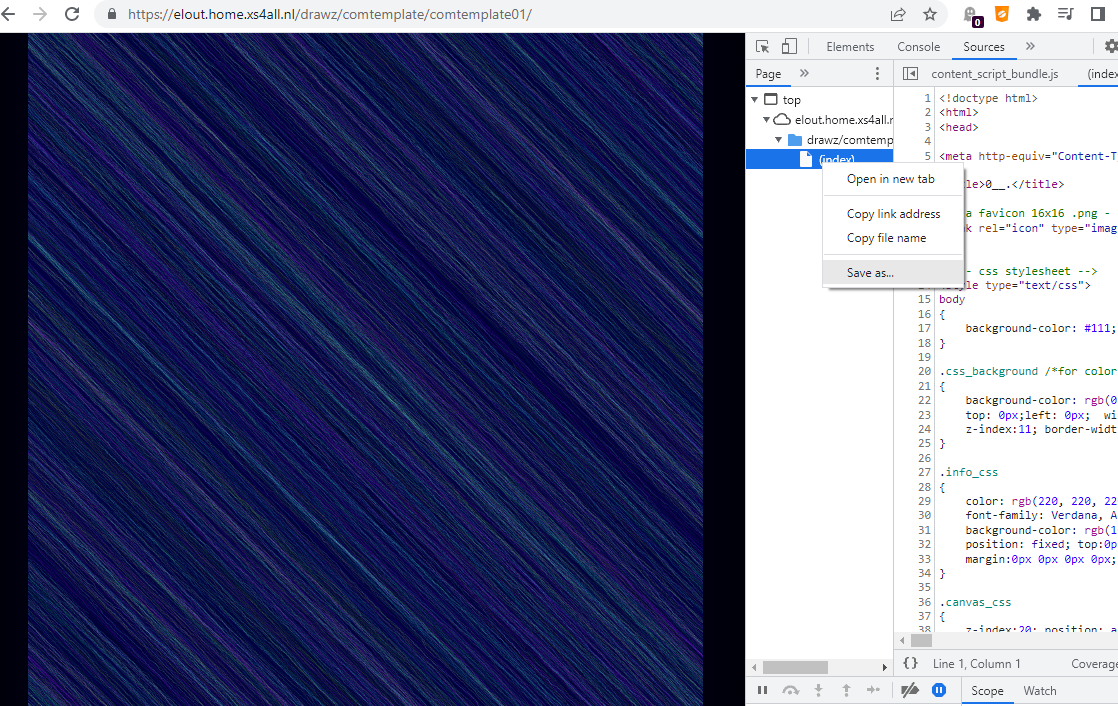
I open Developer tools in chrome (F12 on windows); check google how to open it; incase you are on a different platform. There you can save the file as well. I use the Developer tools as well, for bug-checking.
So what's in it? - It's drawing a big image of like 4096x4096 - scale it down to the screen
- Handles screen and windows scaling
- (mouse)-click - zoom in/out - mouse look
- s - save image
- f - fps on/off shows info
- space-bar - pause image
- using and creating palettes
- fxhash random support - using fxpreview() for the thumbnail
I want to concentrate on this template next, for creative coding; in a new article